DocuThinker-AI-App
DocuThinker — Mobile Apps (iOS & Android)
This document is the single source of truth for the DocuThinker mobile experience. It covers architecture, every screen (with iOS + Android screenshots), the auth and data layer, how mobile mirrors the web frontend, the upload boundary, dev workflows, and known limitations.
Table of contents
- Overview
- Architecture
- Screen map
- Auth model
- API surface
- Markdown rendering
- Upload boundary
- Screen tour
- Web ↔ mobile parity matrix
- Build, run, and dev workflow
- Known limitations
Overview
The DocuThinker mobile app is an Expo SDK 51 React Native app built with TypeScript and expo-router (file-based routing). It signs in against the same Firebase Auth pool the web client uses and talks to the same Vercel backend at https://docuthinker-app-backend-api.vercel.app. A user registered on the web can sign in on mobile (and vice-versa) and see the same documents, days-active counter, and summaries.
The mobile app is intentionally lean: it does not duplicate backend services, it does not own its own auth, and it does not parse PDFs on-device. It is a thin, fast, native-feeling client over the same APIs the web app uses, with one explicit boundary documented in Upload boundary.
graph TB
  subgraph Devices["Devices"]
    iOS["iOS Simulator / Device"]
    AND["Android Emulator / Device"]
  end

  subgraph MobileApp["Mobile App — Expo SDK 51 + TypeScript"]
    Router["expo-router file-based routing"]
    Screens["Screens: login, register, forgot,<br/>tabs/home, tabs/documents, tabs/profile,<br/>upload, summary, chat"]
    LibAuth["lib/auth.ts<br/>cached token + userId<br/>onAuthChange emitter"]
    LibAPI["lib/api.ts<br/>fetch wrapper + normalizers"]
    MD["components/MarkdownText.tsx<br/>react-native-markdown-display"]
    Storage[("AsyncStorage")]
  end

  subgraph BackendVercel["Shared Backend on Vercel — do not modify"]
    REST["Express REST API"]
    Firestore[("Firestore")]
    FBAuth[("Firebase Auth")]
    LLM["Gemini / OpenAI"]
  end

  iOS --> Router
  AND --> Router
  Router --> Screens
  Screens --> LibAuth
  Screens --> LibAPI
  Screens --> MD
  LibAuth <--> Storage
  LibAPI --> REST
  REST --> FBAuth
  REST --> Firestore
  REST --> LLM
Architecture
mobile-app/
├── app/                          # expo-router screens
│   ├── _layout.tsx               # Root stack + auth gate + prefs hydration
│   ├── login.tsx                 # Email/password sign-in
│   ├── register.tsx              # Email/password sign-up
│   ├── forgot.tsx                # Two-step verify-email + reset
│   ├── upload.tsx                # Plain-text doc picker + sample seed
│   ├── summary.tsx               # AI summary + original tabs + key ideas + discussion points (markdown)
│   ├── chat.tsx                  # Document chat (markdown)
│   ├── settings/
│   │   ├── account.tsx           # Update email + password, sign out
│   │   ├── appearance.tsx        # Theme + text size (system/light/dark + 4 scales)
│   │   ├── connections.tsx       # GitHub / LinkedIn / X / Instagram / Facebook handles
│   │   ├── privacy.tsx           # Session info, delete-all-docs, sign out
│   │   └── help.tsx              # FAQ + contact + app version
│   └── (tabs)/
│       ├── _layout.tsx           # Bottom tab nav
│       ├── index.tsx             # Home: stats + recent docs (skeletons while loading)
│       ├── documents.tsx         # Library: searchable, paginated 5/page, per-row delete
│       └── profile.tsx           # Profile: stats + settings menu + sign out
├── components/
│   ├── Screen.tsx                # Themed safe-area wrapper with refresh control hook
│   ├── ui.tsx                    # Buttons, Pills, TextField, Cards, IconCircle, Avatar, Logo, SettingsRow, Toggle, ChoiceGroup
│   ├── MarkdownText.tsx          # Renders LLM markdown the same way ChatModal.js does
│   └── Skeleton.tsx              # Animated placeholder blocks + SkeletonLines helper
├── lib/
│   ├── auth.ts                   # Token + userId cache, AsyncStorage, onAuthChange
│   ├── api.ts                    # fetch wrapper + endpoint methods + response normalizers
│   └── prefs.ts                  # Theme choice + text-scale cache, AsyncStorage, onPrefsChange
└── constants/
    ├── theme.ts                  # Spacing, radius, mutable font sizes (text-scale aware), colors per scheme
    └── sampleData.ts             # Static UI copy only (home feature cards)
Important conventions:
- No mock data in production paths. Every screen that depends on user data calls
lib/api.ts. The only static data file (constants/sampleData.ts) holds UI copy for the home “What you can do” cards. - Auth never polls.
lib/auth.tscaches token + userId and emits events; screens subscribe viaonAuthChange. This mirrors the web client’s switch from a per-secondlocalStoragepoll to an event-driven model (seefrontend/src/utils/auth.js). - Response normalization lives in
lib/api.ts. The backend returns/documents/:userIdas an object keyed by numeric strings plus amessagefield, andtitleis sometimes an array. The mobile API layer coerces these to a cleanDocumentSummary[]so screens stay simple. - Markdown is rendered, not stringified. Assistant messages and summaries pass through
MarkdownText.tsx(react-native-markdown-display), matchingfrontend/src/components/ChatModal.js(react-markdown).
Screen map
graph LR
  subgraph Unauth["Unauth (auth gate redirects here when no userId)"]
    L["login"]
    R["register"]
    F["forgot"]
  end
  subgraph AuthedTabs["Authed tabs"]
    H["tabs/index — Home"]
    D["tabs/documents — Library (paginated 5/page)"]
    P["tabs/profile — Profile"]
  end
  subgraph AuthedStacks["Authed stacks"]
    U["upload modal"]
    S["summary"]
    C["chat"]
  end
  subgraph Settings["Settings stacks"]
    SA["settings/account"]
    SAp["settings/appearance"]
    SC["settings/connections"]
    SP["settings/privacy"]
    SH["settings/help"]
  end

  L -- "Create an account" --> R
  L -- "Forgot password?" --> F
  R -- "Sign in" --> L
  F -- "Back to sign in" --> L

  H -- "Analyze a Document" --> U
  H -- "Recent doc tap" --> S
  D -- "Doc tap" --> S
  P -- "Account details" --> SA
  P -- "Appearance" --> SAp
  P -- "Connections" --> SC
  P -- "Privacy & security" --> SP
  P -- "Help & support" --> SH
  SA -- "Sign out" --> L
  SP -- "Sign out / Delete all" --> L

  U -- "Analyze / Try Sample" --> S
  S -- "Chat about this document" --> C
  S -- "Generate key ideas" --> S
  S -- "Generate discussion points" --> S
  C -- "back" --> S
Auth model
The mobile auth flow is a near-1:1 mirror of frontend/src/utils/auth.js:
sequenceDiagram
  autonumber
  participant App as Mobile App boot
  participant L as lib/auth.ts
  participant AS as AsyncStorage
  participant API as lib/api.ts
  participant BE as Vercel Backend
  participant FB as Firebase Auth
  participant Layout as _layout.tsx (auth gate)
  participant UI as Screens

  App->>L: hydrateAuth()
  L->>AS: getItem("token"), getItem("userId")
  AS-->>L: cached values (or null)
  L->>L: cache + emit
  L-->>Layout: ready, authed?
  alt no userId
    Layout->>UI: router.replace("/login")
    UI->>API: api.login(email, password)
    API->>BE: POST /login
    BE->>FB: verify + createCustomToken
    FB-->>BE: customToken
    BE-->>API: { customToken, userId }
    API-->>UI: response
    UI->>L: setAuth(customToken, userId)
    L->>AS: multiSet([token, userId])
    L-->>Layout: emit() -> setAuthed(true)
    Layout->>UI: router.replace("/")
  else userId present
    Layout->>UI: render (tabs)
  end

  UI->>L: clearAuth() on Sign out
  L->>AS: multiRemove([token, userId])
  L-->>Layout: emit() -> setAuthed(false)
  Layout->>UI: router.replace("/login")
State machine:
stateDiagram-v2
  [*] --> Hydrating
  Hydrating --> Unauthed: userId == null
  Hydrating --> Authed: userId != null
  Unauthed --> Authed: setAuth(token, userId)
  Authed --> Unauthed: clearAuth()
  Authed --> Authed: token refreshed in place
Auth gate (in app/_layout.tsx) treats login, register, and forgot as the only public segments. Anything else redirects to /login when unauthed; if already authed and on a public segment, it redirects to /.
API surface
lib/api.ts exposes a single api object whose methods call the same Vercel backend as the web app. Every response is parsed through a small wrapper that surfaces body.error || body.message on non-2xx responses so screens can show meaningful error text.
classDiagram
  class api {
    +login(email, password) LoginResponse
    +register(email, password) MessageResponse
    +verifyEmail(email) VerifyResponse
    +forgotPassword(email, newPassword) MessageResponse
    +getUserEmail(userId) EmailResponse
    +getDaysSinceJoined(userId) DaysResponse
    +getDocumentCount(userId) CountResponse
    +getUserJoinedDate(userId) JoinedResponse
    +getDocuments(userId) DocumentSummaryList
    +getDocumentDetails(userId, docId) DocumentDetails
    +deleteDocument(userId, docId) void
    +deleteAllDocuments(userId) MessageResponse
    +upload(userId, title, text) UploadResponse
    +chat(message, originalText, sessionId) ChatResponse
    +generateKeyIdeas(documentText) KeyIdeasResponse
    +generateDiscussionPoints(documentText) DiscussionResponse
    +updateUserEmail(userId, newEmail) MessageResponse
    +updateUserPassword(userId, newPassword) MessageResponse
    +updateTheme(userId, theme) ThemeResponse
    +getSocialMedia(userId) SocialMediaResponse
    +updateSocialMedia(userId, handles) MessageResponse
    +updateDocumentTitle(userId, docId, newTitle) MessageResponse
  }

  class DocumentSummary {
    +id : string
    +title : string
    +summary : string
    +originalText : string
  }

  class Request {
    -auth : boolean
    -BASE_URL : string
    +request(path, options) Promise
  }

  api ..> Request : uses
  api ..> DocumentSummary : returns
Why the normalizers exist
Two backend response shapes do not match what mobile screens want:
GET /documents/:userIdreturns{"0":{...}, "1":{...}, ..., "message": "..."}. The mobile API coerces this intoDocumentSummary[], filtering out themessagekey — the same trickfrontend/src/pages/DocumentsPage.jsuses withObject.keys(data).filter(k => k !== "message").map(k => data[k]).titlecomes back asstring[]for legacy docs (mostly PDFs uploaded through the web app). Mobile flattens this to a single string viaArray.isArray(title) ? title.join(" ") : title, so list rows render as expected.
These normalizers are the reason Library is no longer empty on mobile when the same account has 30+ docs on web.
Markdown rendering
LLM responses (summaries, chat replies) include markdown — **bold**, _italic_, bullet lists, occasional fenced code, and links. Web uses react-markdown; mobile uses react-native-markdown-display behind a small wrapper component (components/MarkdownText.tsx) that styles paragraphs, lists, code, and links to match the active theme.
Used by:
app/chat.tsxfor every assistant bubble.app/summary.tsxfor the AI summary tab.
User-typed messages still render as plain <Text> to keep their styling consistent with the brand-colored bubbles.
Upload boundary
flowchart LR
  subgraph Web
    WPick[File picker .pdf .docx .txt]
    WParse[pdfjs-dist + mammoth<br/>parse client-side]
    WPost[POST /upload with extracted text]
  end

  subgraph Mobile
    MPick[expo-document-picker<br/>text/* only]
    MRead[expo-file-system<br/>readAsStringAsync UTF-8]
    MSample[Try a Sample Document<br/>bundled SAMPLE_TEXT]
    MPost[POST /upload with text payload]
  end

  WPick --> WParse --> WPost
  MPick --> MRead --> MPost
  MSample --> MPost

  WPost -.same endpoint.- MPost
Why mobile is text-only
The Vercel deployment has a small request payload limit, and we don’t want to ship a multipart binary upload path that’s flaky in the wild. PDF/DOCX parsing on the web is done client-side with pdfjs-dist and mammoth before the extracted text is posted to /upload. Reproducing that on mobile would require either:
- bundling native PDF parsing (requires
expo prebuildand breaks the Expo Go workflow), or - streaming the raw binary to the backend (the Vercel payload limit makes this unreliable for non-trivial PDFs).
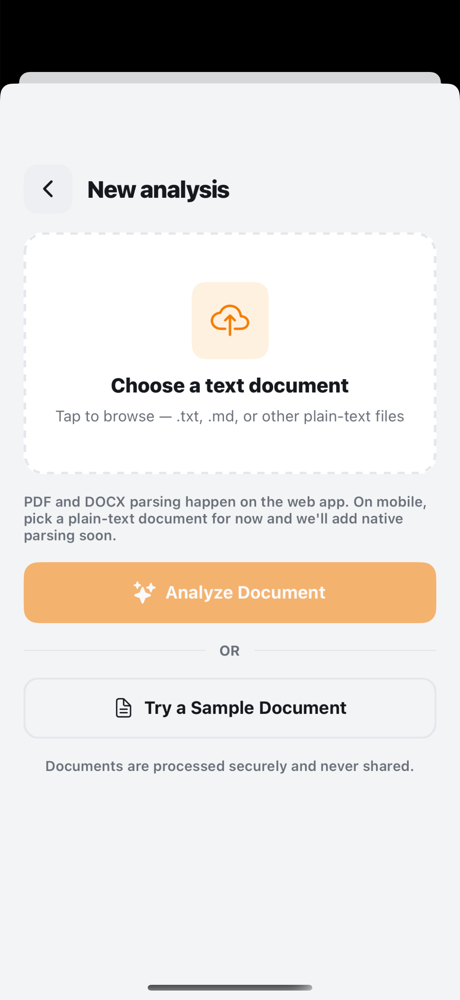
We chose to keep mobile text-only and document the boundary clearly. The Upload screen offers a Try a Sample Document button that posts a bundled SAMPLE_TEXT payload so users can validate the full pipeline without hunting for a .txt file.
Screen tour
All screenshots below were taken on real signed-in state (account newemail@example.com, ~42 docs, 591 days active) so library/profile counts are real. iOS shots are from iPhone 16 Pro / iOS 18.5. Android shots are from Pixel 6 / API 34.
1. Login
| iOS | Android |
|---|---|
 |
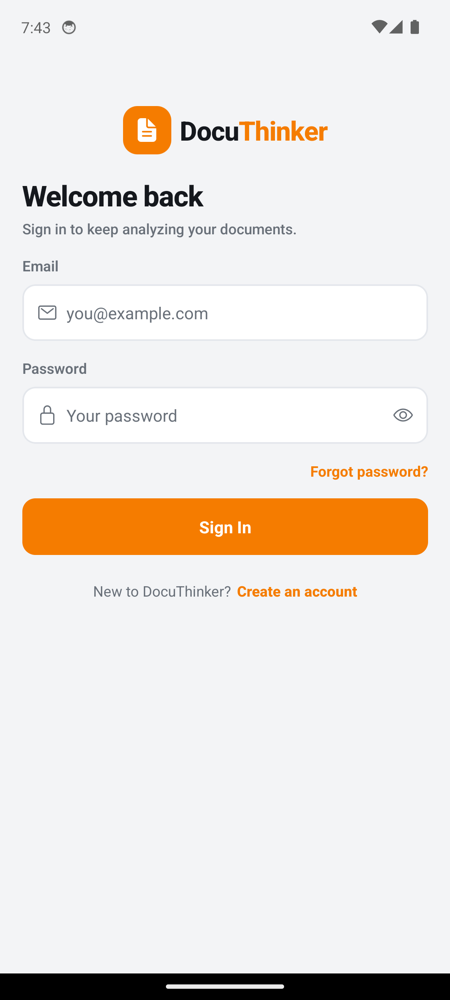 |
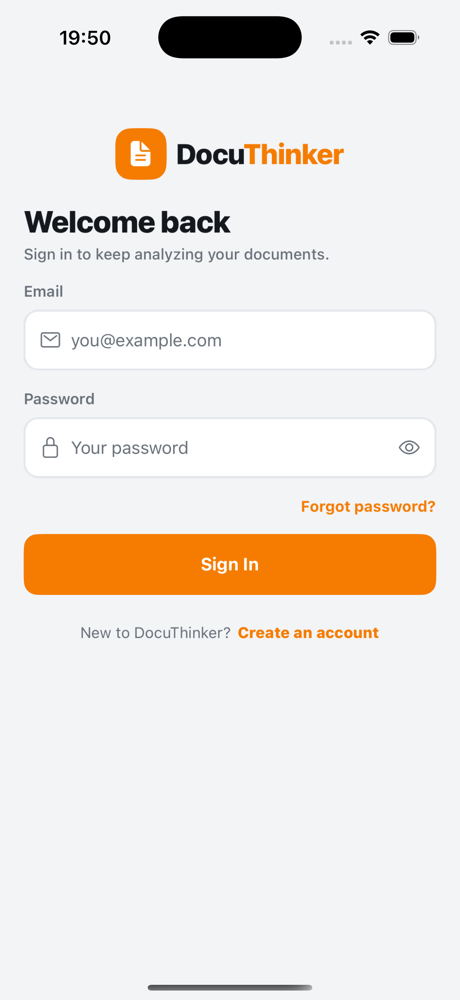
Email + password, forgot-password link (navigates to /forgot), and a Create an account link to /register. There is no “Continue with Google” — the web client doesn’t have one either, and a dead button is a bug.
2. Register
| iOS | Android |
|---|---|
 |
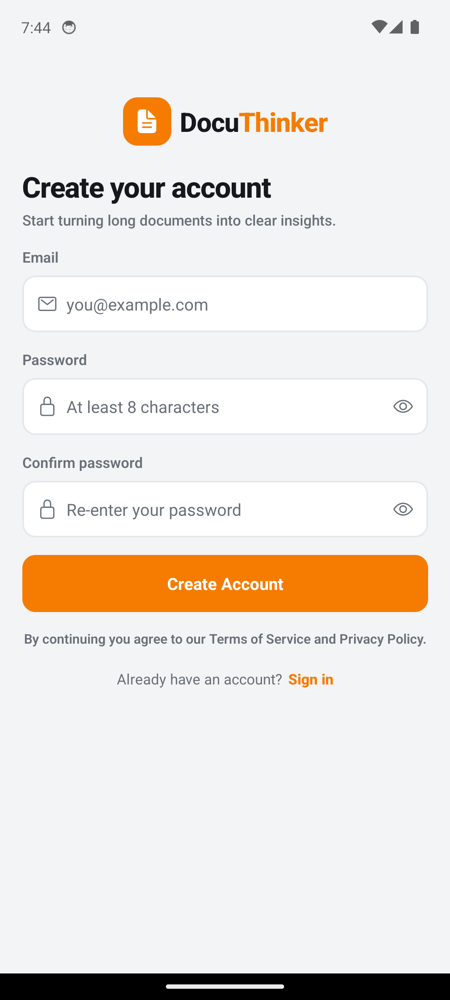 |
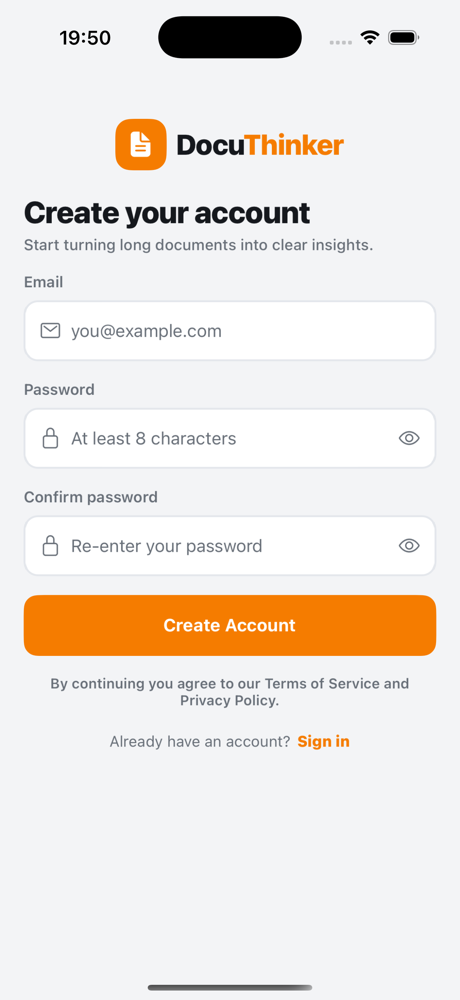
Email, password, confirm password. No “Full name” field — the backend’s /register only accepts email + password, and capturing a name that’s silently discarded is misleading. On success the screen navigates back to /login.
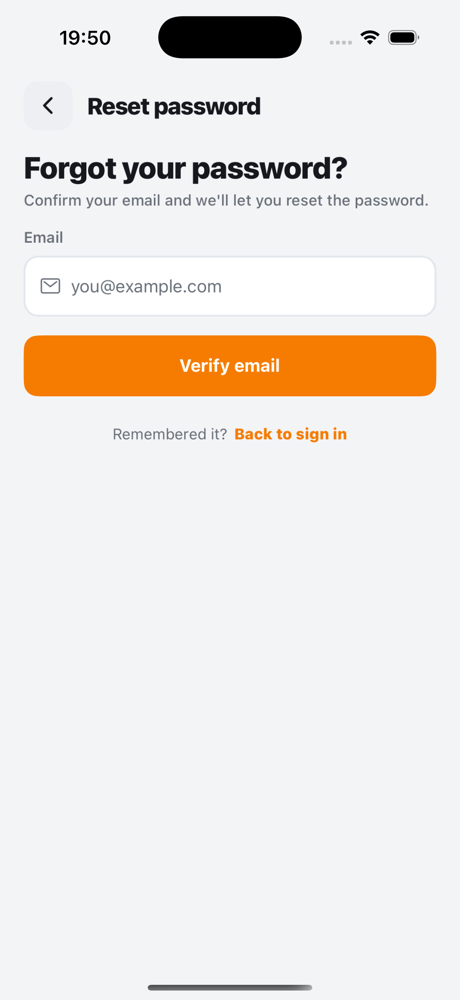
3. Forgot password
| iOS | Android |
|---|---|
 |
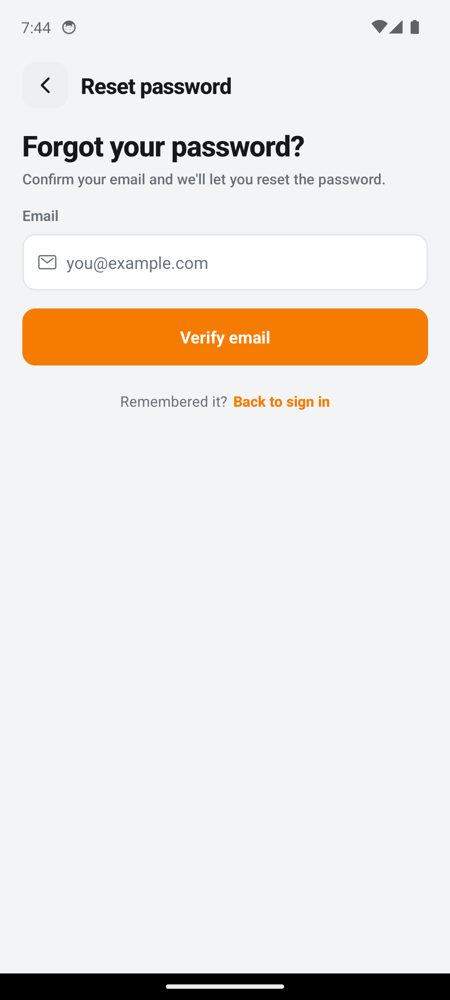 |
Two-step flow mirroring frontend/src/pages/ForgotPassword.js:
- POST
/verify-emailwith the email; on success, reveal password fields. - POST
/verify-emailwith the email; on success, reveal the password fields. - POST
/forgot-passwordwith{ email, newPassword }; on success, redirect to/login.
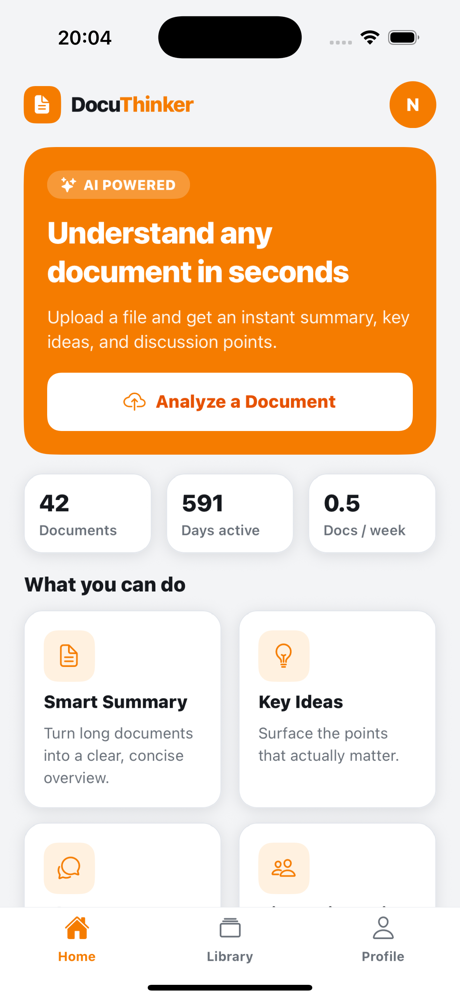
4. Home
| iOS | Android |
|---|---|
 |
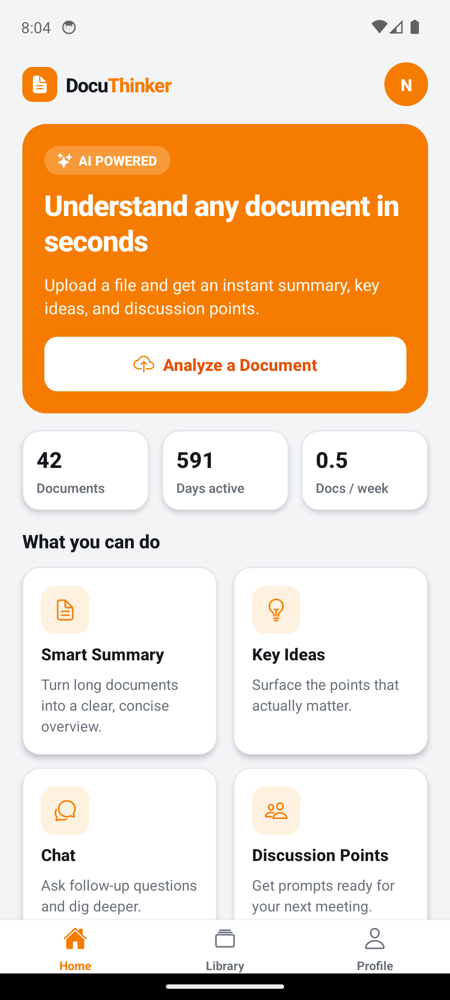 |
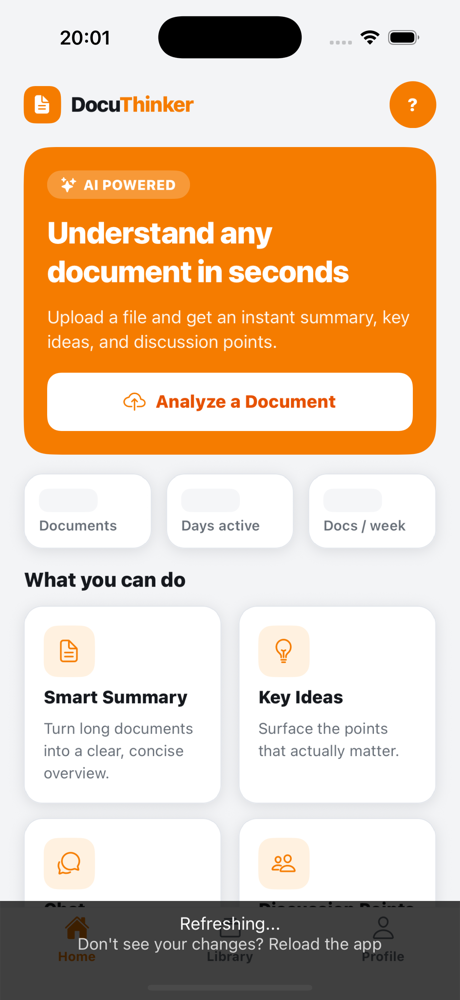
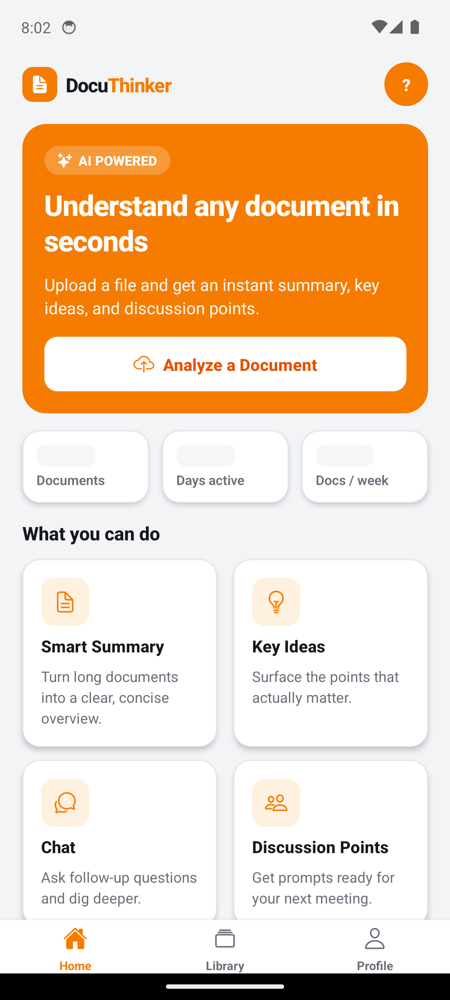
Pull-to-refresh fires parallel calls to /users/:id, /document-count/:id, /days-since-joined/:id, and /documents/:id. The hero card jumps to /upload. Recent docs are tappable and route to /summary?docId=…&title=….
The three stat chips show Documents (lifetime count), Days active (days since join), and Docs / week (computed activity metric — docCount × 7 / daysActive). No more ∞ placeholder; the number is real and decays/grows with usage.
Loading state below (chips and recent rows render as animated Skeleton placeholders before the first response lands):
| iOS — loading | Android — loading |
|---|---|
 |
 |
5. Library
| iOS | Android |
|---|---|
 |
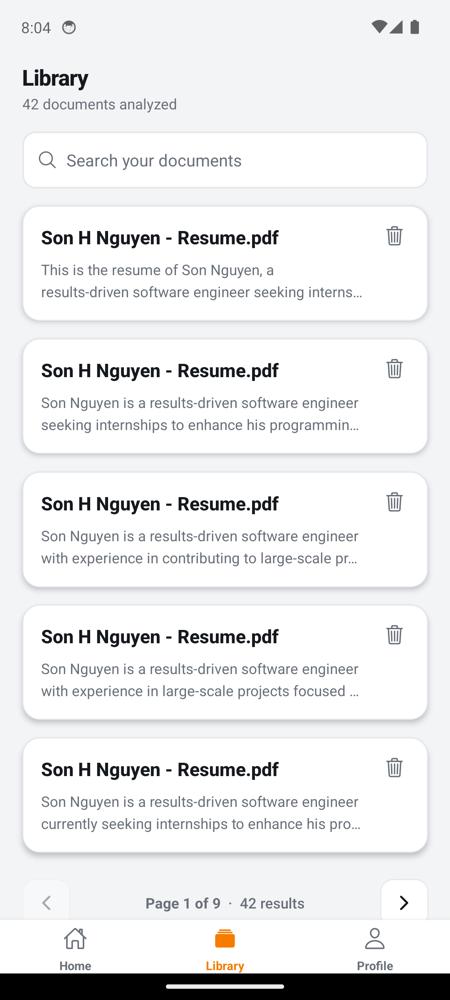 |
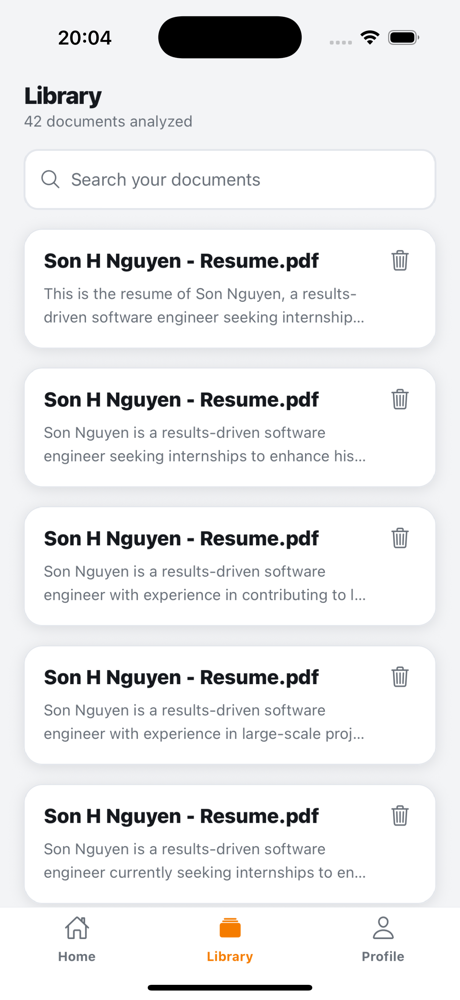
Lists every document on the account. The search field filters client-side by title. Pagination at 5 documents per page (matching frontend/src/pages/DocumentsPage.js) with < 1 of N · M results > controls at the bottom. Each row has a trash-can affordance that calls DELETE /documents/:userId/:docId after an Alert confirmation — same destructive shape as the web app’s per-row Delete.
6. Profile
| iOS | Android |
|---|---|
 |
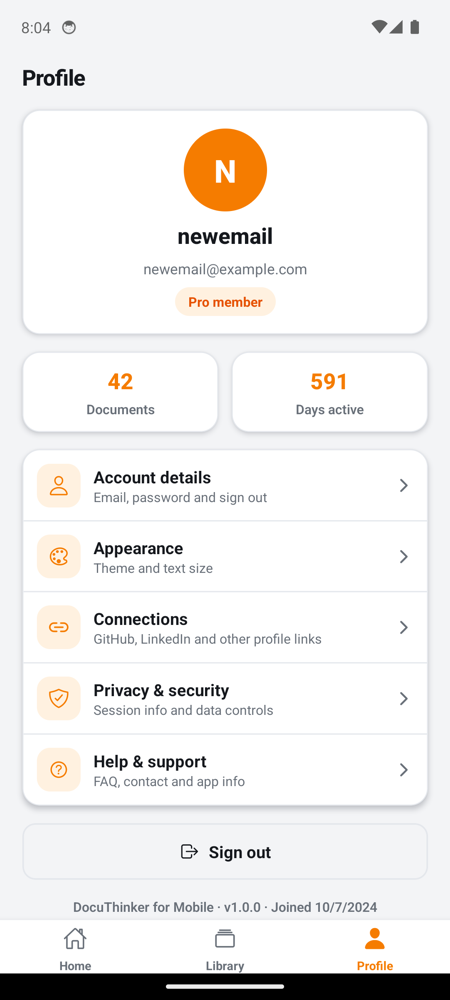 |
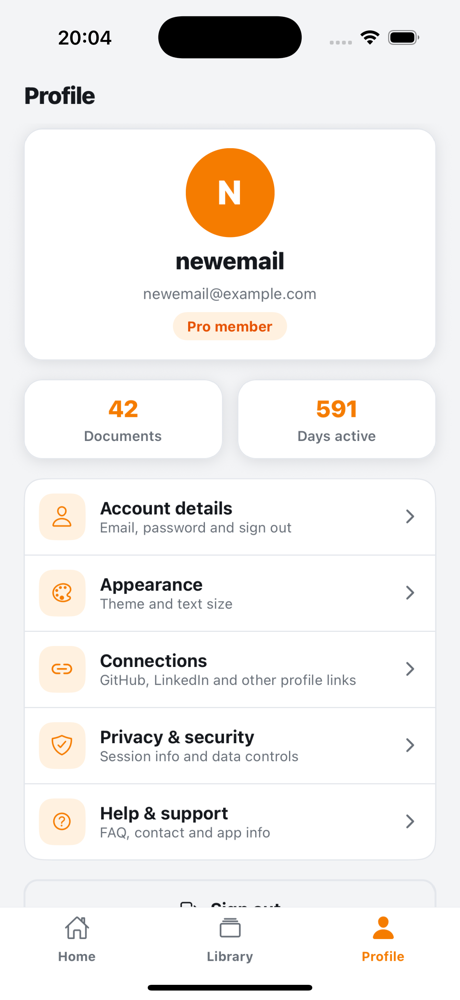
Shows the real email and Firestore-derived stats: document count, days active, joined date in the footer. The centered “Pro member” pill matches the marketing card on web. Every settings row now navigates to a real, fully-implemented screen — none of them are “coming soon” stubs.
7. Account details (Settings)
| iOS | Android |
|---|---|
 |
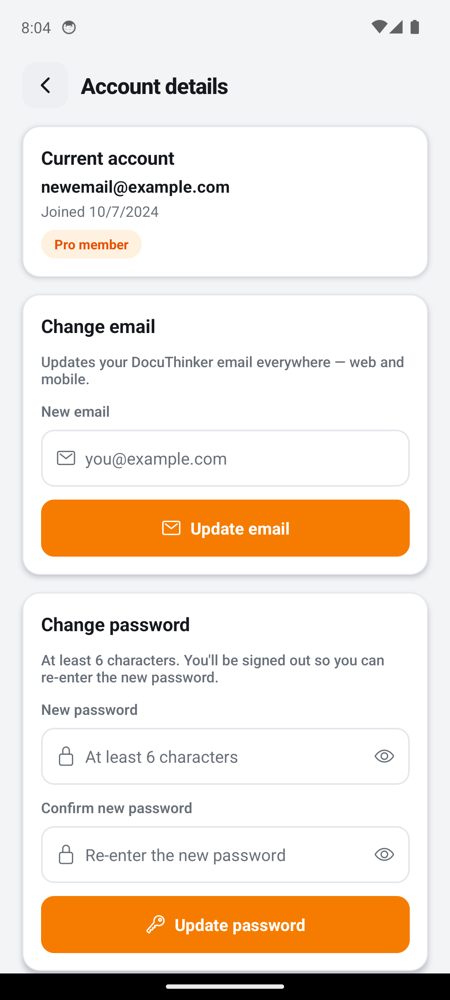 |
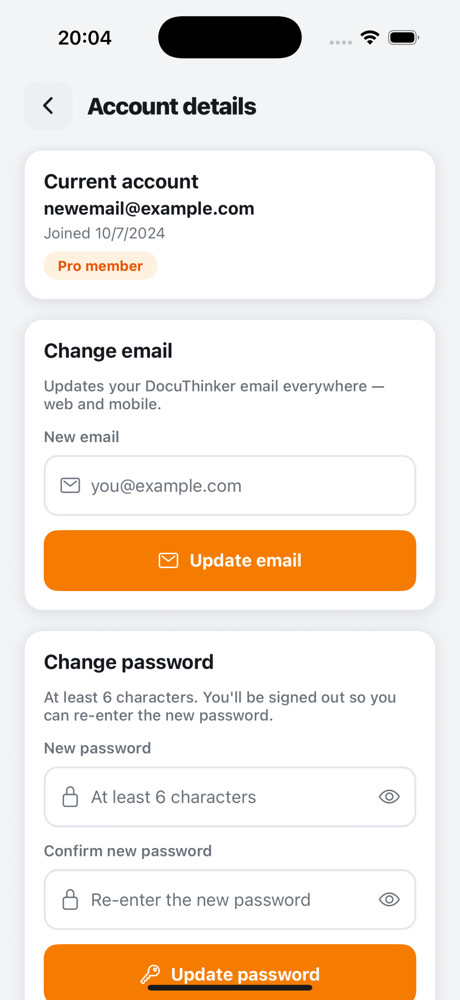
Real /update-email + /update-password flows. Reads current email/joined date via /users/:userId and /user-joined-date/:userId. After a successful update the app clears auth and bounces the user back to /login so they re-sign-in with the new credentials — same UX as the web Profile page.
8. Appearance (Settings)
| iOS | Android |
|---|---|
 |
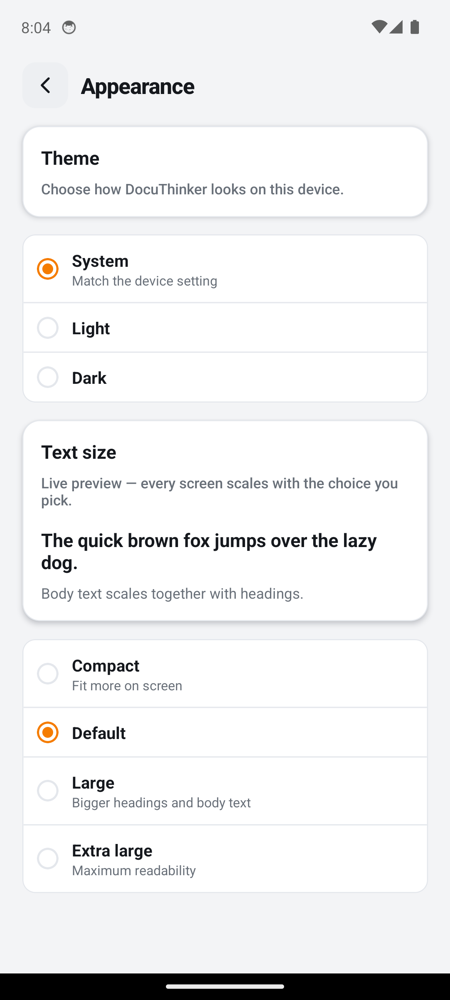 |
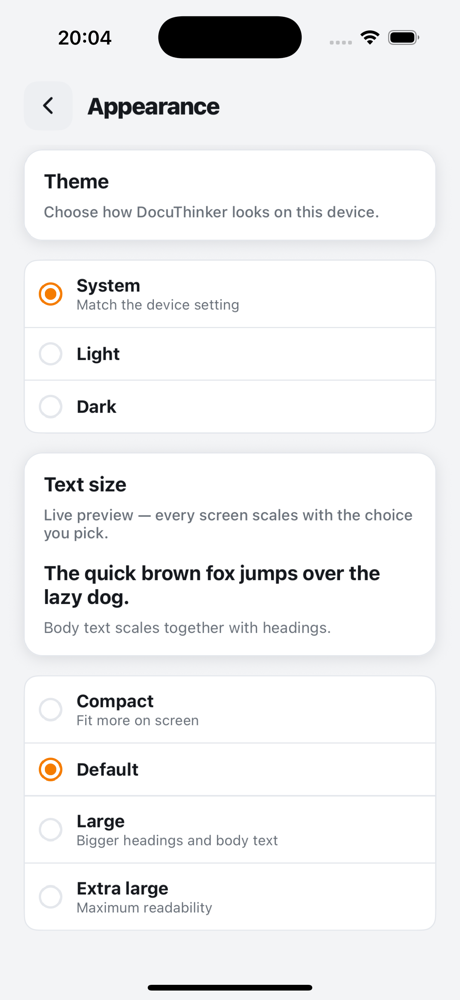
Theme picker (System / Light / Dark) and Text size picker (Compact / Default / Large / Extra large). Both are persisted to AsyncStorage via lib/prefs.ts. When the user picks an explicit Light or Dark choice the app also calls PUT /update-theme so the web app picks the same theme on next sign-in; System stays mobile-only because the backend only accepts light / dark. Text size scales the entire app’s fontSize map live.
9. Connections (Settings)
| iOS | Android |
|---|---|
 |
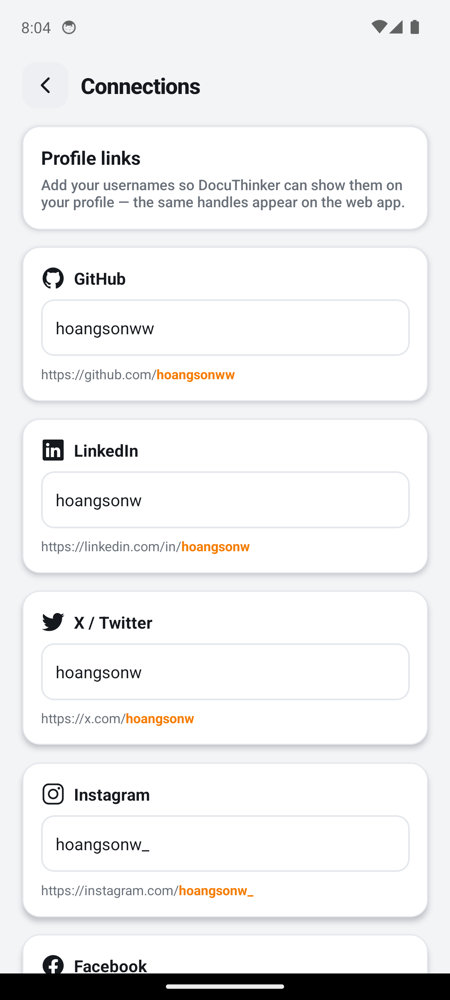 |
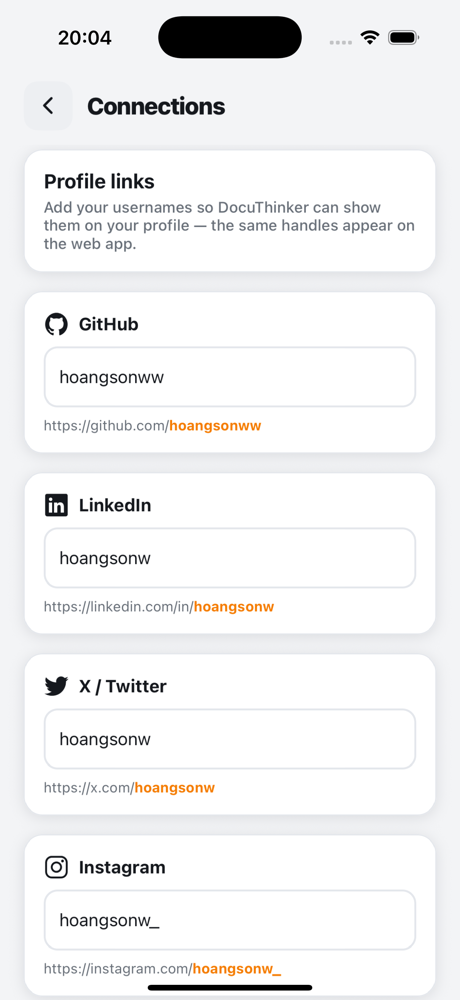
GitHub, LinkedIn, X/Twitter, Instagram, Facebook handles. Reads with GET /social-media/:userId; saves with POST /update-social-media. Same fields the web Profile page edits — handles round-trip cleanly between platforms.
10. Privacy & security (Settings)
| iOS | Android |
|---|---|
 |
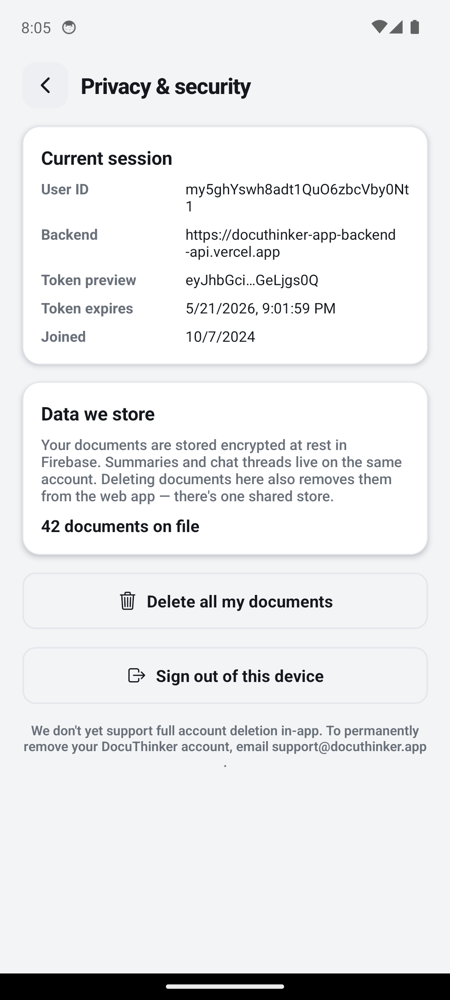 |
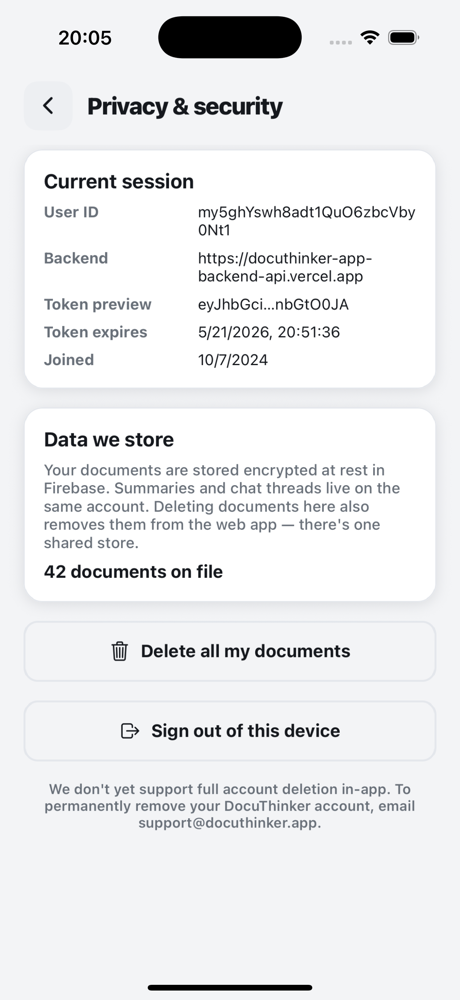
Shows the live session (user ID, backend URL, JWT preview + expiry decoded from the token, joined date), document count from /document-count/:userId, then two destructive actions: Delete all my documents (calls DELETE /documents/:userId after an Alert confirmation) and Sign out of this device (clears auth and bounces to /login). Full account deletion is not exposed because no backend endpoint exists for it; the screen says so explicitly.
11. Help & support (Settings)
| iOS | Android |
|---|---|
 |
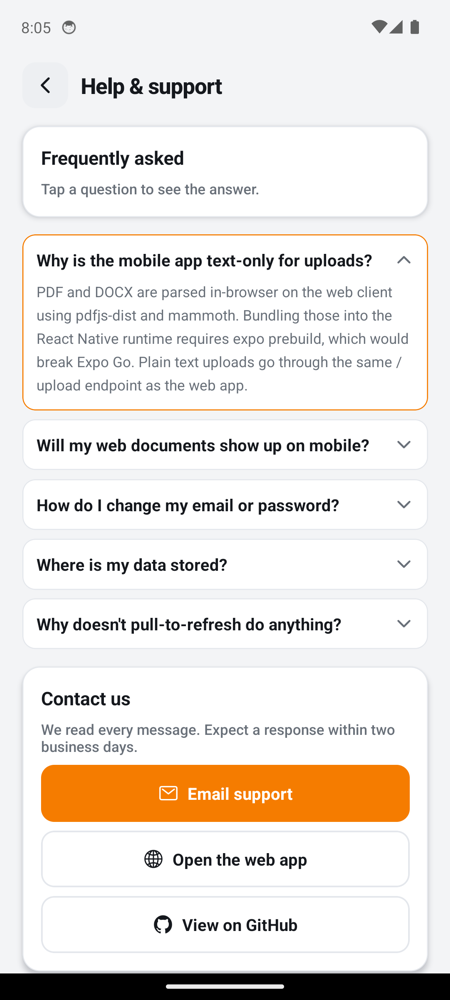 |
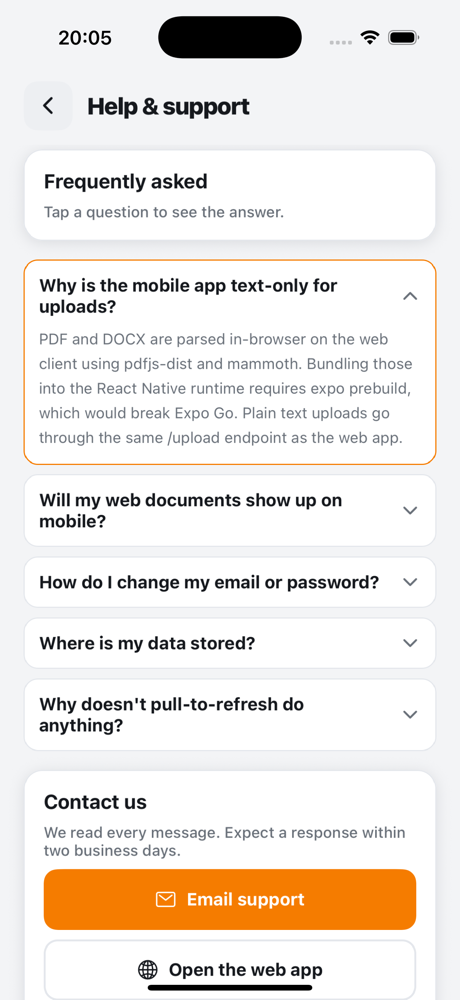
Five expandable FAQ items, a Linking.openURL("mailto:…") contact button, and quick links to the web app and the GitHub repo. Footer shows the actual app version + Expo SDK from expo-constants — not hard-coded.
12. Upload
| iOS | Android |
|---|---|
 |
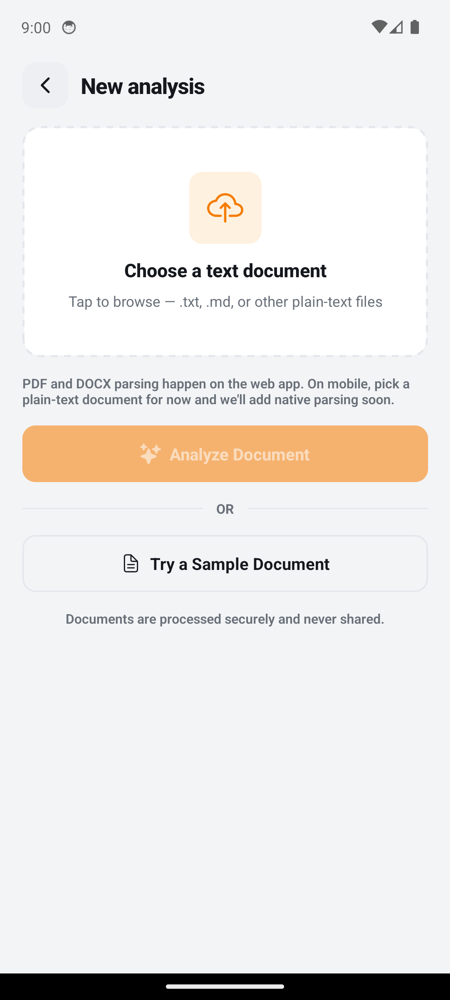 |
A plain-text document picker (expo-document-picker with text/* filters), a divider, then a Try a Sample Document button that posts a bundled multi-paragraph quarterly update so the rest of the pipeline is one tap away. iOS presents this screen as a modal sheet (note the rounded corners and dark backdrop) — that’s presentation: "modal" in _layout.tsx.
13. Summary
| iOS | Android |
|---|---|
 |
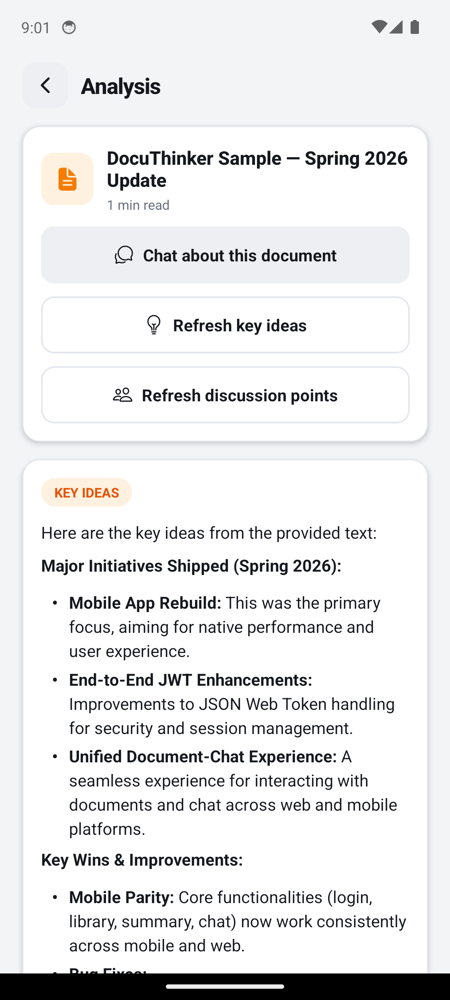 |
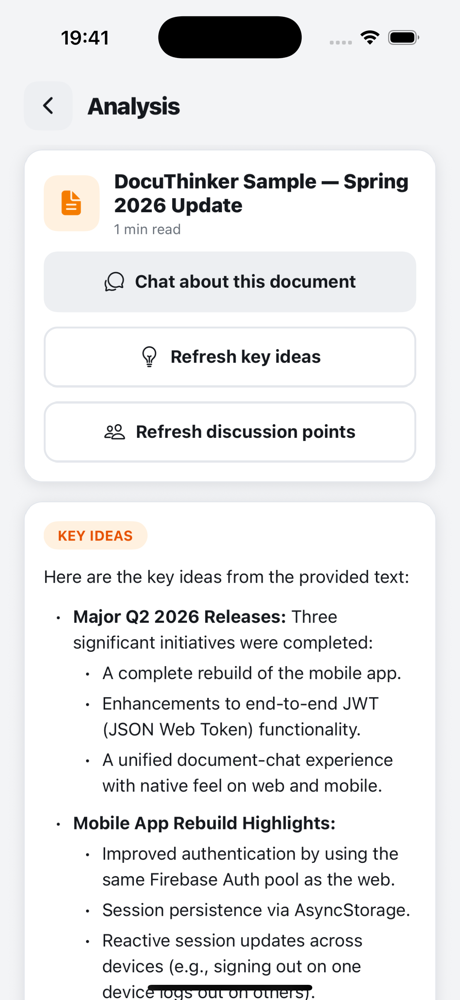
Two tabs (Summary, Original). The Summary tab renders the AI-generated markdown via MarkdownText. The header shows reading time computed from the original text.
Below the Chat about this document button there are two more actions:
- Generate key ideas → calls
POST /generate-key-ideasand renders the markdown response in aKEY IDEAScard. - Generate discussion points → calls
POST /generate-discussion-pointsand renders the response in aDISCUSSION POINTScard.
Both buttons turn into Refresh key ideas / Refresh discussion points after the first call so the user can re-roll if they want a different angle.
14. Chat
| iOS | Android |
|---|---|
 |
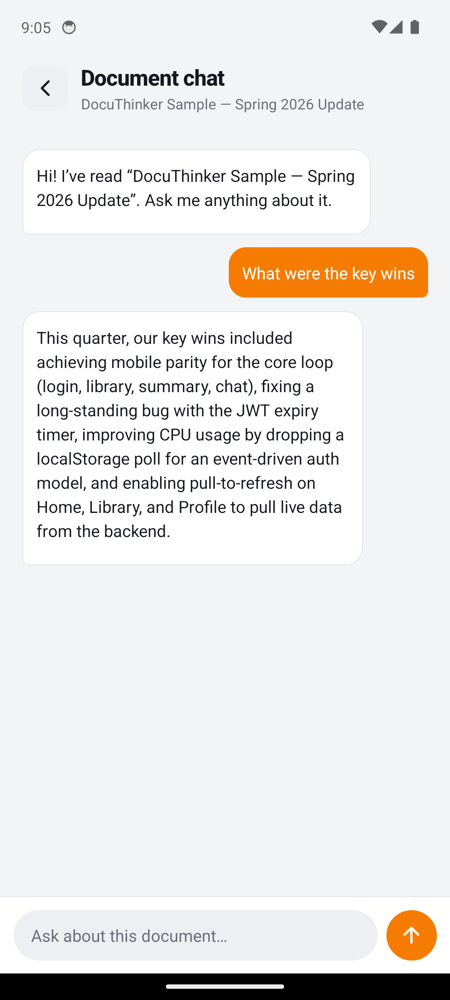 |
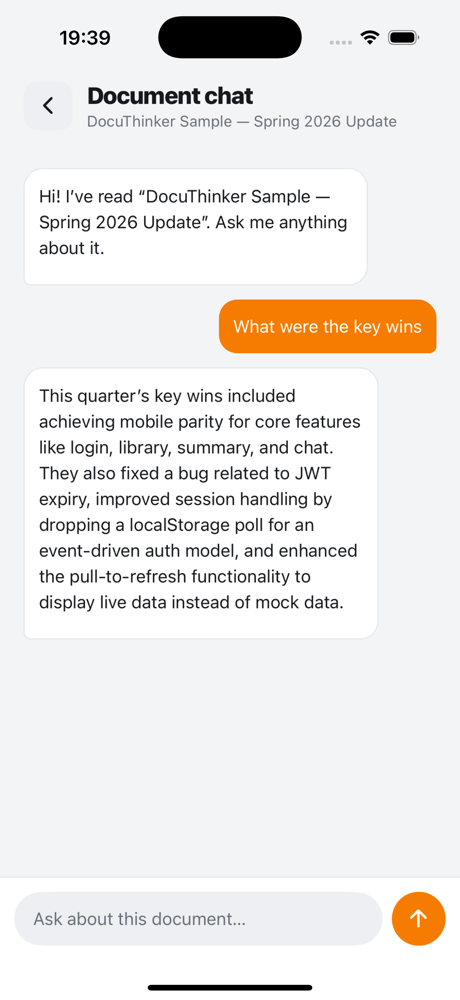
Stable sessionId per chat session, AI responses rendered with full markdown (bold, lists, code), error bubbles inline on network failures. Input bar uses KeyboardAvoidingView on iOS so the field doesn’t disappear under the software keyboard.
Web ↔ mobile parity matrix
| Feature | Web | Mobile | Notes |
|---|---|---|---|
| Sign in (email + password) | ✅ | ✅ | Same Firebase Auth pool, same /login endpoint, same { customToken, userId } response. |
| Sign up | ✅ | ✅ | Mobile no longer collects a name field that the backend ignores. |
| Forgot password (verify-then-reset) | ✅ | ✅ | Two-step /verify-email then /forgot-password. |
| Persistent session | localStorage | AsyncStorage | Both event-driven via a setAuth / clearAuth / onAuthChange trio. |
| Documents list | ✅ | ✅ | Mobile normalizes {0:{},1:{},message:""} → DocumentSummary[]. |
| Documents pagination | ✅ (5/page) | ✅ (5/page) | Identical client-side paging behavior. |
| Document summary view | ✅ | ✅ | Markdown rendered on both sides. |
| Generate key ideas | ✅ | ✅ | Same POST /generate-key-ideas endpoint. |
| Generate discussion points | ✅ | ✅ | Same POST /generate-discussion-points endpoint. |
| Document chat | ✅ | ✅ | Markdown rendered on both sides. |
| Delete document (per row) | ✅ | ✅ | DELETE /documents/:userId/:docId with Alert confirmation on mobile. |
| Delete all documents | ✅ | ✅ | DELETE /documents/:userId from the Privacy & security screen. |
| Update email | ✅ | ✅ | POST /update-email, then sign-out + re-auth. |
| Update password | ✅ | ✅ | POST /update-password, then sign-out + re-auth. |
| Theme toggle | ✅ | ✅ | Mobile adds a System choice; Light/Dark also PUT /update-theme so the web app picks it up. |
| Text size | ❌ | ✅ | Mobile-only — scales the entire fontSize map. |
| Social media handles | ✅ | ✅ | GET /social-media/:userId + POST /update-social-media. |
| Insights metric | n/a | ✅ | Mobile-only Docs / week derived from docCount * 7 / daysActive. |
| Loading skeletons | n/a | ✅ | Mobile renders animated placeholders during the first fetch on Home, Library, Profile, and every settings screen that hits the API. |
Upload .txt / .md |
✅ | ✅ | Same /upload endpoint, same JSON payload. |
Upload .pdf / .docx |
✅ (client-side parse) | ❌ (text only) | See Upload boundary. |
| Full account deletion | ❌ | ❌ | No backend endpoint exists yet on either side; Privacy & security says so explicitly. |
| Google sign-in | ❌ | ❌ | Neither client implements it; previously-dead mobile button has been removed. |
Build, run, and dev workflow
Prereqs
- Node 18+
npx expo(Expo CLI) — installed automatically withnpm install- iOS: Xcode + iOS 18.5 simulator runtime
- Android: Android Studio + an AVD (we use
Pixel_6_API_34) - Expo Go for SDK 51 installed on each emulator (one per device — they’re auto-installed via
npx expo run --deviceor via Expo’s installer if missing)
Install + start
cd mobile-app
npm install
npx expo start --port 8081
Open on each device
# iOS Simulator (must be booted)
xcrun simctl openurl booted "exp://127.0.0.1:8081"

# Android Emulator
adb shell am start -a android.intent.action.VIEW -d "exp://10.0.2.2:8081"
The first launch in Expo Go shows a one-time tutorial overlay (“This is the developer menu…”) — tap Continue to dismiss. macOS Accessibility blocks synthetic taps for unsigned clients, so this is a one-time human step per simulator session.
Reload after code changes
curl -X POST http://localhost:8081/reload
Deep links during development
exp://127.0.0.1:8081/--/<route> works for any screen. Useful for screenshotting and for skipping the auth gate when you already have a session in AsyncStorage:
xcrun simctl openurl booted "exp://127.0.0.1:8081/--/profile"
adb shell am start -a android.intent.action.VIEW -d "exp://10.0.2.2:8081/--/documents"
Known limitations
- No PDF/DOCX upload on mobile. Documented in Upload boundary. The Vercel payload limit + the cost of leaving Expo Go (
expo prebuild) make this a deferred decision rather than a missing feature. - No in-app full account deletion. Privacy & security can delete every document and sign out, but there’s no
/delete-accountendpoint on the backend yet. The screen says so explicitly and points tosupport@docuthinker.app. - Rename document.
api.updateDocumentTitleis wired but the mobile library doesn’t expose a rename affordance yet — only the trash-can delete. - iOS Simulator first-launch overlay. Expo Go’s intro modal needs a manual tap on macOS Simulator due to Accessibility permission requirements — this is an Expo Go / macOS quirk, not a DocuThinker behavior.
- Google sign-in. Not implemented on either client. The previously-dead “Continue with Google” mobile button has been removed.
If you change anything in this directory, please re-capture the affected screens (the names follow the mobile-<platform>-<screen>.png convention) and update the corresponding section above so the docs and the binary stay honest.