Open source · Swift · SpriteKit

Tap. Dodge.
Repeat forever.

The Flappy Bird loop, rebuilt properly — six modes, five power-ups, weather, a day/night cycle and a daily challenge that is the same for everyone who plays it. Plus a full Node.js backend for leaderboards that you never have to run.

322tests passing
6game modes
17achievements
0setup steps

Browser preview only. This compact demo captures the core flight loop; clone the project to play the complete iOS game.

Click, tap or press space · R restarts

Swift 5.9 SpriteKit TypeScript Express 5 PostgreSQL 16 Docker OpenAPI 3.1 322 tests
What is in it

A small game, taken seriously

Everything below runs on the device with no account, no network and no setup. The backend adds a social layer on top — it never gates the game.

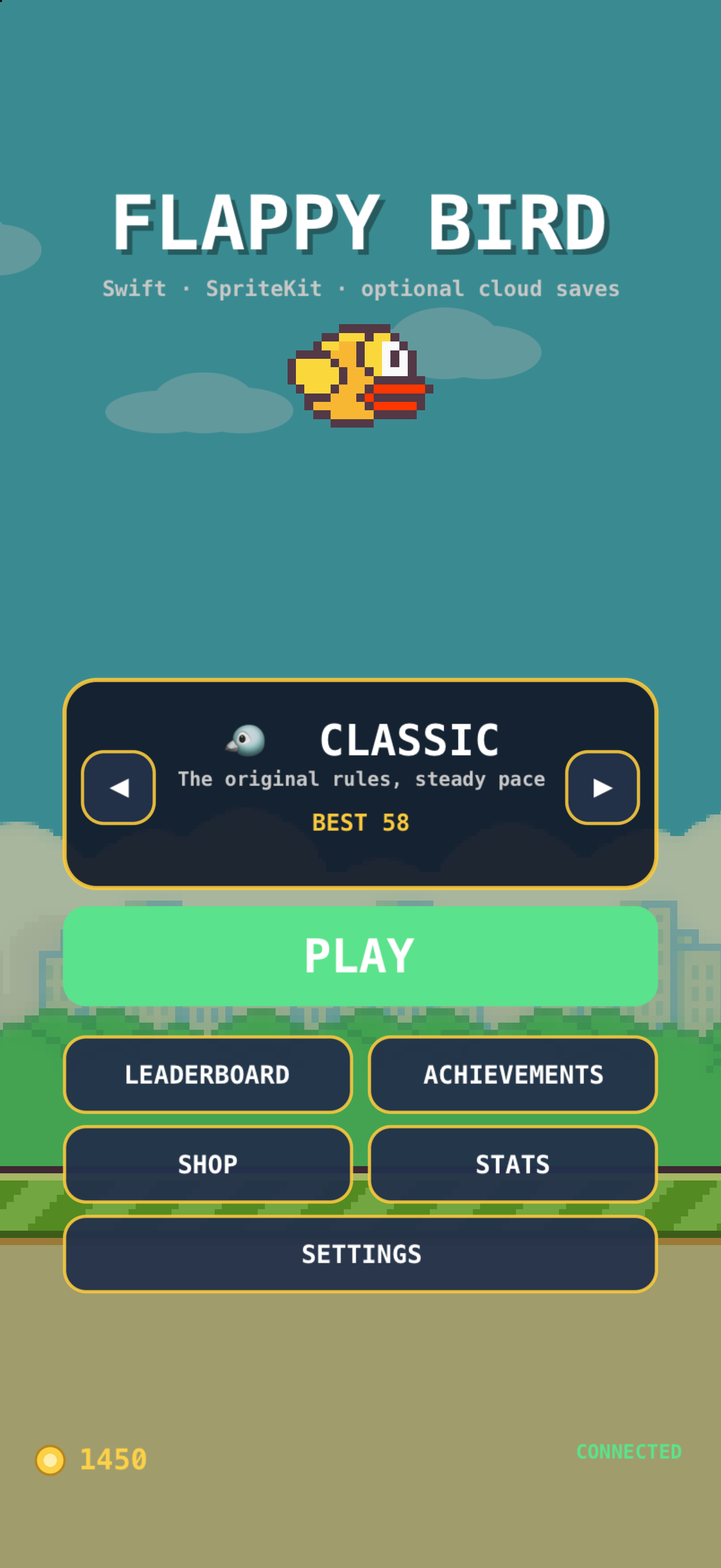
The main menu, showing the mode selector, personal best and coin wallet
Six ways to play

One loop, six different arguments with it

Classic is the original tuning. The rest pull it in different directions — and Zen exists purely so you can practise a tricky gap without the run ending.

  • ✓Endless — difficulty climbs over 40 pipes, then plateaus so it stays fair.
  • ✓Time Attack — 60 seconds. Score, not survival.
  • ✓Hardcore — 132 pt gaps, heavier gravity, no power-ups.
  • ✓Daily — derived from the date, so everyone plays the identical layout.

A run in progress: pipes, coins and the score HUD
Risk and reward

The safest line is rarely the interesting one

Every gap holds a coin. Collect it and your combo grows; skip one and it resets. The multiplier caps at ×8, which is enough to make a greedy run genuinely worth attempting.

  • ✓Five power-ups — shield, slow-motion, magnet, double points, shrink.
  • ✓Weather — wind, rain and fog, rolled from the run seed.
  • ✓Day → sunset → night → dawn, every 20 pipes.
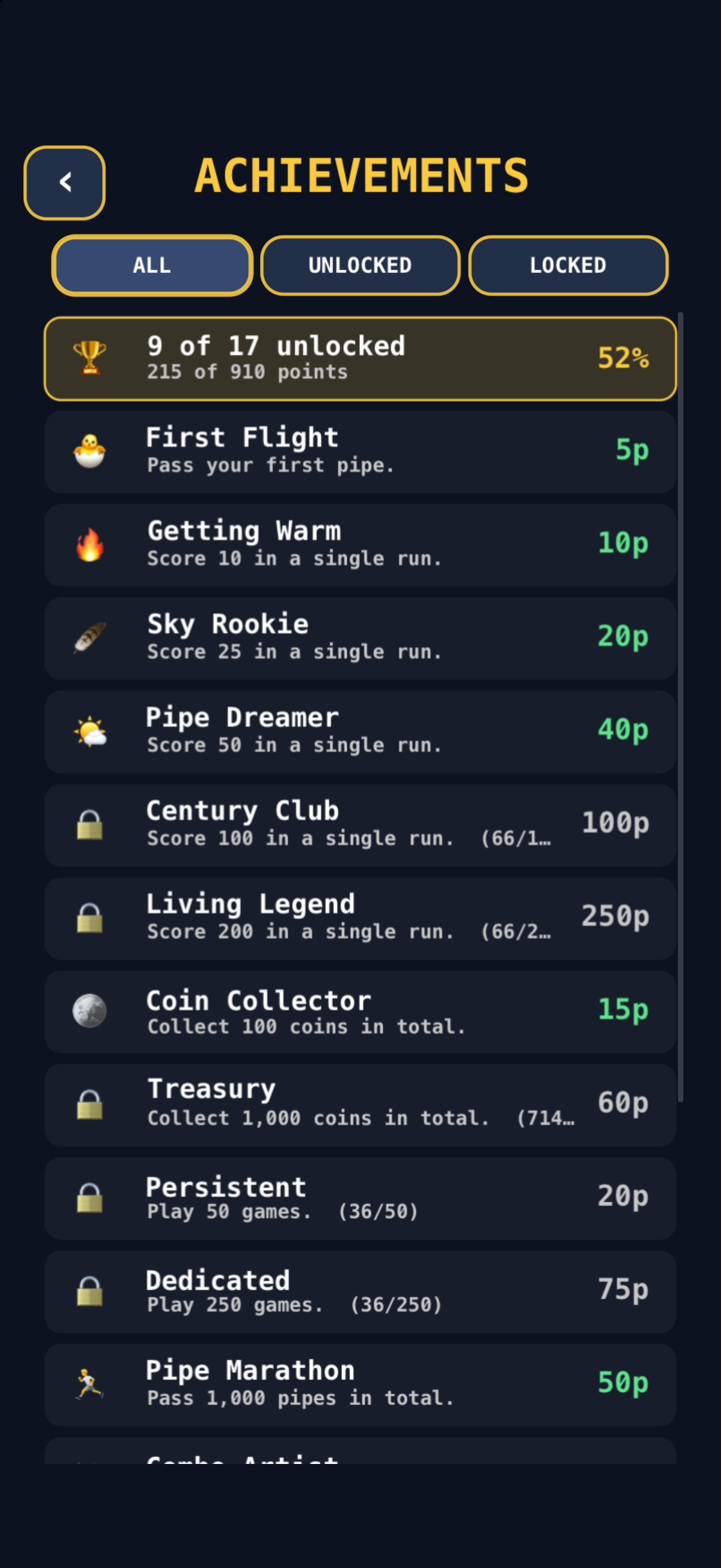
The achievements list with progress and points
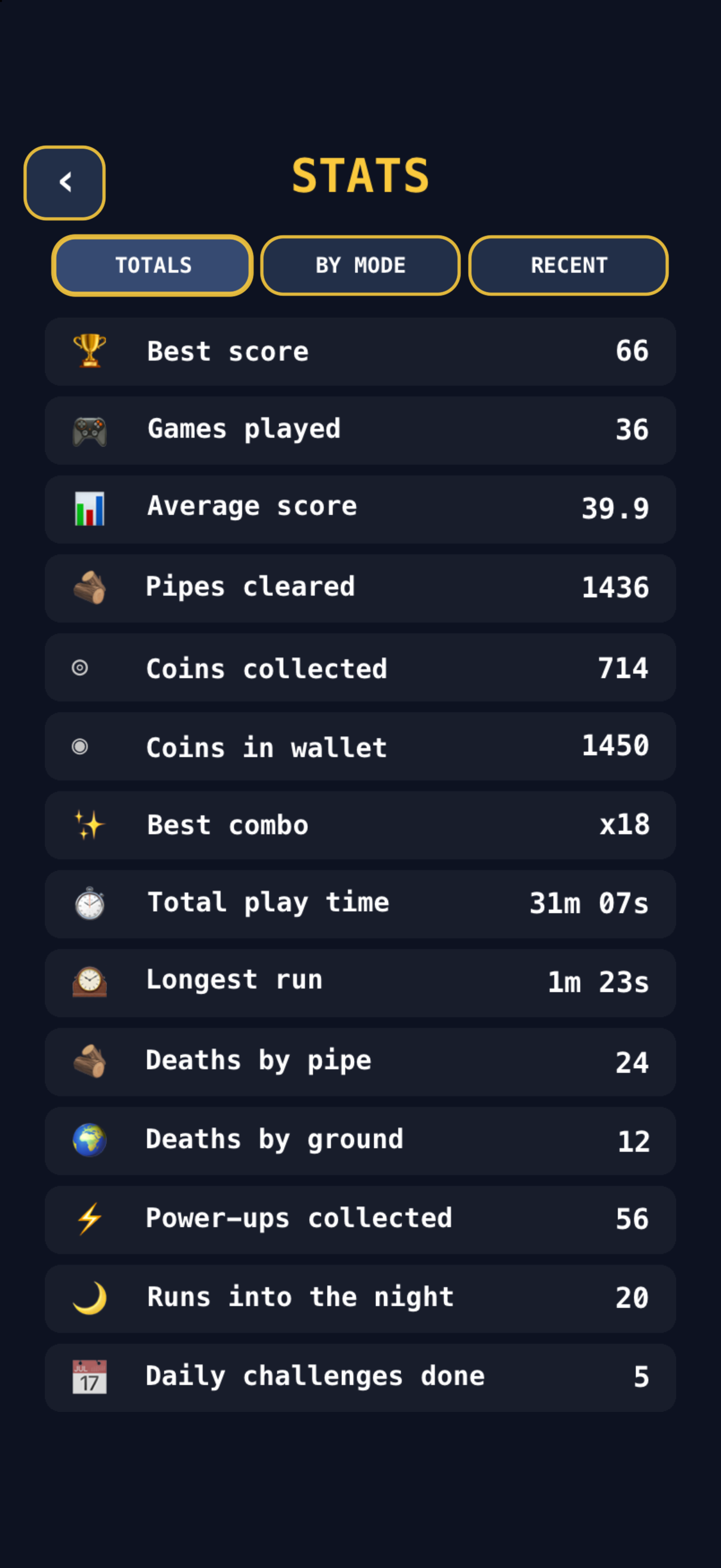
Lifetime statistics
Progress that sticks

Everything is counted, offline first

17 achievements worth 910 points, lifetime stats down to how you died, and eight bird skins bought with coins you actually earned. All of it unlocks with no account and no network.

  • ✓Monotonic sync — progress only moves forward, so replaying an old payload is a no-op.
  • ✓Medals at 10, 25, 50 and 100.
  • ✓Accessibility — reduce flashing, high contrast, VoiceOver, Reduce Motion.
The whole list

Built out, not bolted on

Six modes

Classic, Endless, Time Attack, Hardcore, Zen and a deterministic daily challenge.

Five power-ups

Shield, slow-motion, coin magnet, double points and shrink. Re-collecting extends rather than replaces.

Coins & combos

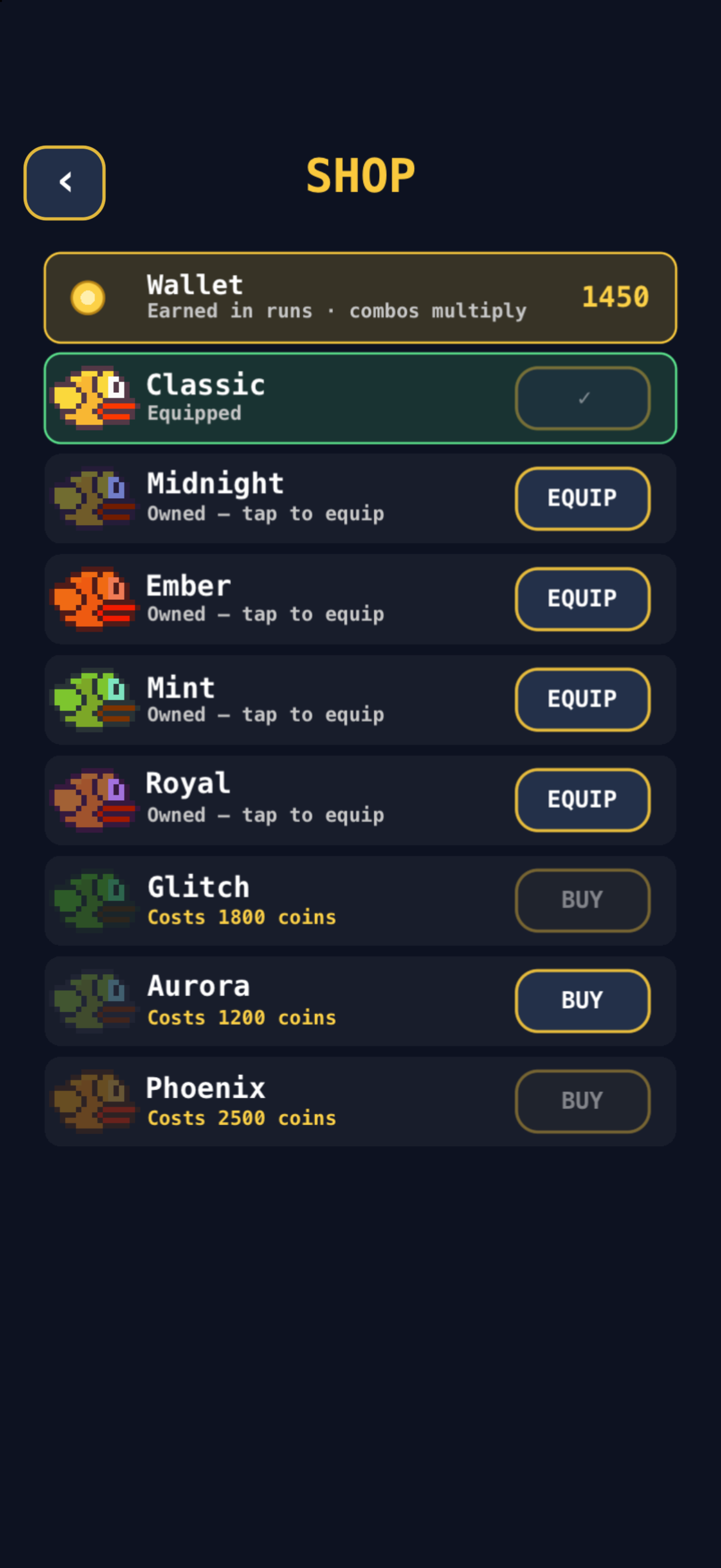
A coin streak multiplies rewards up to ×8 and feeds a shop of eight bird skins.

Weather & time

Wind, rain and fog from the run seed; a world that cycles through night and dawn.

17 achievements

910 points, unlocked offline and reconciled later.

Synthesised audio

Square and triangle waves rendered to PCM at launch. No audio assets ship at all.

Accessibility

Reduce flashing, high contrast, VoiceOver labels and system Reduce Motion support.

Reference

The numbers behind the feel

Nothing here is hidden in a spreadsheet — the tuning lives in one GameConfig file and is documented alongside the reasoning.

ModeRampsPower-upsLethalRankedStart gap
🐦 Classicnoyesyesyes170 pt
♾️ Endlessyesyesyesyes170 pt
⏱️ Time Attackyesyesyesyes180 pt
💀 Hardcoreyesnoyesyes132 pt
🧘 Zennoyesnono200 pt
📅 Dailyyesnoyesyesfrom seed
Every screen

Captured by a script, not by hand

The app takes launch arguments to open any screen directly, so make media regenerates all of this without anyone tapping a simulator.

A run in progress, with the score, coin counter and pipes

img/screens/gameplay.png — captured from the simulator

reproducible capture
# Boots a simulator, installs the app and opens
# every screen in turn.
make media

# Under the hood — the app cooperates:
xcrun simctl launch booted com.hoangsonww.flappybird \
  -screen shop -seed-demo

xcrun simctl launch booted com.hoangsonww.flappybird \
  -demo -mode hardcore
Why it matters. Screenshots that need a human go stale the week after they are taken. These regenerate on demand, which is also how the bugs in the pipe artwork were spotted in the first place.
Main menu
menu
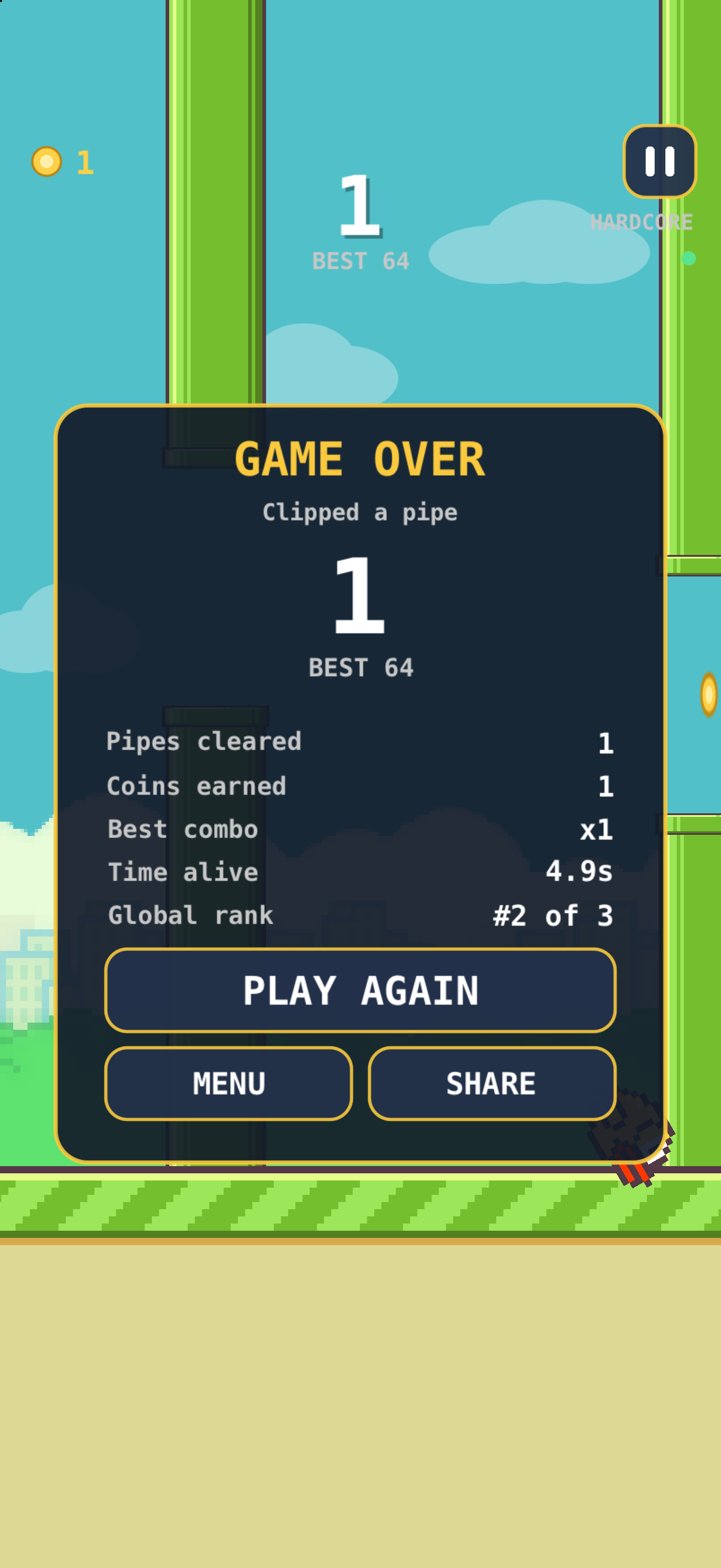
Game over summary with a medal
summary
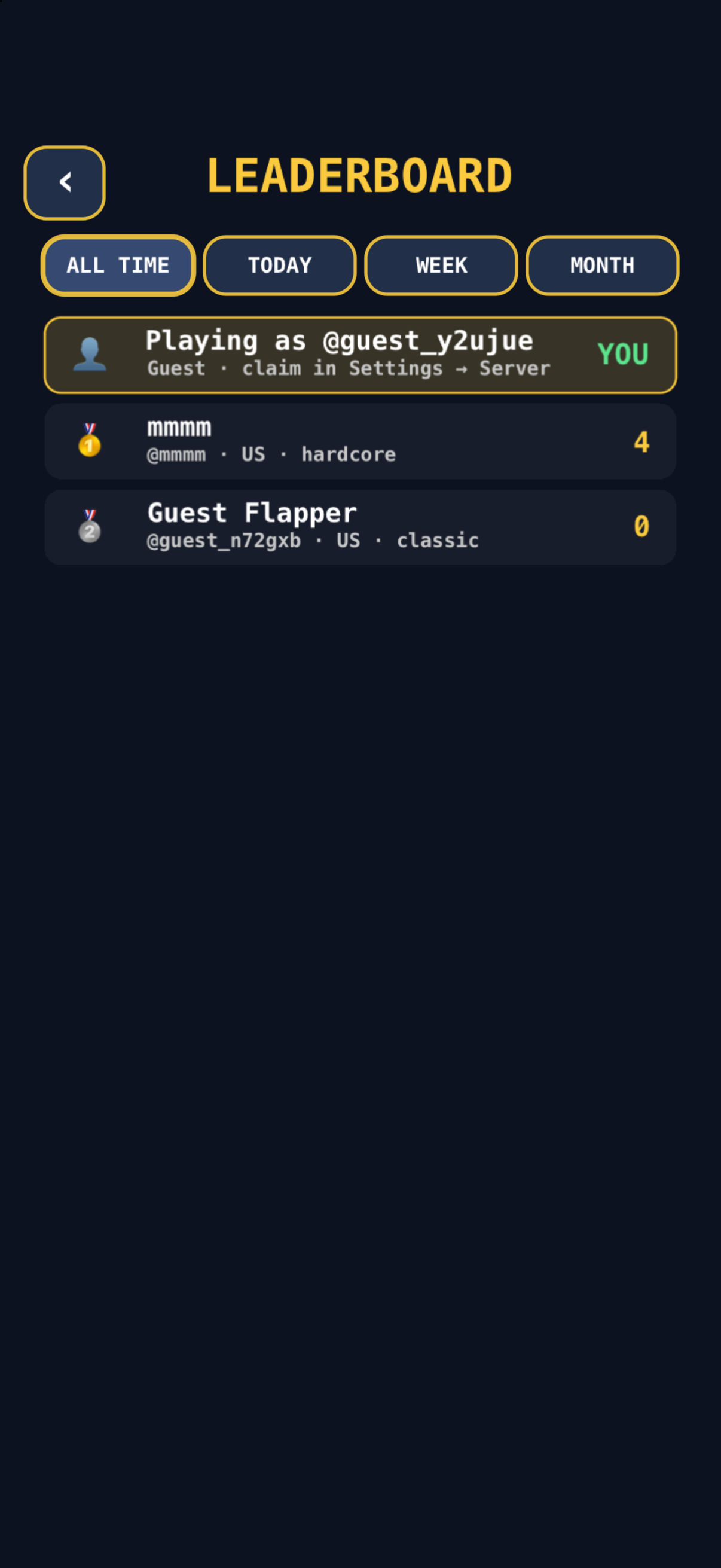
Global leaderboard
leaderboard
The skin shop
shop
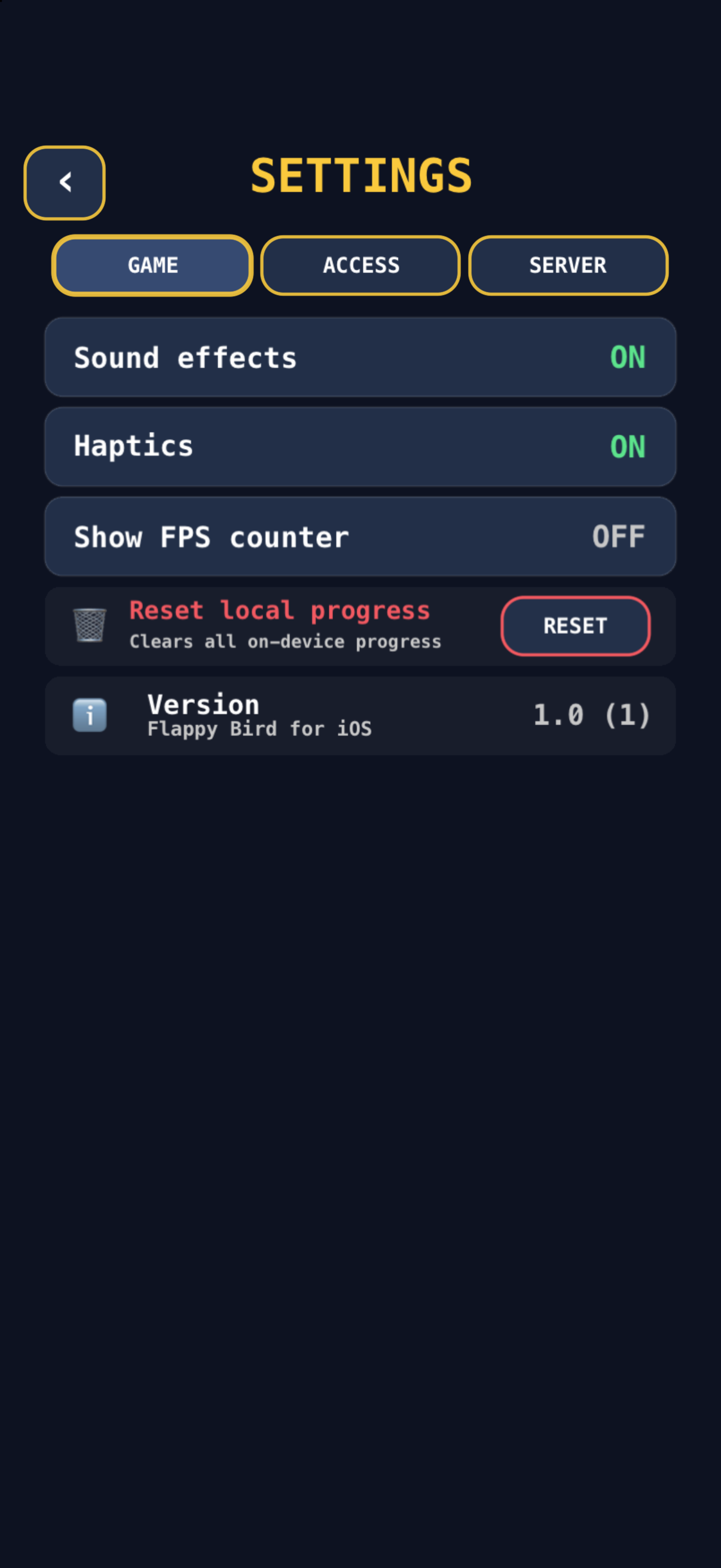
Settings, including the optional server configuration
settings
Optional backend

Leaderboards, if you want them

A complete Node.js + TypeScript API with accounts, ranked boards, achievement sync and a daily challenge. One command starts it — the game finds it on its own, and shrugs when it is not there.

The handshake

  • The game probes the URL in Settings, then Info.plist, then localhost:4000.
  • It only accepts a server that answers protocol: "flappy-bird/1".
  • Discovery runs in the background — nothing ever blocks on it.
  • Offline runs queue locally and upload when a server appears.
Point it at the wrong port and it says so. Without the handshake, a stray service on :4000 would produce confusing failures three screens later instead of one clear message.

Fair play, described honestly

  • Impossible runs are rejected with 422.
  • Improbable runs are stored, flagged and kept off every board — evidence, not deletion.
  • Runs can be HMAC-signed with a shared secret.
  • That secret ships inside the app, so this raises the cost of casual scripting; it does not make a public leaderboard tamper-proof. The docs say exactly that.
terminal
# Postgres + API + migrations
make up

# 12 demo players so the board is not empty
make seed

make health
{"status":"ok","driver":"postgres"}
FeatureOfflineWith a backend
Play every modeyesyes
Scores, coins, skinsyesyes
Achievementsyessynced
Daily challengeyesranked
Global leaderboardsnoyes
Friends boardnoyes
Cloud savesnoyes
How it is built

Decisions, written down

Three choices shaped everything else. Each has an architecture decision record explaining the trade-off, including what it costs.

A concrete example. Running the suite against Postgres surfaced two bugs the in-memory driver hid: one query parameter bound to both an INTEGER and a BIGINT column — which Postgres refuses to type-infer, so every score submission returned 500 — and tied players receiving different ranks in SQL while sharing a rank in memory. Both would otherwise have shipped as "works on my machine".
Get started

Three commands, or one keystroke

You need Xcode. That is the whole dependency list for playing.

bash
git clone https://github.com/hoangsonww/Flappy-Bird-Game.git
cd Flappy-Bird-Game
open "Flappy Bird.xcodeproj"   # then ⌘R
1

Clone and open

No package manager, no dependency resolution, no generated files to fetch. The project opens and builds.

2

Press ⌘R

Everything saves locally — scores, coins, skins, achievements, and the daily challenge.

3

Optionally, make up

Postgres and the API start in Docker. Relaunch the game and it signs itself in as a guest.

4

Read the docs

Twenty-four guides and three decision records covering architecture, the API, the schema, CI and the security model.

0tests passing
0Swift sources
0API endpoints
0achievements
0bird skins
MITlicence
Questions

The things people ask first

Short answers. The full FAQ goes further.

Do I need the backend to play?

No. Clone the repository, open it in Xcode and press ⌘R. Six modes, power-ups, weather, achievements and the daily challenge all work locally. The backend only adds accounts, leaderboards and cloud saves, and the game detects it automatically when it is running.

What do I need to run it?

Xcode 16 or newer and an iOS 16+ simulator or device. The optional backend needs Docker, or Node.js 20+ and PostgreSQL 16 if you prefer to run it directly.

Is it really open source?

Yes, under the MIT licence. The game, the backend, the infrastructure and the documentation are all in the repository.

How does the daily challenge stay the same for everyone?

Its parameters are derived from a SHA-256 hash of the date, and the identical derivation runs in both Swift and TypeScript. A contract test pins four fixed dates against values produced by the server, so the two implementations cannot drift apart.

Can I play it without installing anything?

Yes. The landing page includes a complete playable demo written in JavaScript and Canvas, so you can try the loop in a browser before cloning anything.

Clone it. Press ⌘R.

That is genuinely the whole setup. The backend, the Docker stack and the CI are there when you want them — and invisible when you do not.