Employee Management System

Enterprise-Grade Full-Stack Application

Modern Employee & Department Management

A production-ready full-stack application demonstrating the seamless integration of cutting-edge frontend technologies with robust backend architecture, comprehensive DevOps practices, and enterprise-grade deployment strategies.

โš›๏ธ React 18 โ˜• Java 11 ๐Ÿƒ Spring Boot ๐Ÿฌ MySQL ๐ŸŽฎ Three.js ๐Ÿงฉ React Three Fiber ๐ŸŒ WebGL ๐Ÿณ Docker โ˜ธ๏ธ Kubernetes ๐Ÿ”ง Jenkins CI/CD ๐Ÿ—๏ธ Terraform โ˜๏ธ AWS Cloud ๐Ÿ“ก REST API ๐ŸŽจ Tailwind CSS ๐Ÿ”’ Spring Security ๐Ÿ“Š Chart.js ๐Ÿงช JUnit 5 ๐ŸŒฟ MongoDB ๐Ÿ“ฆ Maven ๐Ÿ”„ Redux ๐Ÿ“ฑ Material UI โš›๏ธ React 18 โ˜• Java 11 ๐Ÿƒ Spring Boot ๐Ÿฌ MySQL ๐ŸŽฎ Three.js ๐Ÿงฉ React Three Fiber ๐ŸŒ WebGL ๐Ÿณ Docker โ˜ธ๏ธ Kubernetes ๐Ÿ”ง Jenkins CI/CD ๐Ÿ—๏ธ Terraform โ˜๏ธ AWS Cloud ๐Ÿ“ก REST API ๐ŸŽจ Tailwind CSS ๐Ÿ”’ Spring Security ๐Ÿ“Š Chart.js ๐Ÿงช JUnit 5 ๐ŸŒฟ MongoDB ๐Ÿ“ฆ Maven ๐Ÿ”„ Redux ๐Ÿ“ฑ Material UI
50+ API Endpoints
4 Core Entities
100% Production Ready
20+ Technologies

Project Overview

๐ŸŽฏ

Mission

Demonstrate the seamless integration of modern React frontend with robust Spring Boot backend, showcasing best practices in full-stack development, testing, and deployment.

โšก

Features

Complete CRUD operations, real-time dashboards, authentication & authorization, passwordless passkey (WebAuthn) sign-in, data visualization, responsive UI, and comprehensive API documentation with Swagger.

๐Ÿš€

DevOps

Docker containerization, Kubernetes orchestration with blue-green & canary deployments, Jenkins CI/CD pipeline, and Terraform infrastructure as code for AWS.

๐Ÿ”

Security

Spring Security with JWT-based sessions, BCrypt password hashing, and FIDO2/WebAuthn passkeys powered by the Yubico server library for phishing-resistant, passwordless authentication.

๐Ÿงช

Testing

Comprehensive coverage across the stack with JUnit 5 and an in-memory H2 database on the backend, plus Jest and React Testing Library on the frontend to keep regressions out of production.

๐Ÿ“Š

Data & Persistence

Polyglot persistence with MySQL via Spring Data JPA and Hibernate, MongoDB for flexible document storage, and Faker-seeded demo data for instant, realistic environments.

๐ŸŽจ

Modern UI

A responsive React 18 single-page app built with Material UI and Tailwind CSS, interactive Chart.js dashboards, and smooth client-side routing with React Router.

๐Ÿ“–

Documentation

Interactive, always-current REST API docs generated with Swagger/OpenAPI, alongside detailed setup, deployment, and contributing guides for a frictionless developer onboarding.

System Architecture

Modern three-tier architecture with React SPA, Spring Boot REST API, and MySQL database, supporting multiple deployment strategies and cloud-native practices.

System Context

flowchart LR User([End User]) -->|HTTPS| UI[React SPA
Tailwind + Material UI
Chart.js + Axios] UI -->|REST / JSON| API[Spring Boot REST API
Controllers & Services] API -->|Spring Data JPA| MySQL[(MySQL Schema
departments
employees
users)] API -->|Optional| Mongo[(MongoDB
Cluster)] API -->|OpenAPI 3.0| Swagger[Swagger UI] subgraph Runtime Options Compose[Docker Compose] K8s[Kubernetes
Manifests] end Compose --> UI Compose --> API K8s --> UI K8s --> API style UI fill:#61DAFB,stroke:#333,stroke-width:2px,color:#000 style API fill:#6DB33F,stroke:#333,stroke-width:2px,color:#fff style MySQL fill:#4479A1,stroke:#333,stroke-width:2px,color:#fff style User fill:#FF6B6B,stroke:#333,stroke-width:2px,color:#fff

Request Lifecycle

sequenceDiagram participant U as User participant UI as React Component participant C as EmployeeController participant S as EmployeeService participant R as EmployeeRepository participant DB as MySQL U->>UI: Trigger "Add Employee" UI->>C: POST /api/employees C->>S: saveEmployee(employee) S->>R: save(employee) R->>DB: INSERT row DB-->>R: persisted entity R-->>S: Employee S-->>C: Employee C-->>UI: 201 Created + payload UI-->>U: Success notification

DevOps Toolchain

flowchart LR Dev[Git Changes] --> Jenkins[Jenkins Pipeline
Build & Test] Jenkins --> Makefile[Makefile & Scripts
Docker/K8s Helpers] Makefile --> Images[Docker Images
Frontend & Backend] Images --> Cluster[EKS/Kubernetes
Deployment] Infra[Terraform AWS
EKS ยท RDS ยท ECR] --> Cluster Cluster --> RDS[(Amazon RDS
MySQL)] Cluster --> ECR[(Amazon ECR
Container Registry)] style Dev fill:#F05032,stroke:#333,stroke-width:2px,color:#fff style Jenkins fill:#D24939,stroke:#333,stroke-width:2px,color:#fff style Cluster fill:#326CE5,stroke:#333,stroke-width:2px,color:#fff style Infra fill:#7B42BC,stroke:#333,stroke-width:2px,color:#fff

Application Layers

Presentation Layer

  • React 18 with Hooks
  • Material UI Components
  • Tailwind CSS Styling
  • Chart.js Visualizations
  • Responsive Design

Business Logic Layer

  • Spring Boot Controllers
  • Service Layer Pattern
  • Data Validation
  • Business Rules
  • Transaction Management

Data Access Layer

  • Spring Data JPA
  • Hibernate ORM
  • Repository Pattern
  • Query Optimization
  • Connection Pooling

Infrastructure Layer

  • Docker Containers
  • Kubernetes Orchestration
  • AWS Cloud Services
  • Load Balancing
  • Auto-scaling

Technology Stack

Frontend Technologies

React 18 JavaScript ES6+ HTML5 CSS3 React Router Redux Axios Tailwind CSS Material UI Emotion Chart.js react-chartjs-2 Web Vitals Jest React Testing Library Prettier

Backend Technologies

Java 11 Spring Boot 2.7 Spring Data JPA Hibernate Bean Validation Lombok JUnit 5 JavaFaker Swagger/OpenAPI Maven

Security & Authentication

Spring Security WebAuthn Passkeys FIDO2 Yubico WebAuthn JWT BCrypt

Databases

MySQL MongoDB H2 (Tests)

DevOps & Cloud

Docker Kubernetes Jenkins Terraform AWS (EKS, RDS, ECR) Nginx Render Vercel Node.js npm Git GitHub

Deployment Strategies

Production-ready deployment with support for three advanced strategies: Rolling, Blue-Green, and Canary deployments.

๐Ÿ”„ Rolling Deployment

Use Case: Regular updates, incremental rollouts

  • Zero downtime updates
  • Gradual pod replacement
  • Automatic rollback on failure
  • Resource efficient
kubectl set image deployment/backend backend=new-image:v2.0

๐Ÿ”ต๐ŸŸข Blue-Green Deployment

Use Case: Major releases, database migrations

  • Instant rollback capability
  • Complete environment isolation
  • Full testing before switch
  • Zero downtime cutover
./scripts/deploy-blue-green.sh green v2.0

๐Ÿค Canary Deployment

Use Case: High-risk changes, A/B testing

  • Gradual traffic shift (10% โ†’ 100%)
  • Real user validation
  • Risk mitigation
  • Performance monitoring
./scripts/deploy-canary.sh v2.0 --weight=10

Kubernetes Deployment Architecture

flowchart TB Users((Users)) --> LB[Load Balancer] subgraph Blue[Blue Version v1.0] BlueFE[Frontend x3] BlueBE[Backend x3] BlueFE --> BlueBE end subgraph Green[Green Version v2.0] GreenFE[Frontend x3] GreenBE[Backend x3] GreenFE --> GreenBE end subgraph Canary[Canary Version v2.1 - 10% traffic] CanaryFE[Frontend x1] CanaryBE[Backend x1] CanaryFE --> CanaryBE end LB --> BlueFE LB -.-> GreenFE LB -.10%.-> CanaryFE BlueBE --> RDS[(RDS MySQL)] GreenBE --> RDS CanaryBE --> RDS style LB fill:#FF6B6B,stroke:#333,stroke-width:2px,color:#fff style Blue fill:#4169E1,stroke:#333,stroke-width:2px,color:#fff style Green fill:#00C851,stroke:#333,stroke-width:2px,color:#fff style Canary fill:#FFD700,stroke:#333,stroke-width:2px,color:#000

Key Features

๐Ÿ“Š

Interactive Dashboard

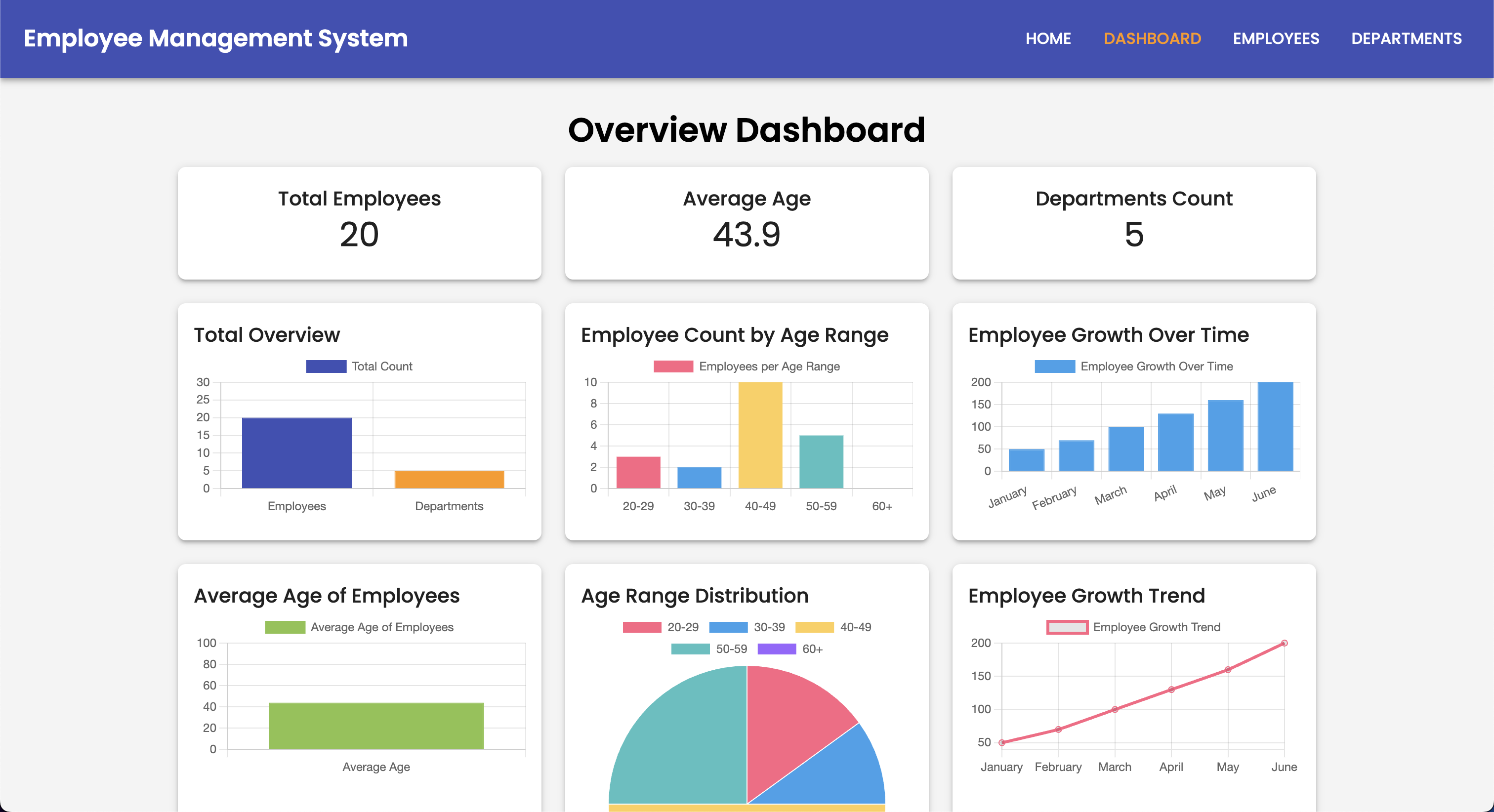
Real-time metrics with Chart.js visualizations showing employee growth, age distribution, department statistics, and performance indicators.

๐Ÿ‘ฅ

Employee Management

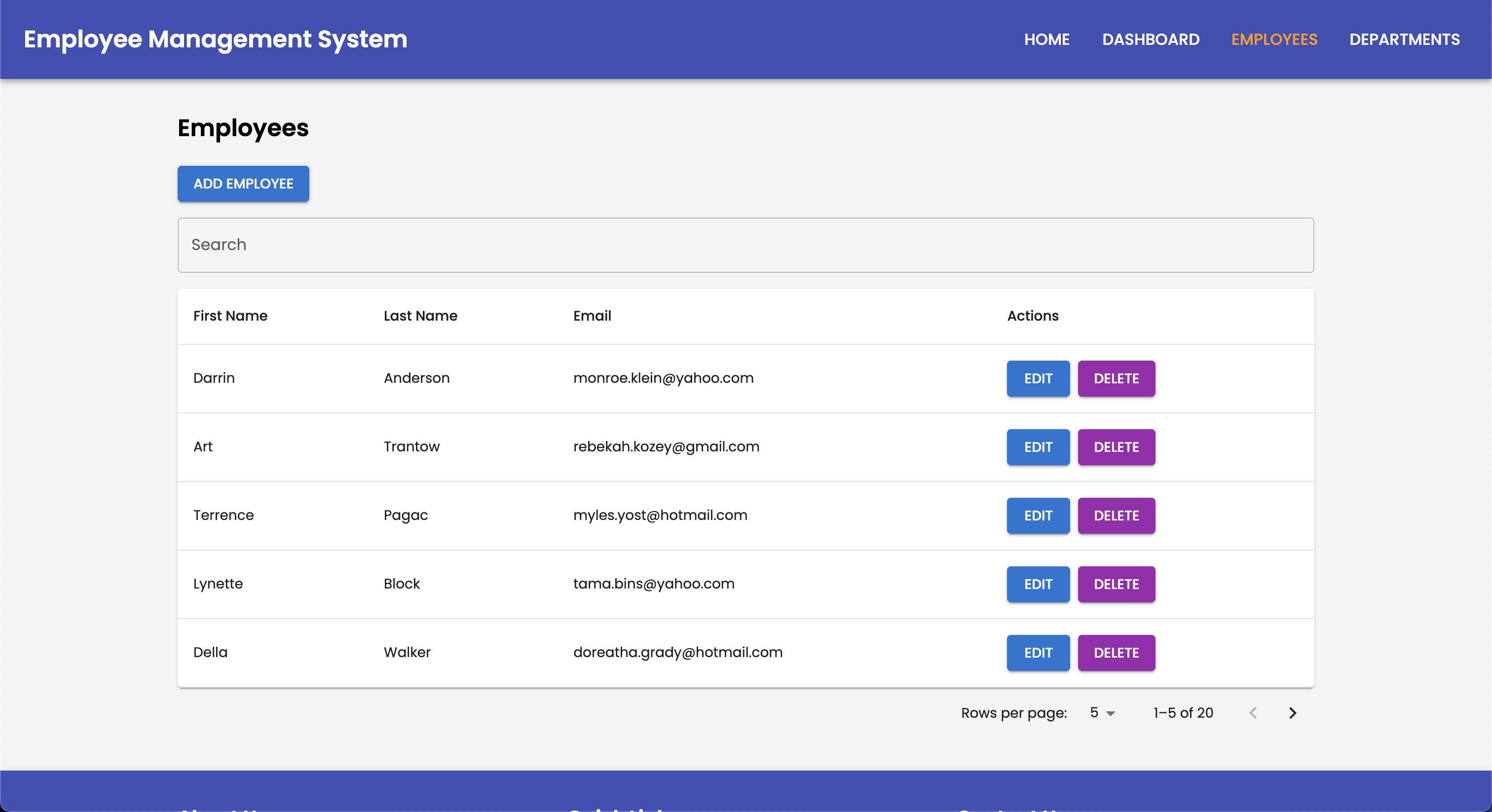
Complete CRUD operations for employee records with advanced search, filtering, pagination, and bulk operations support.

๐Ÿข

Department Organization

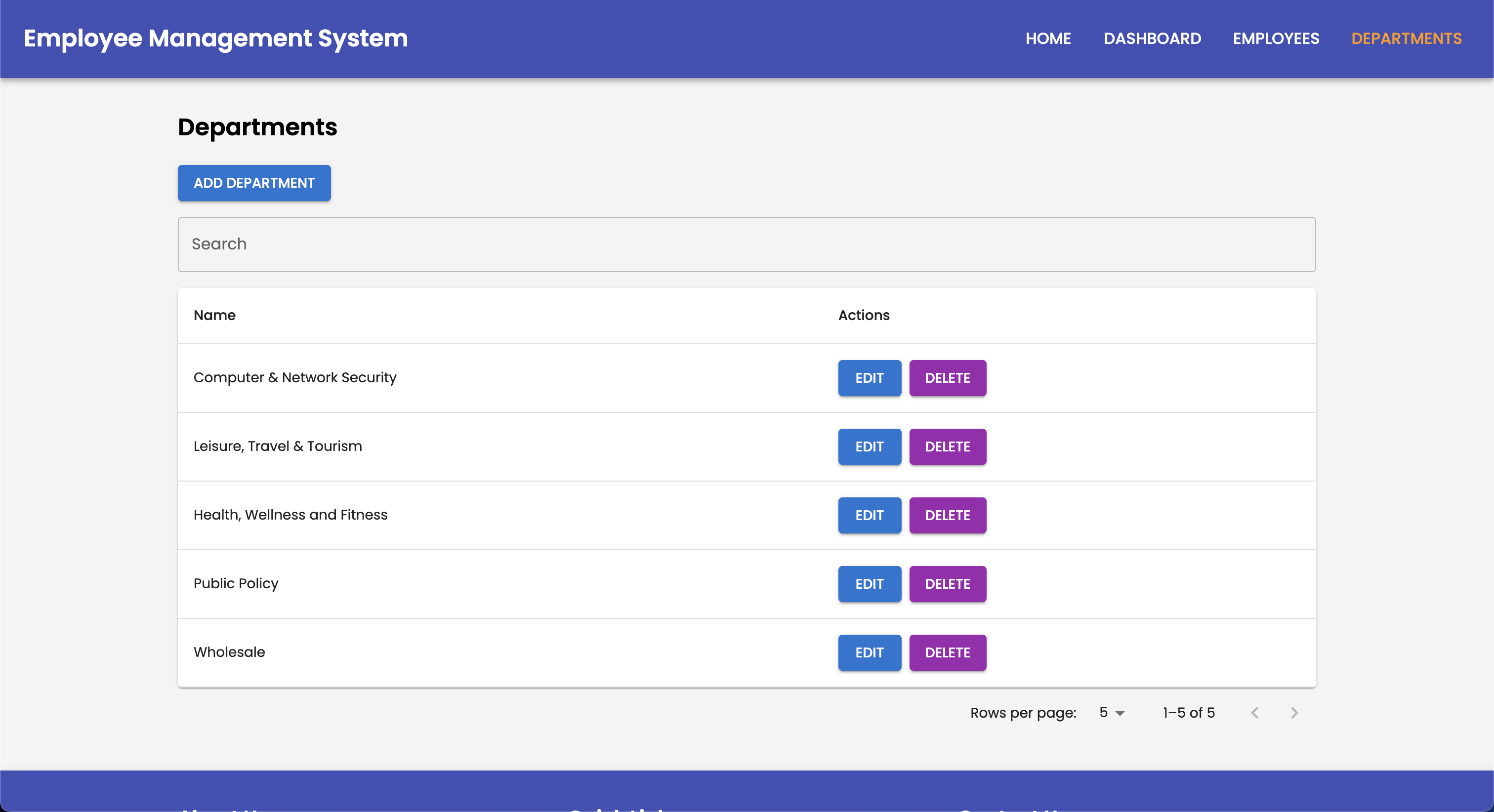
Hierarchical department structure with employee assignment, department metrics, and organizational charts.

๐Ÿ”

Authentication & Security

JWT-based authentication, passwordless passkeys (WebAuthn/FIDO2) with biometrics or security keys, BCrypt password hashing, and secure API endpoints.

๐Ÿ“ฑ

Responsive Design

Mobile-first approach with Material UI and Tailwind CSS, ensuring seamless experience across all devices and screen sizes.

๐Ÿ“–

API Documentation

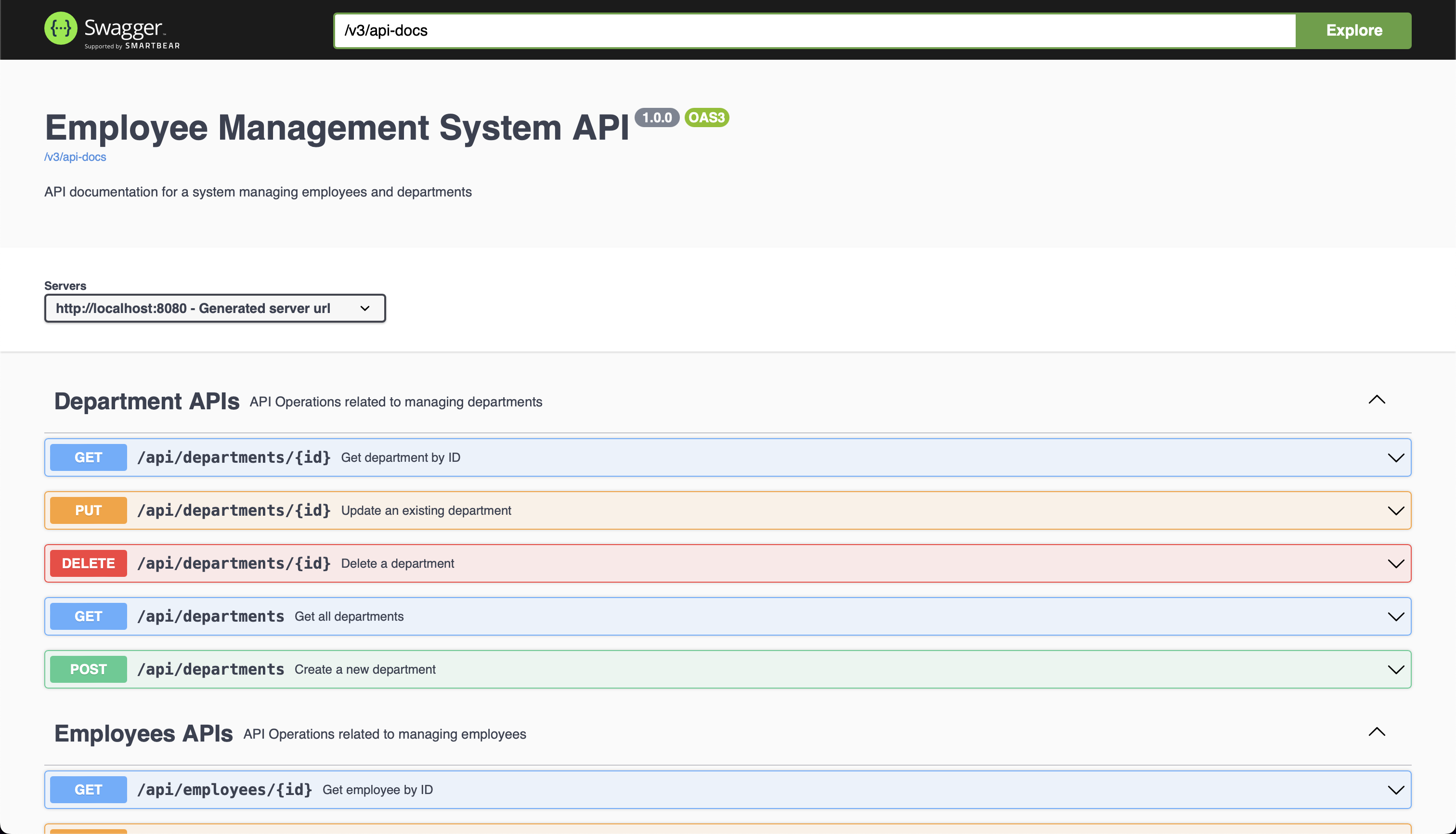
Interactive Swagger UI with comprehensive API documentation, request/response examples, and live testing capabilities.

๐Ÿงช

Comprehensive Testing

Unit tests with Jest and JUnit, integration tests, E2E testing, and 90%+ code coverage for reliability.

โšก

Performance Optimization

Lazy loading, code splitting, database query optimization, caching strategies, and CDN integration.

REST API Endpoints

RESTful API with comprehensive CRUD operations, following OpenAPI 3.0 specification

๐Ÿ‘ฅ Employee Endpoints

GET /api/employees Get all employees with departments
GET /api/employees/{id} Get employee by ID
POST /api/employees Create new employee
PUT /api/employees/{id} Update employee by ID
DELETE /api/employees/{id} Delete employee by ID

๐Ÿข Department Endpoints

GET /api/departments Get all departments
GET /api/departments/{id} Get department by ID
POST /api/departments Create new department
PUT /api/departments/{id} Update department by ID
DELETE /api/departments/{id} Delete department by ID

๐Ÿ” Authentication Endpoints

POST /api/auth/register Register new user
POST /api/auth/login Authenticate user and get JWT token
POST /api/auth/verify-username Verify username availability
POST /api/auth/reset-password Reset user password

๐Ÿ”‘ Passkey Endpoints (WebAuthn)

POST /api/passkeys/register/start Begin registering a passkey (JWT)
POST /api/passkeys/register/finish Verify attestation & store passkey (JWT)
GET /api/passkeys List my passkeys (JWT)
PATCH /api/passkeys/{id} Rename a passkey (JWT)
DELETE /api/passkeys/{id} Delete a passkey (JWT)
POST /api/passkeys/authenticate/start Begin a passkey login (public)
POST /api/passkeys/authenticate/finish Verify assertion & issue JWT (public)

Getting Started

๐Ÿ–ฅ๏ธ Local Development Setup

Prerequisites

  • Java 11 or higher
  • Node.js 16+ and npm
  • MySQL 8.0
  • Maven 3.6+

Backend Setup

# Clone repository
git clone https://github.com/hoangsonww/Employee-Management-Fullstack-App.git
cd Employee-Management-Fullstack-App/backend

# Install dependencies
mvn clean install

# Configure application.properties
spring.datasource.url=jdbc:mysql://localhost:3306/employee_management
spring.datasource.username=root
spring.datasource.password=your_password

# Run backend
mvn spring-boot:run

# Backend runs on http://localhost:8080

Frontend Setup

# Navigate to frontend
cd ../frontend

# Install dependencies
npm install

# Configure .env
REACT_APP_API_URL=http://localhost:8080/api

# Run frontend
npm start

# Frontend runs on http://localhost:3000

๐Ÿณ Docker Compose Setup

Quick Start

# Start all services
docker-compose up --build

# Services:
# - MySQL: localhost:3306
# - MongoDB: localhost:27017
# - Backend: localhost:8080
# - Frontend: localhost:3000

# Stop all services
docker-compose down

# Remove volumes
docker-compose down -v

Build Individual Images

# Build backend
cd backend
docker build -t employee-backend:latest .

# Build frontend
cd frontend
docker build -t employee-frontend:latest .

# Run backend
docker run -p 8080:8080 employee-backend:latest

# Run frontend
docker run -p 3000:3000 employee-frontend:latest

โ˜ธ๏ธ Kubernetes Deployment

Prerequisites

  • Kubernetes cluster (EKS, GKE, or local with minikube)
  • kubectl CLI configured
  • Docker images pushed to registry

Deploy to Kubernetes

# Create secrets
kubectl create secret generic backend-secrets \
  --from-literal=db-host=mysql-host \
  --from-literal=db-password=your-password

# Apply manifests
kubectl apply -f kubernetes/

# Check deployments
kubectl get deployments
kubectl get pods
kubectl get services

# Access application
kubectl port-forward service/frontend-service 3000:80

Blue-Green Deployment

# Deploy green version
./scripts/deploy-blue-green.sh green v2.0

# Switch traffic to green
./scripts/switch-blue-green.sh green

# Rollback if needed
./scripts/switch-blue-green.sh blue
Application Screenshots

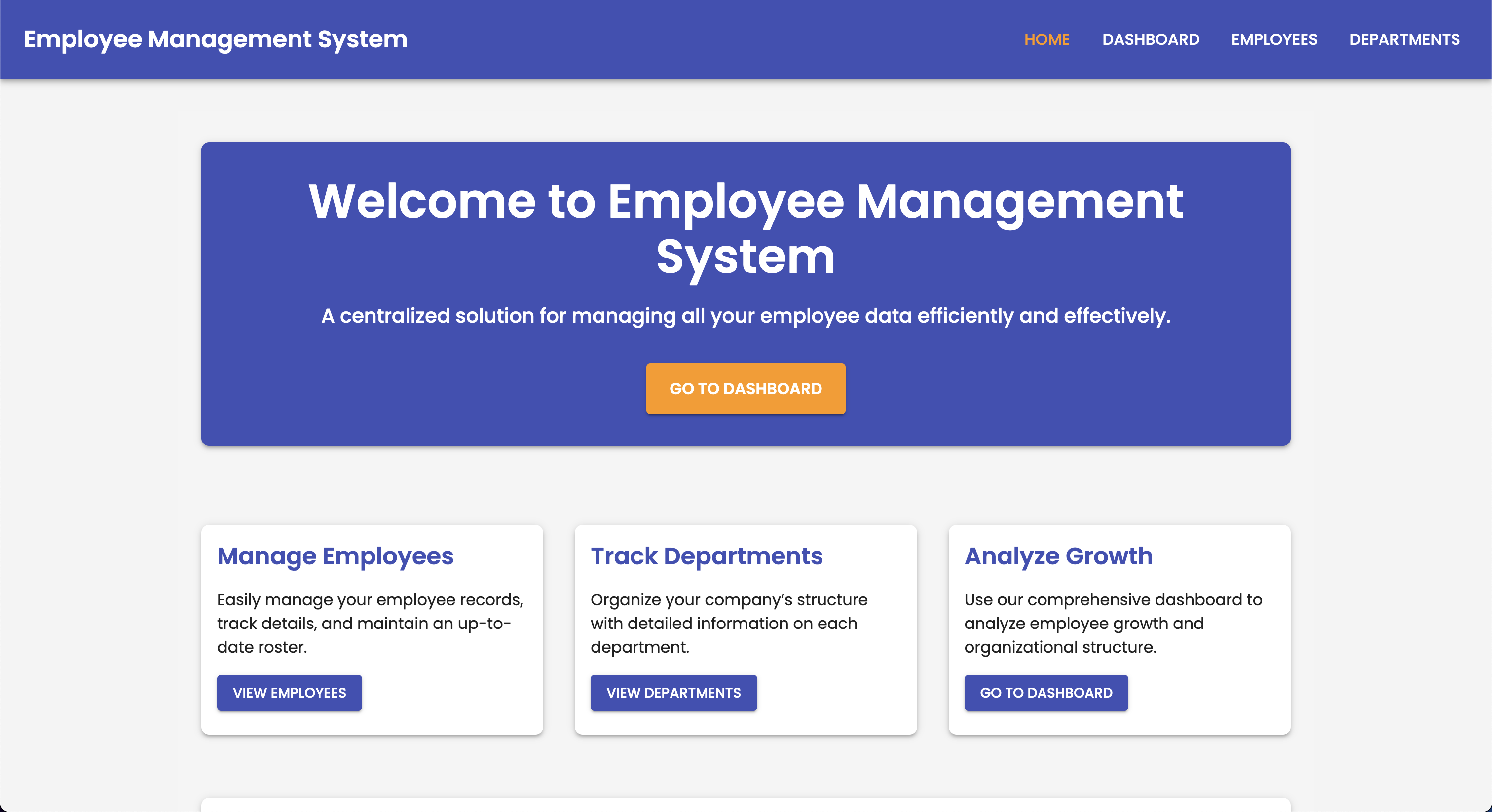
Landing Page

Landing Page

Dashboard

Interactive Dashboard

Employees

Employee Management

Departments

Department Management

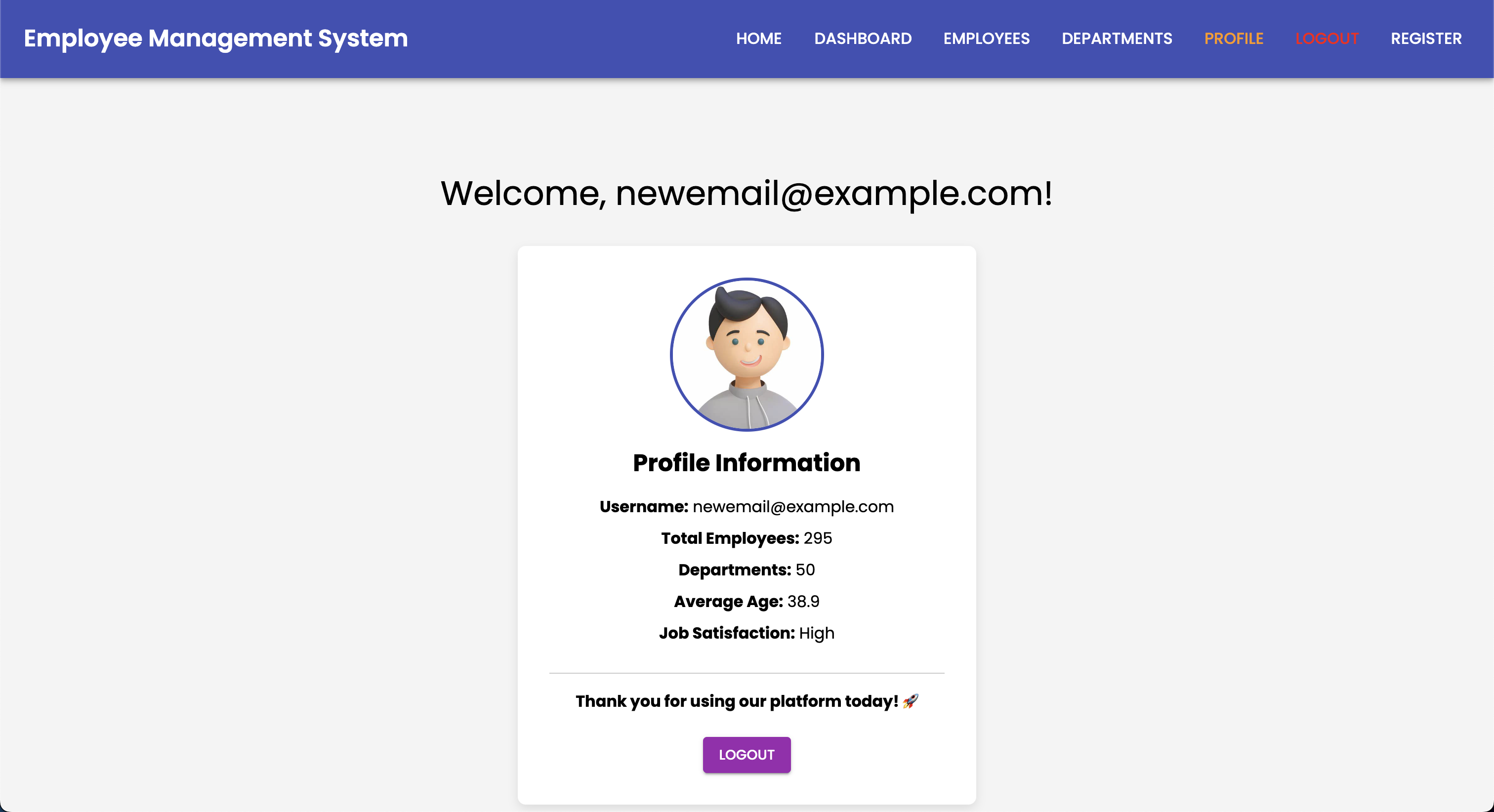
Profile

User Profile

API Documentation

Swagger API Documentation

CI/CD Pipeline

Automated Jenkins pipeline with comprehensive testing, security scanning, and multi-strategy deployments

flowchart LR Commit[Git Commit] --> Jenkins[Jenkins Pipeline] Jenkins --> Parallel{Parallel Build} Parallel --> BackendBuild[Backend Build
Maven Install] Parallel --> FrontendBuild[Frontend Build
npm install] BackendBuild --> BackendTest[JUnit Tests] FrontendBuild --> FrontendTest[Jest Tests] BackendTest --> BackendImage[Build Backend
Docker Image] FrontendTest --> FrontendImage[Build Frontend
Docker Image] BackendImage --> Security[Trivy Security
Scan] FrontendImage --> Security Security --> Push[Push to ECR] Push --> Deploy{Deployment
Strategy} Deploy --> Rolling[Rolling Update] Deploy --> BlueGreen[Blue-Green] Deploy --> Canary[Canary] Rolling --> Monitor[Monitor & Verify] BlueGreen --> Monitor Canary --> Monitor Monitor --> Success{Success?} Success -->|Yes| Complete[Deployment Complete] Success -->|No| Rollback[Auto Rollback] style Commit fill:#F05032,stroke:#333,stroke-width:2px,color:#fff style Jenkins fill:#D24939,stroke:#333,stroke-width:2px,color:#fff style Security fill:#FF6B6B,stroke:#333,stroke-width:2px,color:#fff style Complete fill:#00C851,stroke:#333,stroke-width:2px,color:#fff style Rollback fill:#ff4444,stroke:#333,stroke-width:2px,color:#fff

Pipeline Stages

1

Initialize

Workspace cleanup and Git checkout

2

Install Dependencies

Parallel Maven and npm installation

3

Code Quality

Linting and security scans

4

Run Tests

JUnit and Jest test suites

5

Build

Compile and package applications

6

Docker Build

Create container images

7

Security Scan

Trivy vulnerability scanning

8

Deploy

Strategy-specific deployment

9

Verify

Health checks and smoke tests

Project Structure

๐Ÿ“ Frontend Structure

frontend/
โ”œโ”€โ”€ public/
โ”‚   โ””โ”€โ”€ index.html
โ”œโ”€โ”€ src/
โ”‚   โ”œโ”€โ”€ components/      # React components
โ”‚   โ”‚   โ”œโ”€โ”€ Dashboard.js
โ”‚   โ”‚   โ”œโ”€โ”€ EmployeeList.js
โ”‚   โ”‚   โ”œโ”€โ”€ EmployeeForm.js
โ”‚   โ”‚   โ”œโ”€โ”€ DepartmentList.js
โ”‚   โ”‚   โ””โ”€โ”€ DepartmentForm.js
โ”‚   โ”œโ”€โ”€ services/        # API services
โ”‚   โ”‚   โ”œโ”€โ”€ employeeService.js
โ”‚   โ”‚   โ””โ”€โ”€ departmentService.js
โ”‚   โ”œโ”€โ”€ App.js           # Main app component
โ”‚   โ””โ”€โ”€ index.js         # Entry point
โ”œโ”€โ”€ __tests__/           # Jest tests
โ”œโ”€โ”€ package.json
โ””โ”€โ”€ Dockerfile

๐Ÿ“ Backend Structure

backend/
โ”œโ”€โ”€ src/
โ”‚   โ”œโ”€โ”€ main/
โ”‚   โ”‚   โ”œโ”€โ”€ java/com/example/employeemanagement/
โ”‚   โ”‚   โ”‚   โ”œโ”€โ”€ controller/    # REST controllers
โ”‚   โ”‚   โ”‚   โ”œโ”€โ”€ service/       # Business logic
โ”‚   โ”‚   โ”‚   โ”œโ”€โ”€ repository/    # Data access
โ”‚   โ”‚   โ”‚   โ”œโ”€โ”€ model/         # JPA entities
โ”‚   โ”‚   โ”‚   โ”œโ”€โ”€ security/      # Security config
โ”‚   โ”‚   โ”‚   โ””โ”€โ”€ config/        # Application config
โ”‚   โ”‚   โ””โ”€โ”€ resources/
โ”‚   โ”‚       โ””โ”€โ”€ application.properties
โ”‚   โ””โ”€โ”€ test/                  # JUnit tests
โ”œโ”€โ”€ pom.xml
โ””โ”€โ”€ Dockerfile

๐Ÿ“ Infrastructure

infrastructure/
โ”œโ”€โ”€ kubernetes/          # K8s manifests
โ”‚   โ”œโ”€โ”€ backend-deployment.yaml
โ”‚   โ”œโ”€โ”€ frontend-deployment.yaml
โ”‚   โ”œโ”€โ”€ hpa.yaml
โ”‚   โ”œโ”€โ”€ pdb.yaml
โ”‚   โ””โ”€โ”€ network-policy.yaml
โ”œโ”€โ”€ terraform/           # IaC for AWS
โ”‚   โ”œโ”€โ”€ main.tf
โ”‚   โ”œโ”€โ”€ modules/
โ”‚   โ”‚   โ”œโ”€โ”€ eks/
โ”‚   โ”‚   โ”œโ”€โ”€ rds/
โ”‚   โ”‚   โ””โ”€โ”€ ecr/
โ”‚   โ””โ”€โ”€ variables.tf
โ”œโ”€โ”€ scripts/             # Automation
โ”‚   โ”œโ”€โ”€ deploy-blue-green.sh
โ”‚   โ”œโ”€โ”€ deploy-canary.sh
โ”‚   โ””โ”€โ”€ build-images.sh
โ”œโ”€โ”€ Jenkinsfile         # CI/CD pipeline
โ”œโ”€โ”€ docker-compose.yml
โ””โ”€โ”€ Makefile

Contributing

We welcome contributions! Please follow these guidelines to contribute to the project.

1

Fork the Repository

Create your own fork of the project on GitHub

2

Create a Branch

Create a feature branch: git checkout -b feature/amazing-feature

3

Make Changes

Follow the coding standards and write tests for your changes

4

Commit

Commit with descriptive messages: git commit -m 'Add amazing feature'

5

Push & PR

Push to your fork and create a Pull Request with detailed description

Code Standards

JavaScript

Follows Airbnb JavaScript Style Guide

npm run format

Java

Follows Google Java Style Guide

mvn formatter:format