Real-time control plane for Claude Code, Cursor & Codex.
A local-first dashboard that tracks Claude Code, Cursor, and Codex sessions, agents, conversations, tool calls, and model cost as they happen. Cursor monitoring is included with the Claude option and its history is snapshotted before the editor cleans it up.
Why local-first?
Your Claude Code data stays where it belongs - on your machine. No accounts to sign up for, no cloud service to trust, no telemetry quietly leaking back. Just a fast dashboard that watches what's already happening on your laptop.
Zero telemetry
No accounts, no analytics, no third-party calls - even the fonts and Mermaid are self-hosted, so the dashboard and docs hit zero CDNs and run fully offline. The MCP server binds to localhost. Web Push needs your explicit opt-in. What you do here stays here.
Instant feedback
Hooks fire to the local server in milliseconds. WebSocket push updates the UI before you've taken your finger off the keyboard. A brief branding splash greets you on load, skips hook setup when the selected providers are already ready, and pulsing skeletons (never blank spinners) fill in while data streams.
Yours forever
Everything's a SQLite file in ~/.dashboard/ and JSONL transcripts in
~/.claude/. Backup with cp, sync with whatever you already
use, take it offline.
Hooks-native
Built around Claude Code's own hook system. The dashboard never wraps, proxies, or monkey-patches your CLI. Your normal workflow continues even if the dashboard is down - hooks always exit zero.
Everything you need, on your machine.
Hooks-driven session capture, deep analytics, in-browser Claude spawning, full configuration inspector, and a typed local MCP server with 103 tools across the full app surface.
Real-time dashboard
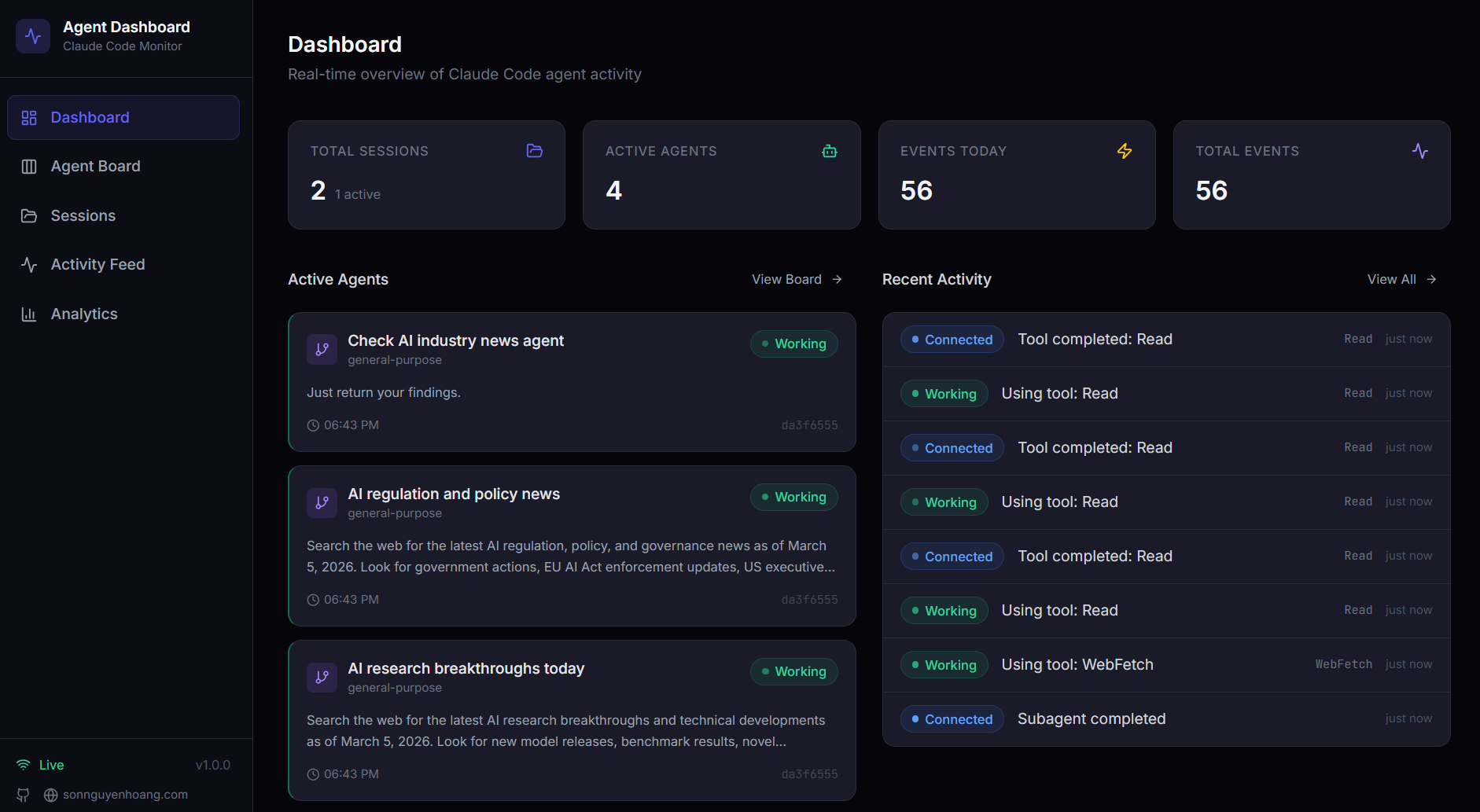
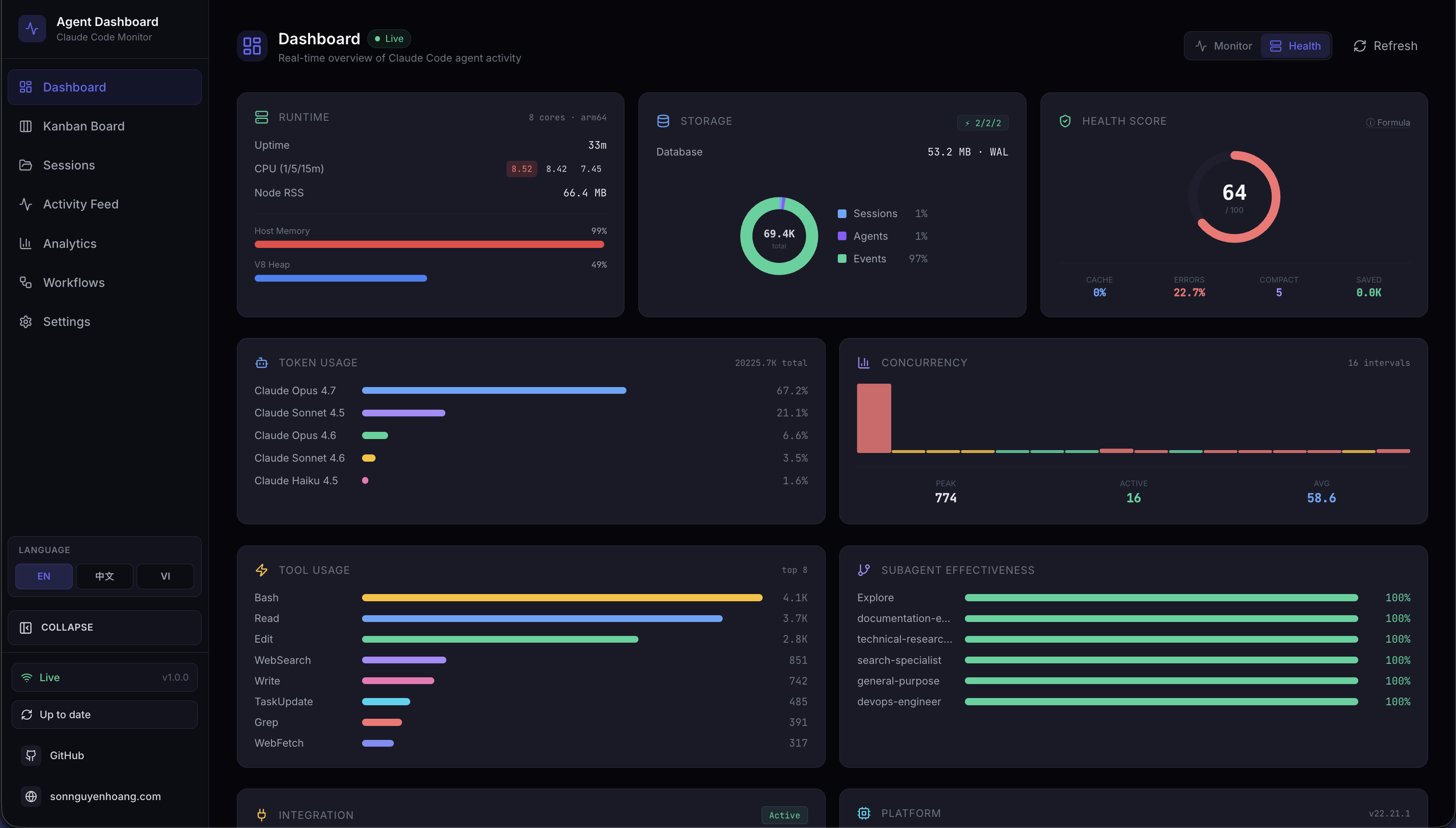
Six key metrics, recent activity, and a composite Health view refresh the moment a hook lands, pushed straight to the browser over WebSocket.
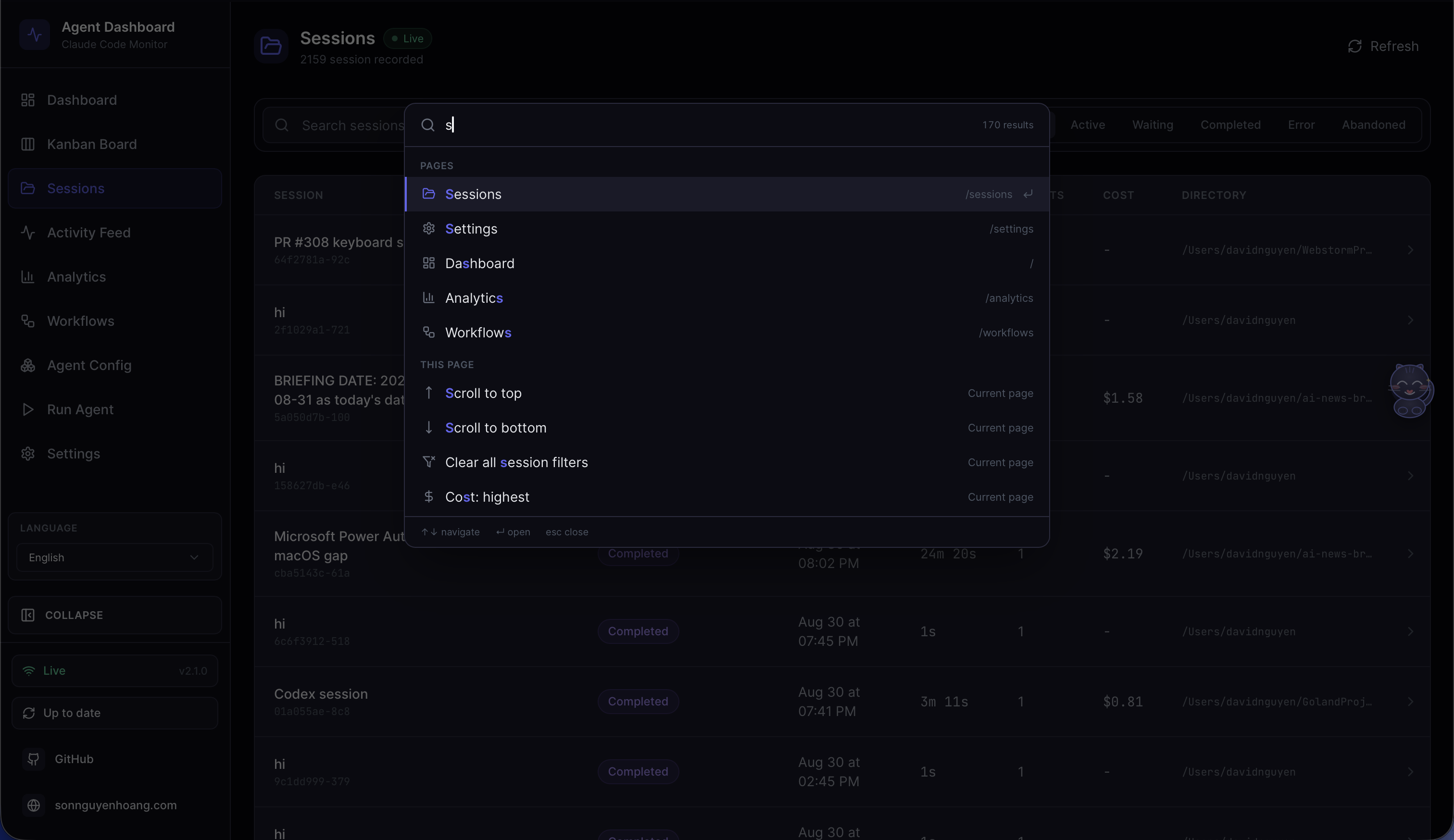
Command palette
Press Cmd/Ctrl+K to reach every page, settings section, and config tab, plus live session search by name, path, or id.
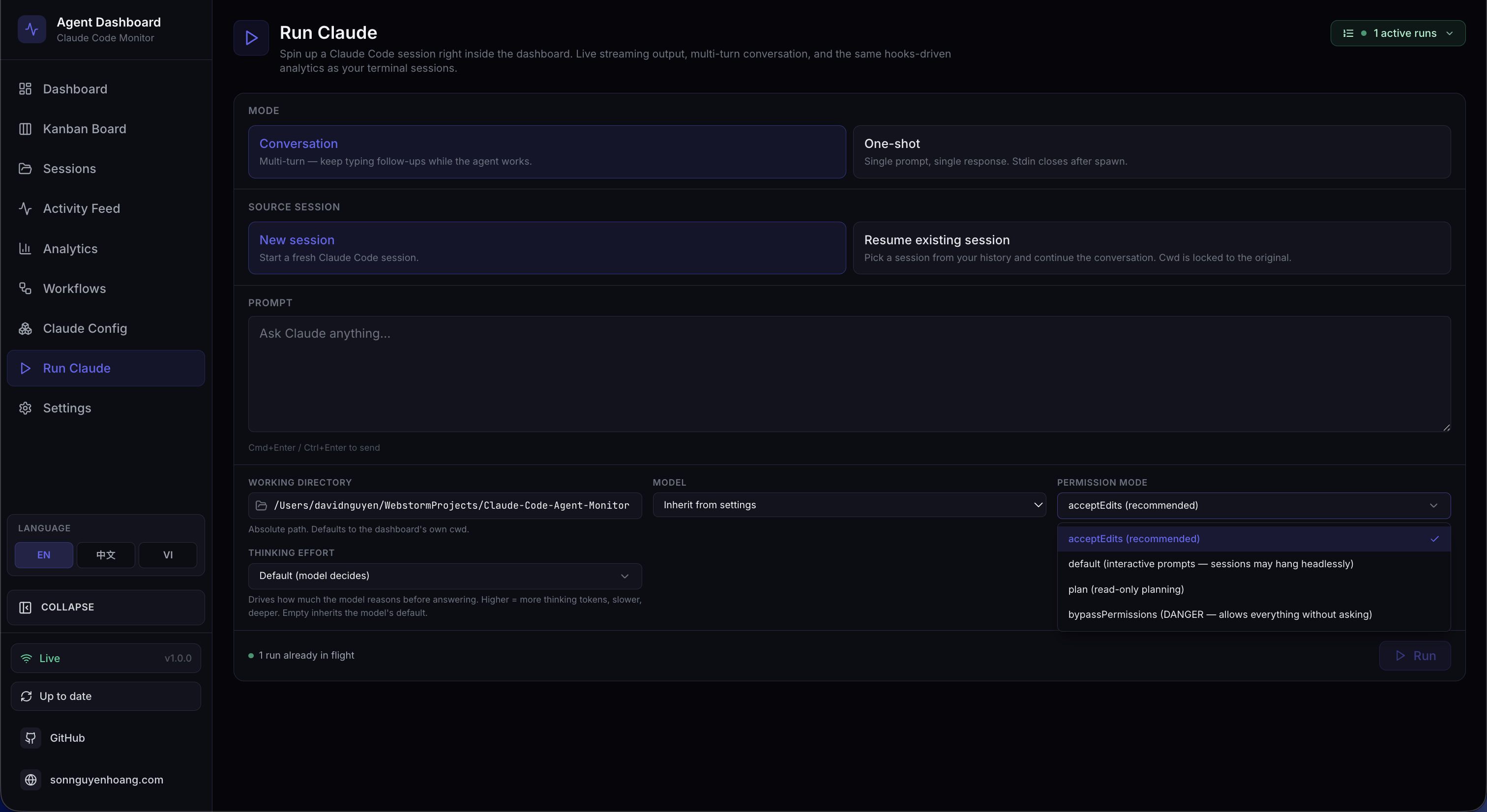
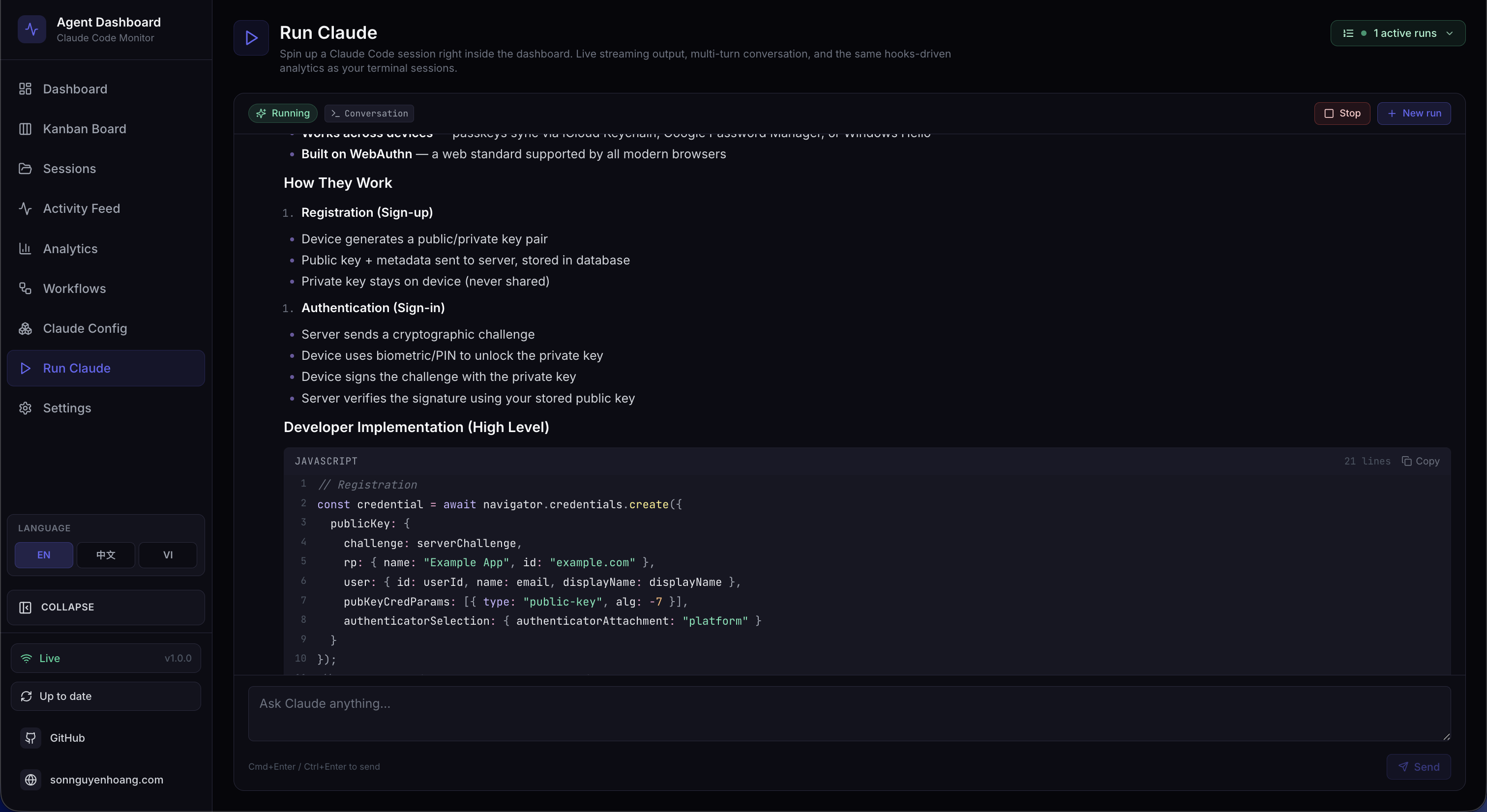
Run Agent
Start a fresh interactive Claude Code or Codex session straight from the dashboard, without ever leaving the browser.
Interactive run controls
Choose a model and run mode, resume prior work, attach files, and follow live output with token and effort controls.
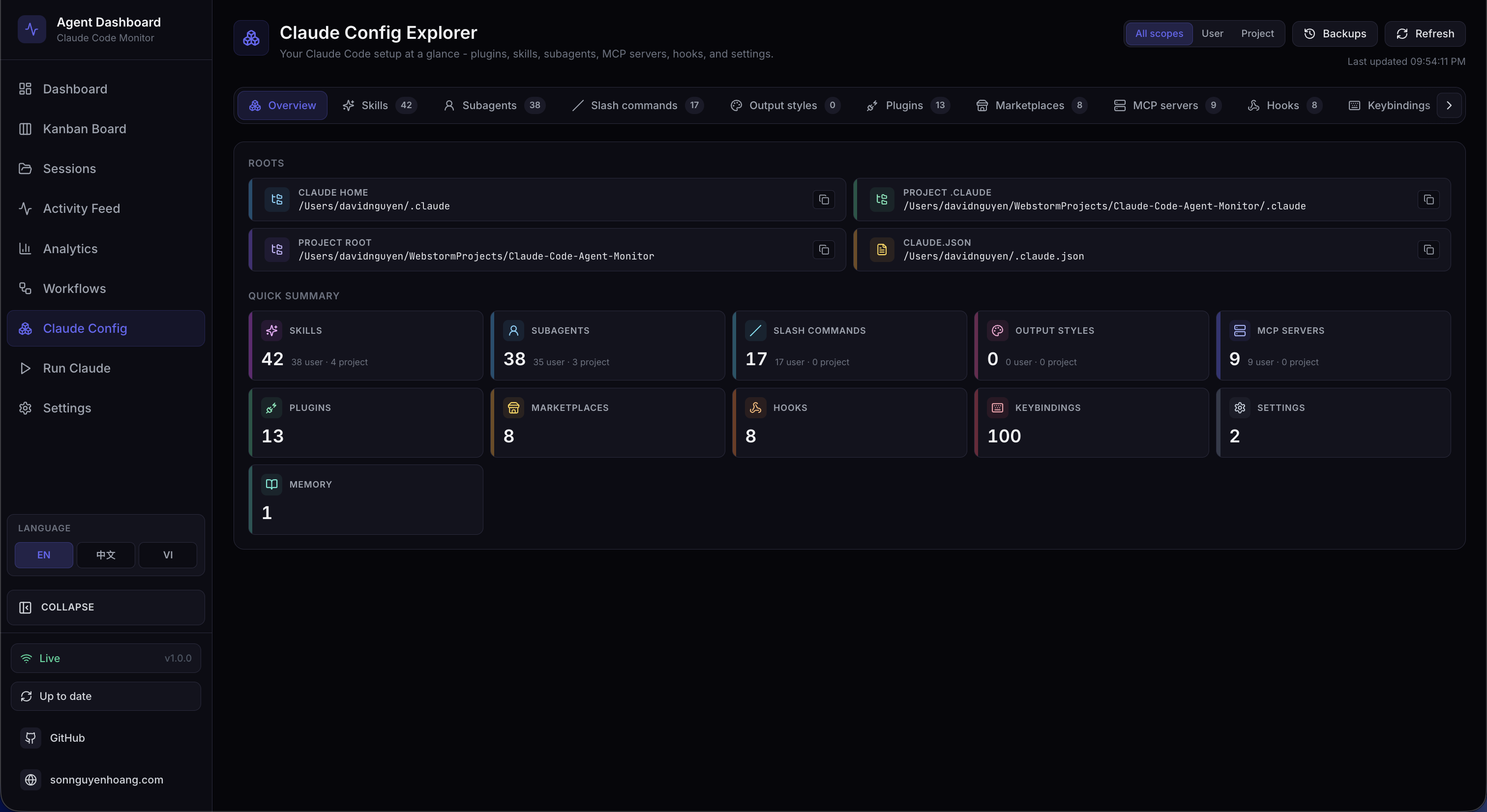
Claude Config Explorer
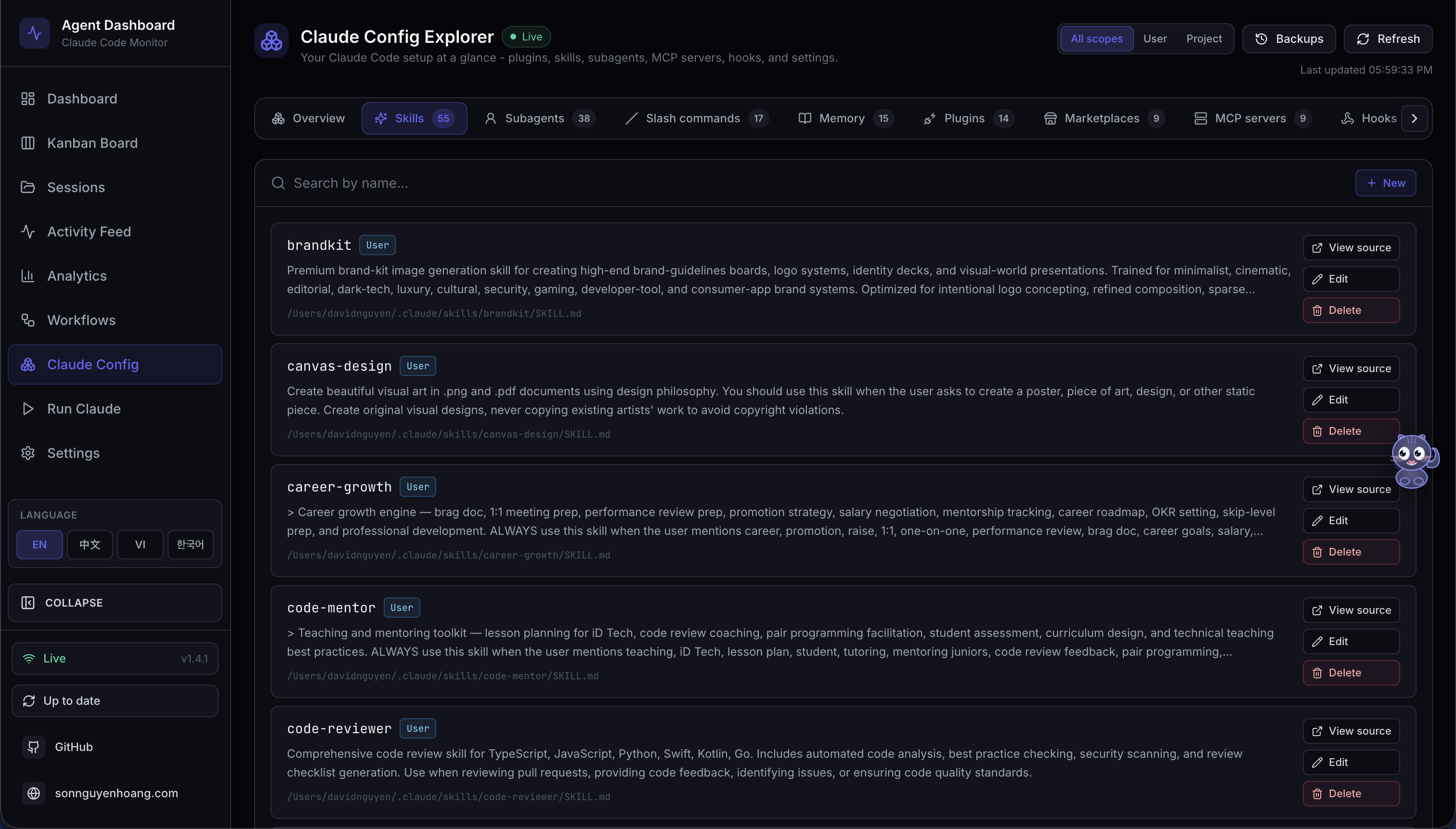
Twelve focused tabs reveal skills, subagents, slash commands, plugins, MCP servers, hooks, settings, memory, and keybindings.
Claude memory and settings
Search project memory, inspect resolved configuration, and safely edit low-risk text artifacts with timestamped backups.
Codex Config Explorer
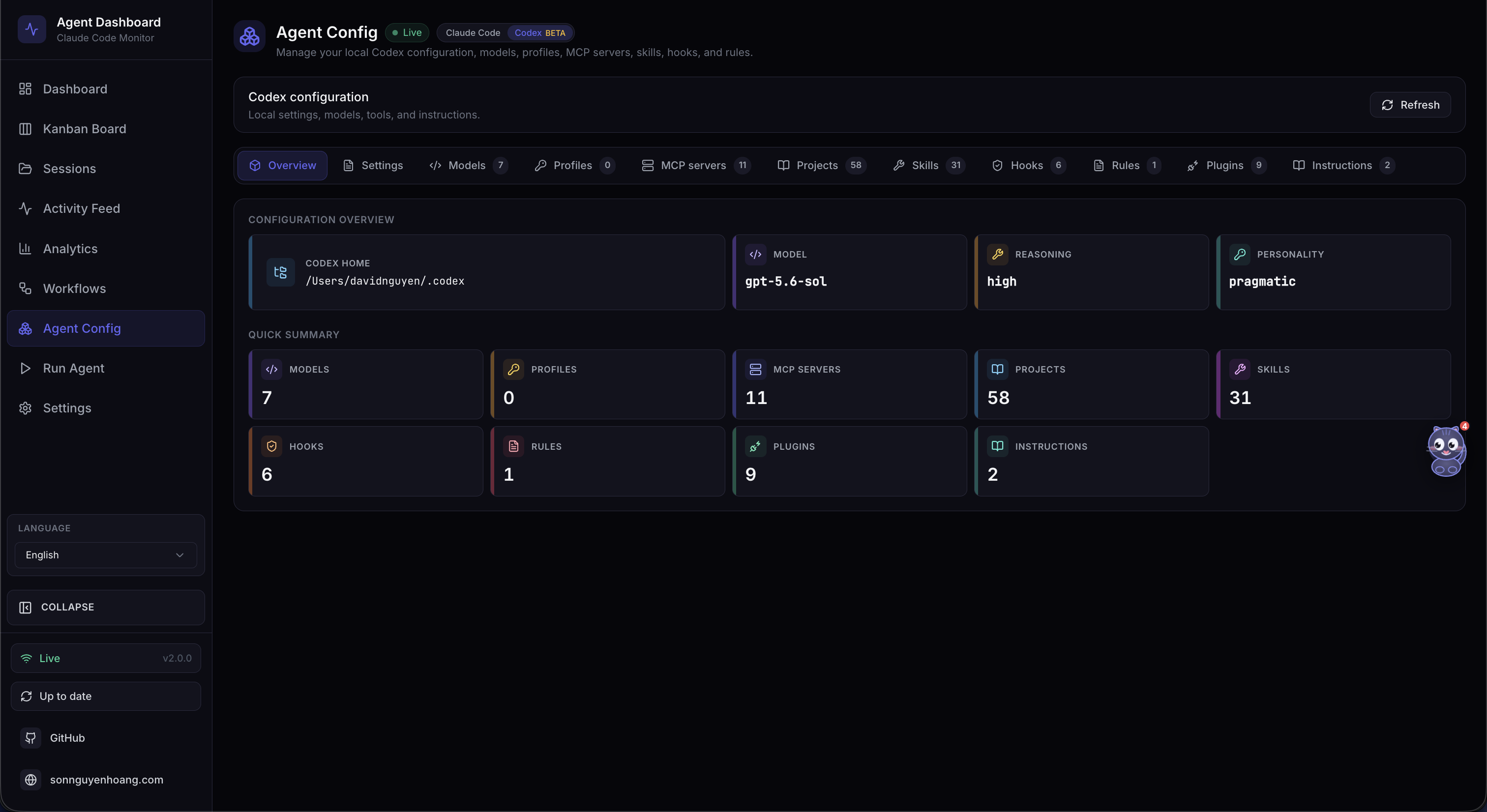
Inspect account models, profiles, MCP servers, projects, skills, hooks, rules, and plugins from one workspace.
Safe config editing
Every View source, Edit, and Delete action backs up first, and
config.toml stays deliberately edit-only.
Workflow intelligence
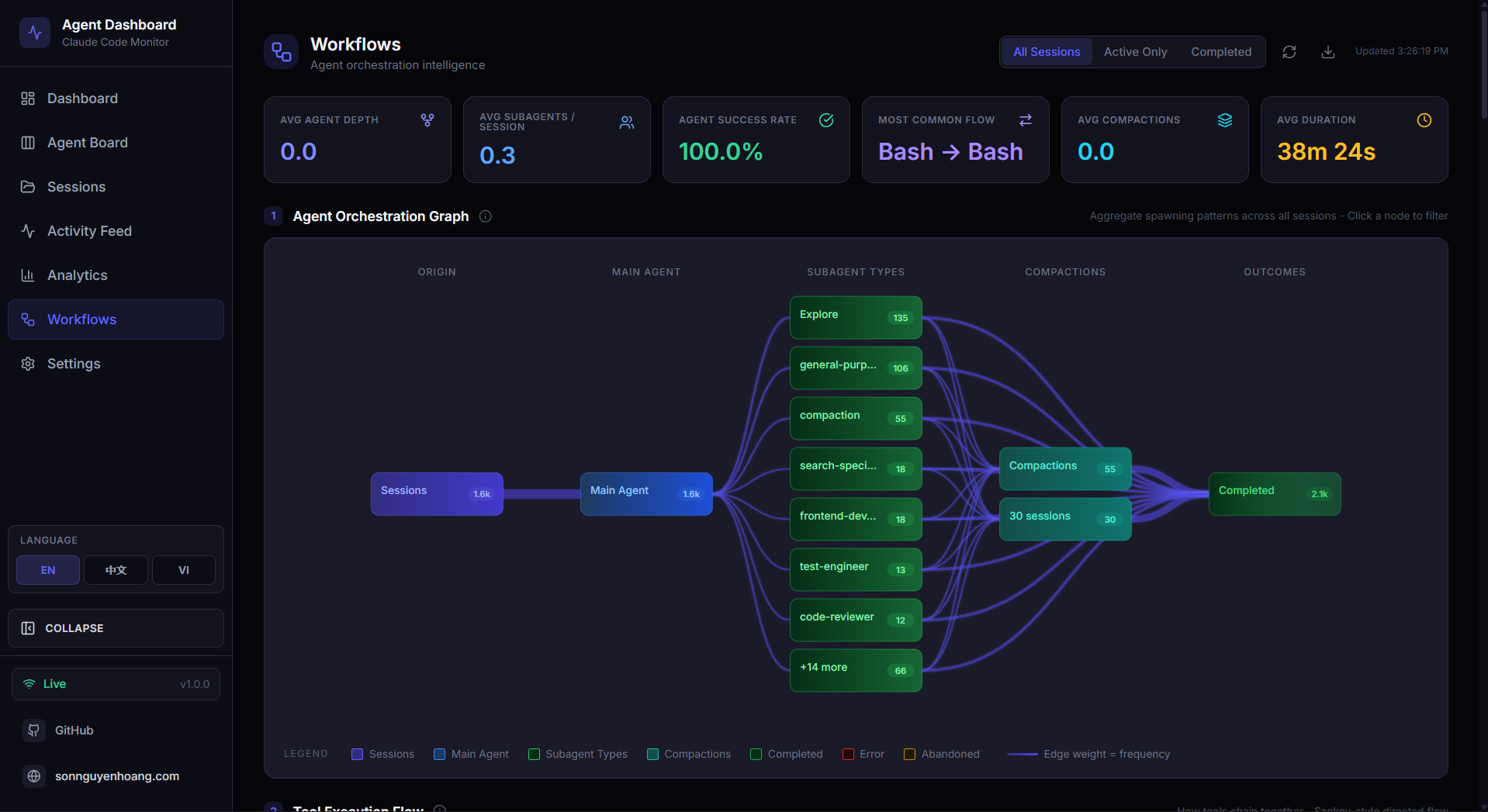
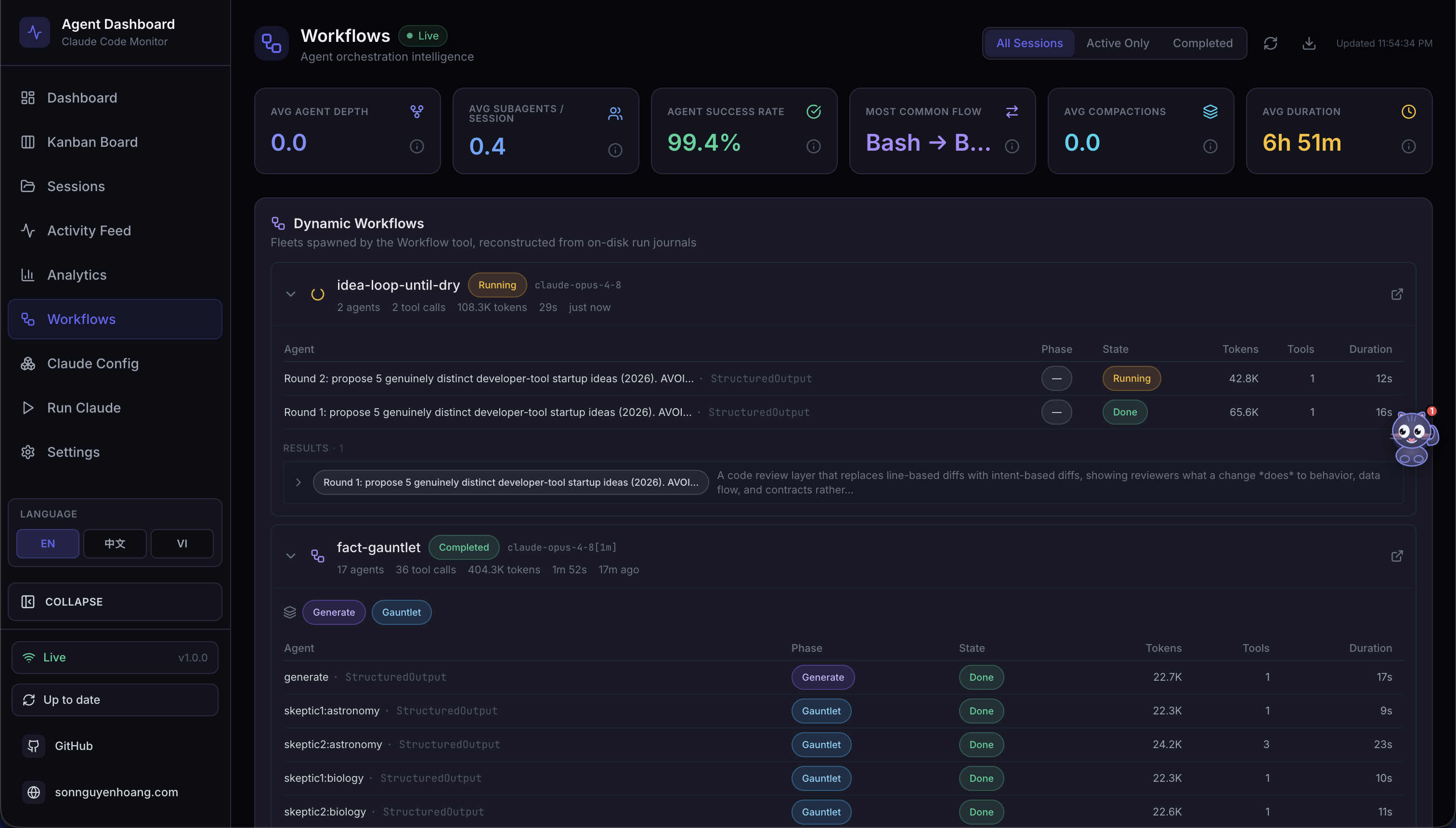
Eleven provider-scoped datasets expose orchestration depth, delegation, concurrency, errors, and session complexity.
Workflow visualizations
Explore orchestration DAGs, tool-flow Sankeys, collaboration networks, timelines, and scatter plots with hoverable, localized detail.
Rules-based alerts
Detect error bursts, stuck agents, idle sessions, and token thresholds directly from the live event stream as it arrives.
Alert triage
Per-rule, session, and agent cooldowns avoid duplicate noise. Acknowledge from the feed and jump to the session that triggered it.
Universal webhooks
Route fired alerts to 14 first-class providers or any generic endpoint, each with its own provider-specific payload shape.
Webhook diagnostics
Use optional HMAC-SHA256 signing, send a one-click test probe, and inspect every recorded delivery attempt in place.
Cost estimates
Configure Claude and GPT pricing with Standard and Fast context tiers, introductory rates, and per-subagent estimates.
Reliable token accounting
Compaction-aware totals survive context compression, and bounded JSONL reads keep multi-day sessions cheap.
Local MCP server
One hundred three typed tools across 16 domains run over stdio, HTTP with SSE, or an interactive REPL.
Terminal companion
The ccam CLI, built on Commander.js, brings every dashboard feature,
a REPL, shell completion, and --json output for scripts and agents to
your terminal.
Hooks-driven capture
Auto-installs into Claude Code and Codex hook settings, landing every session, tool, and stop event in SQLite instantly.
Instant Codex startup
Codex shows an in-memory card the moment its TUI starts, then hands off to its hook, rollout, or resumed thread.
Cursor, out of the box
Discovers ~/.cursor sessions and backfills titles, projects, prompts,
turns, and subagents automatically.
Cursor pricing built in
A dedicated, editable Cursor rate card prices Grok, Composer, and routed third-party models alongside Claude and GPT.
Plugin marketplace
Fourteen shared Claude Code and Codex plugins add analytics, reporting, safe run control, integrations, and session forensics.
Extensible by default
The marketplace ships 66 skills, 18 subagents, 34 commands, and two MCP-enabled plugins. The skills.sh CLI discovers 77 repository skills.
Multi-language UI
English, Chinese, Vietnamese, Korean, and Spanish cover charts, Settings, workflows, Agent Config, and Run Agent end to end.
Kanban board
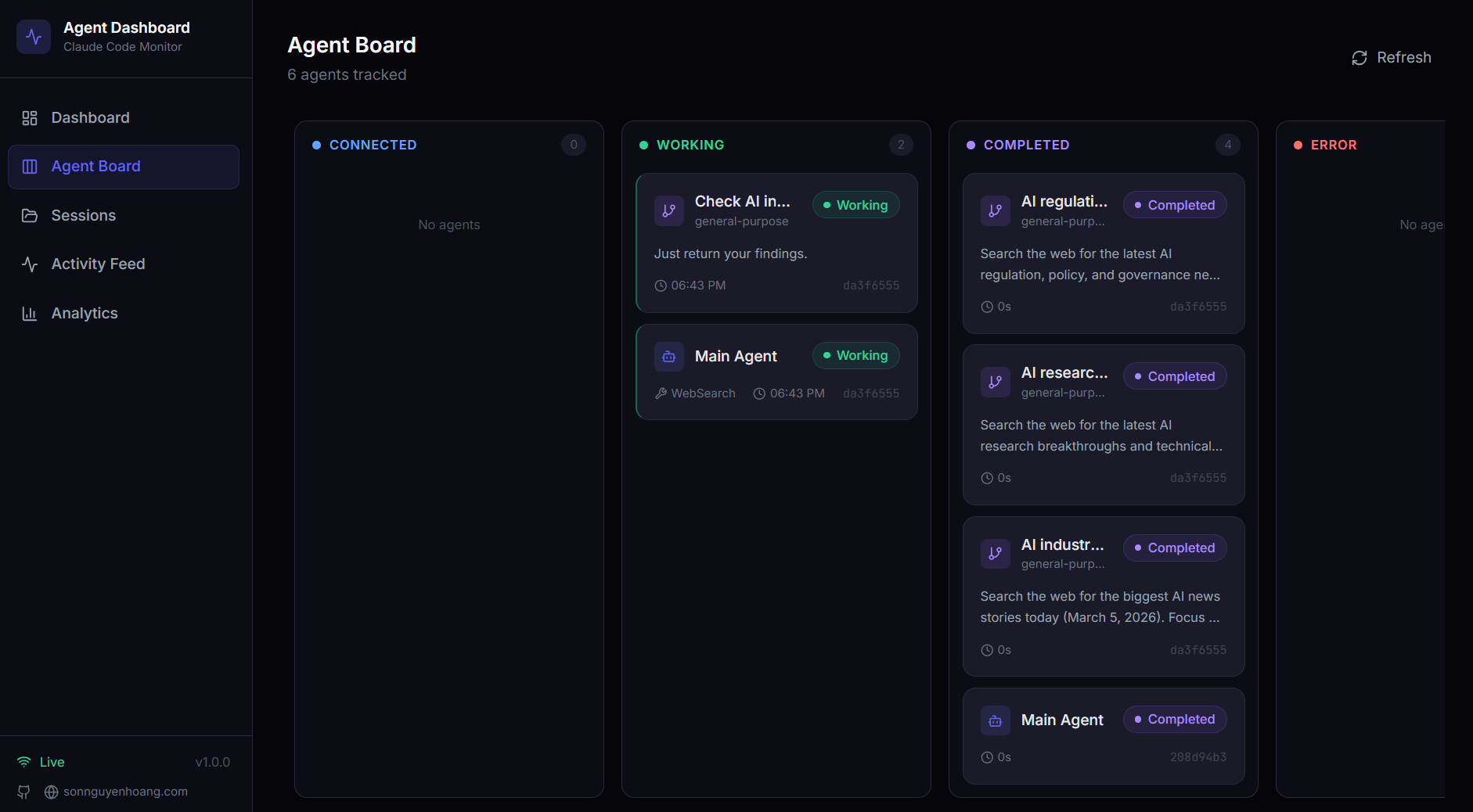
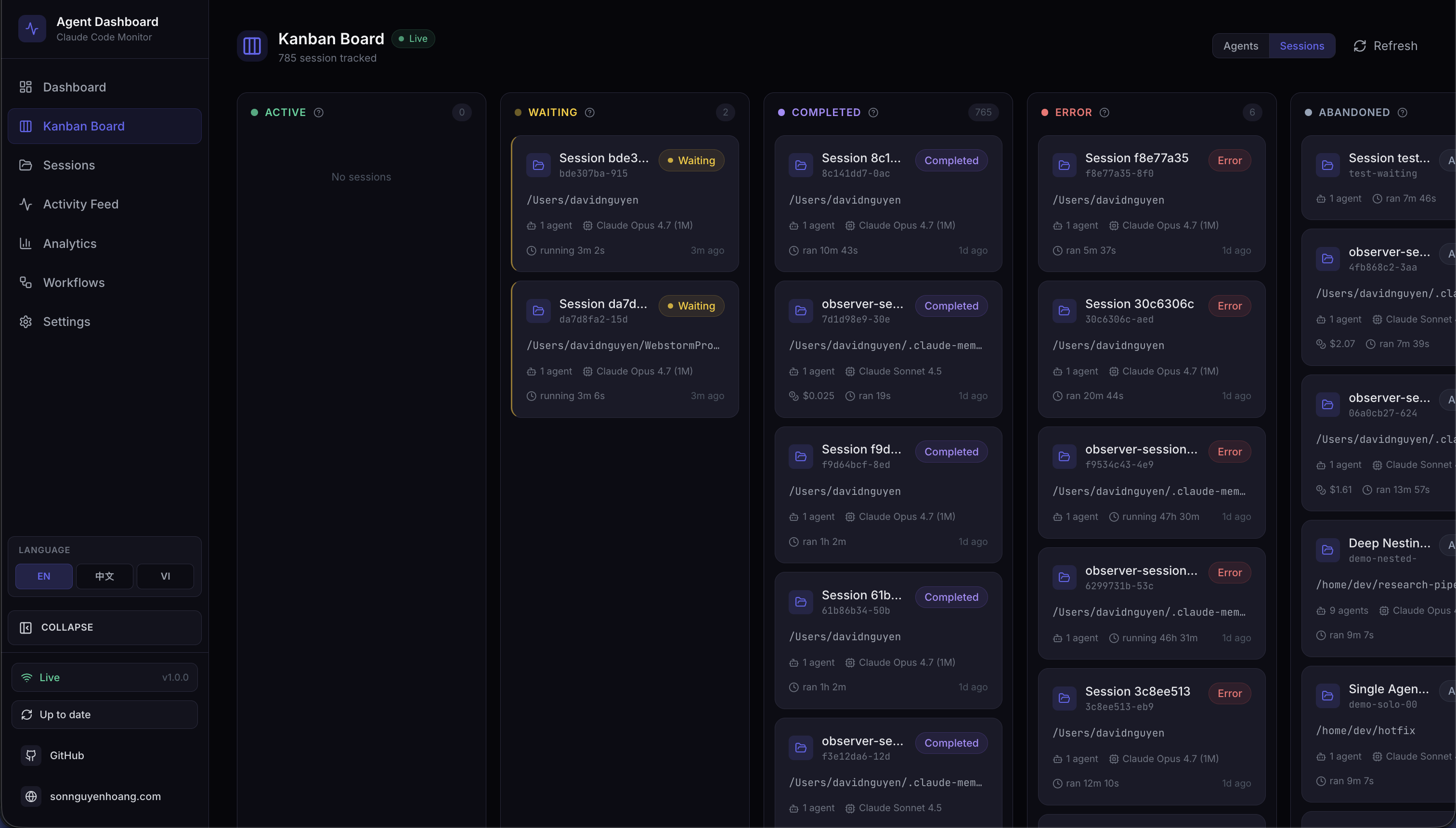
Switch between agents and sessions across Working, Waiting, Completed, Error, and Abandoned lanes with key metadata in view.
Accurate idle state
A watchdog reconciles cancelled turns that emit no hook, so cards never stay falsely busy. Waiting badges explain the reason.
API documentation
Browse the OpenAPI reference in interactive Swagger at /api/docs or
readable ReDoc at /api/redoc — fully offline.
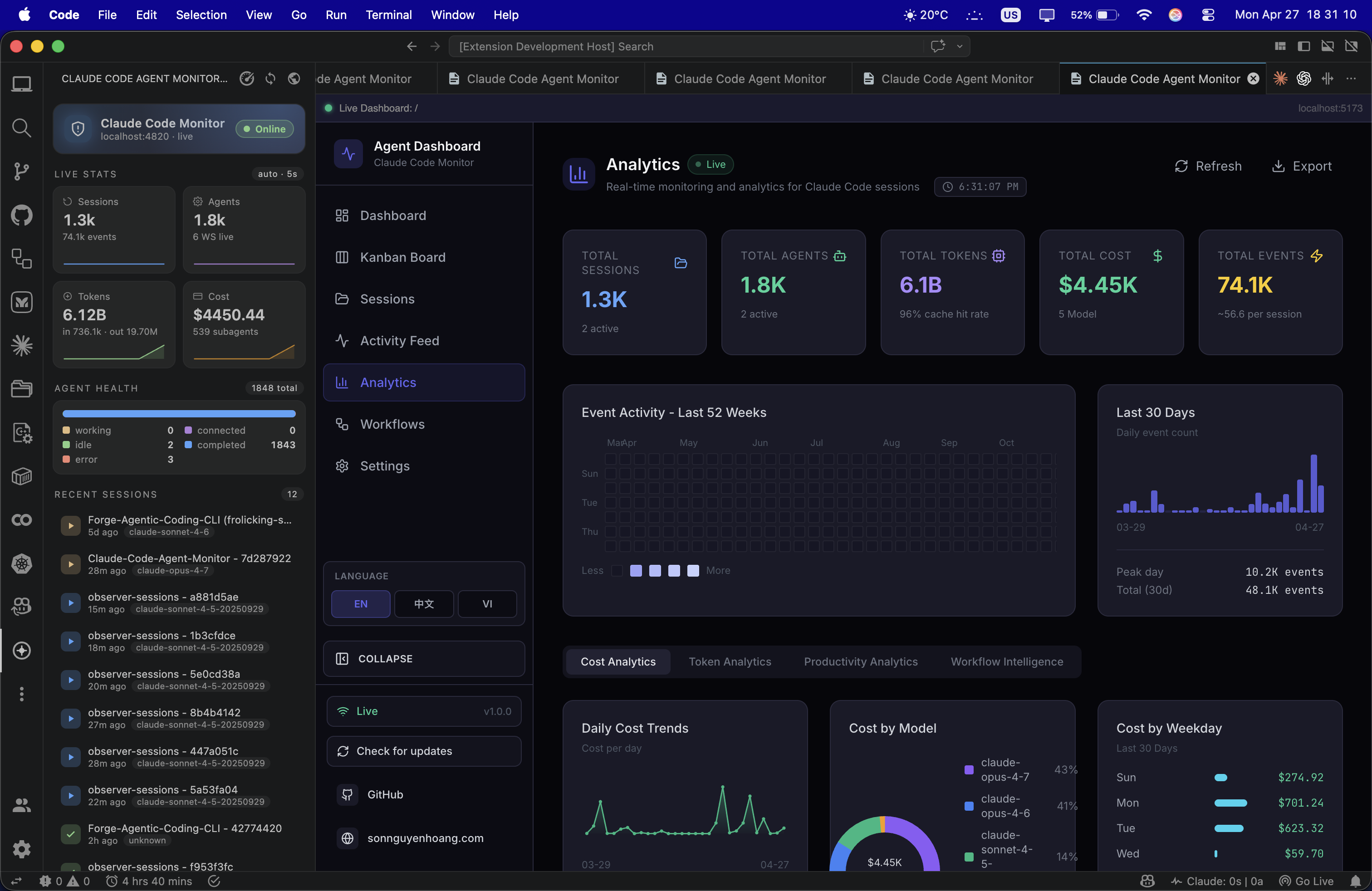
VS Code extension
Keep active sessions, agents, and tool activity in an editor sidebar. It ships as a dependency-free VSIX you install locally.
Native desktop apps
Run the full dashboard as a macOS .app or a Windows .exe,
with the Express server embedded in-process.
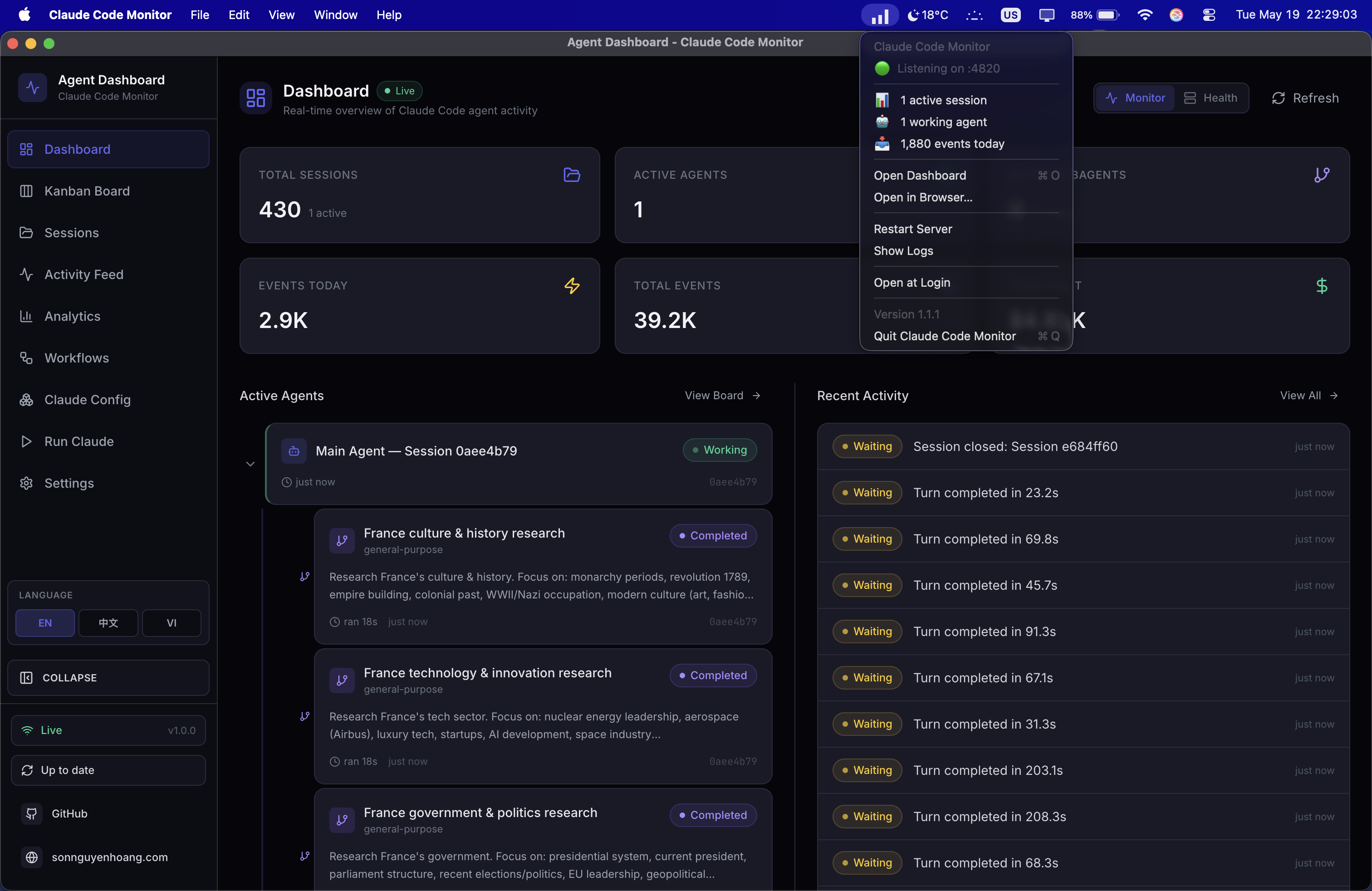
Tray-first monitoring
Get a live status snapshot from the tray, start at login, and install hooks on first boot without changing your CLI workflow.
Live activity feed
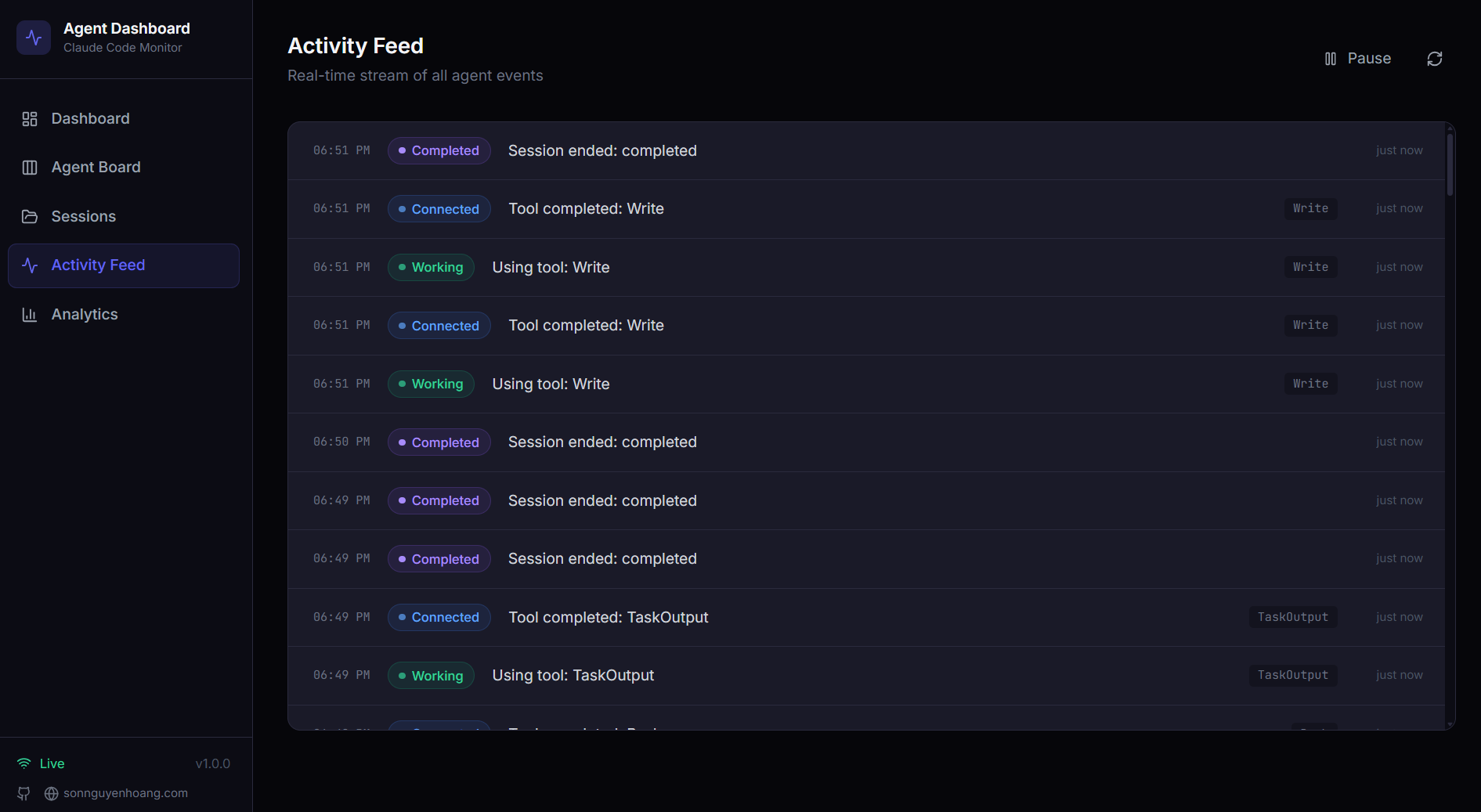
Pause and resume the streaming log, filter by event dimensions, expand raw payloads, and open the session behind any row.
History import
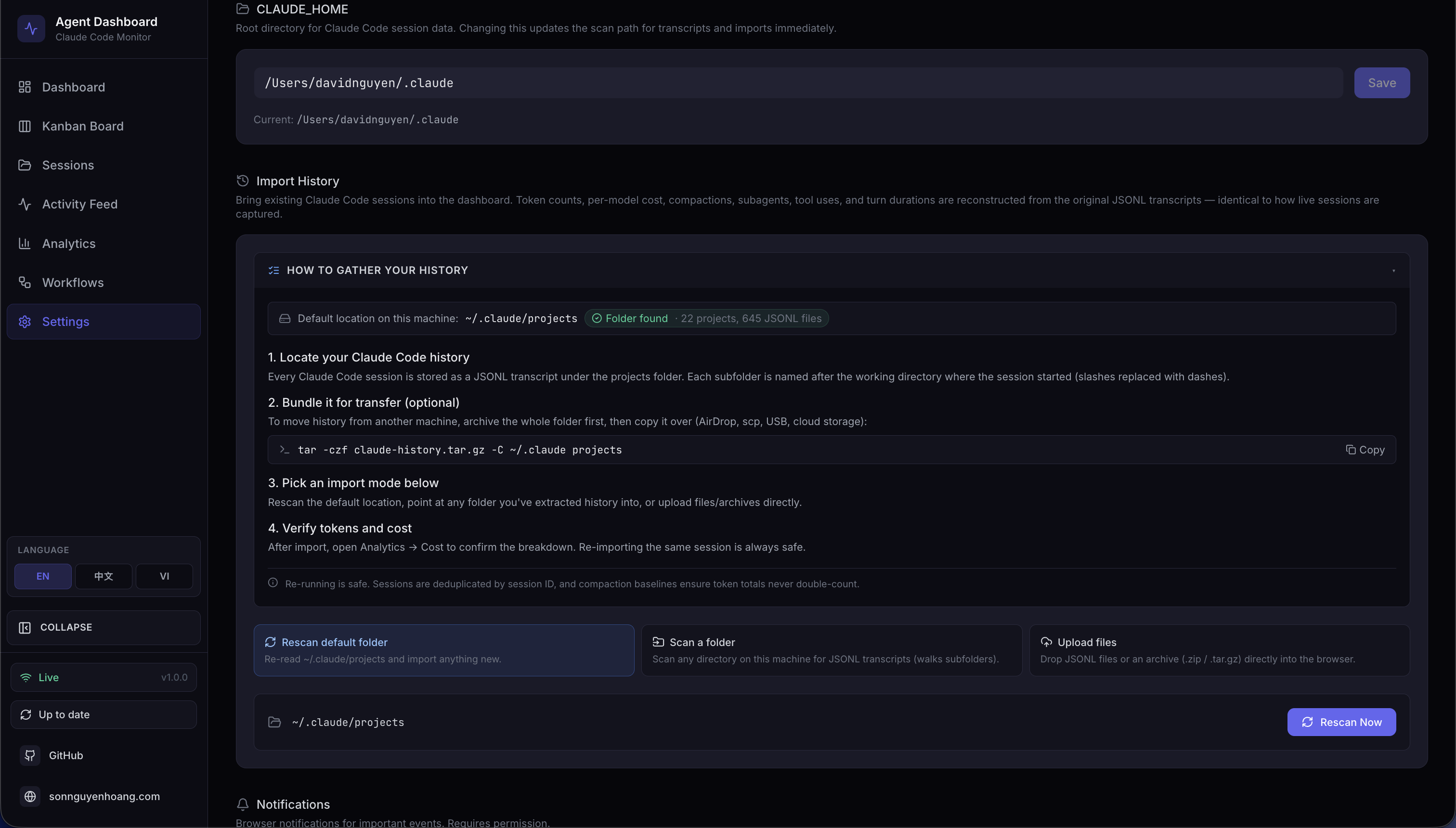
Rescan Claude Code, Cursor, or Codex history. Manual provider imports stay idempotent and report their progress live.
Automatic discovery
Background sync watches local session folders and brings in new or changed work, even when no hook ever fired for it.
Remote data sources
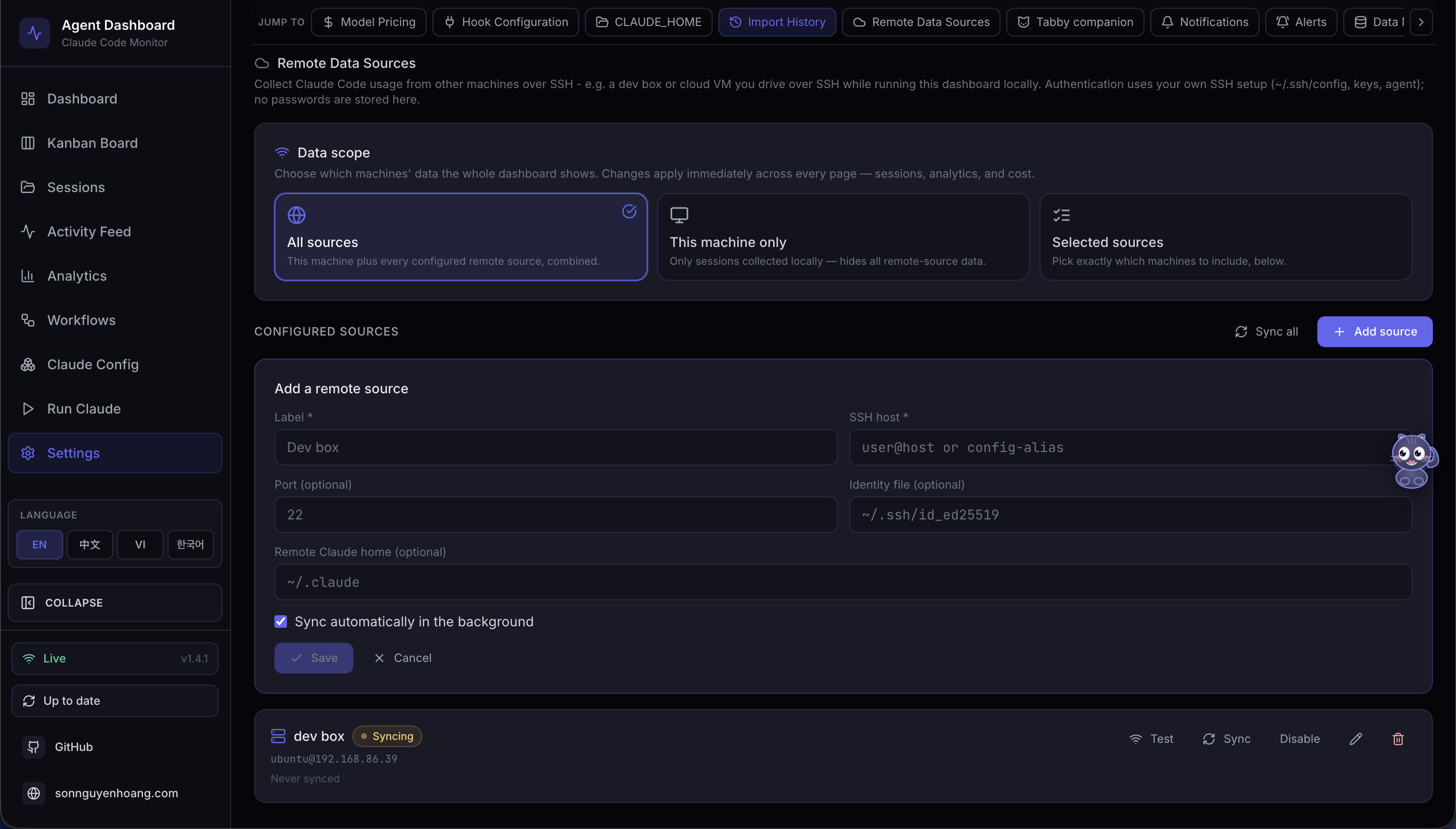
Pull Claude Code and Codex histories over SSH, preserve Codex renamed titles, and filter the whole dashboard by source.
Push-mode ingest
A machine behind NAT that SSH cannot reach pushes its own batches to the dashboard instead, gated on an opt-in token.
Cross-surface notifications
Choose the session and agent events worth a ping. The web uses VAPID Web Push while macOS desktop sends native toasts.
Tabby, your companion
A corner companion reacts to the live session stream with moods, cursor-tracking eyes, and playful status quips.
Tabby quick actions
Open Tabby with a click or ⌘B for status, shortcuts, and an Ask box.
She respects reduced-motion preferences.
Subtle sound cues
Hear when a run starts, finishes, or fails. Every chime is synthesized in the browser, with no audio files, and toggles off in Settings.
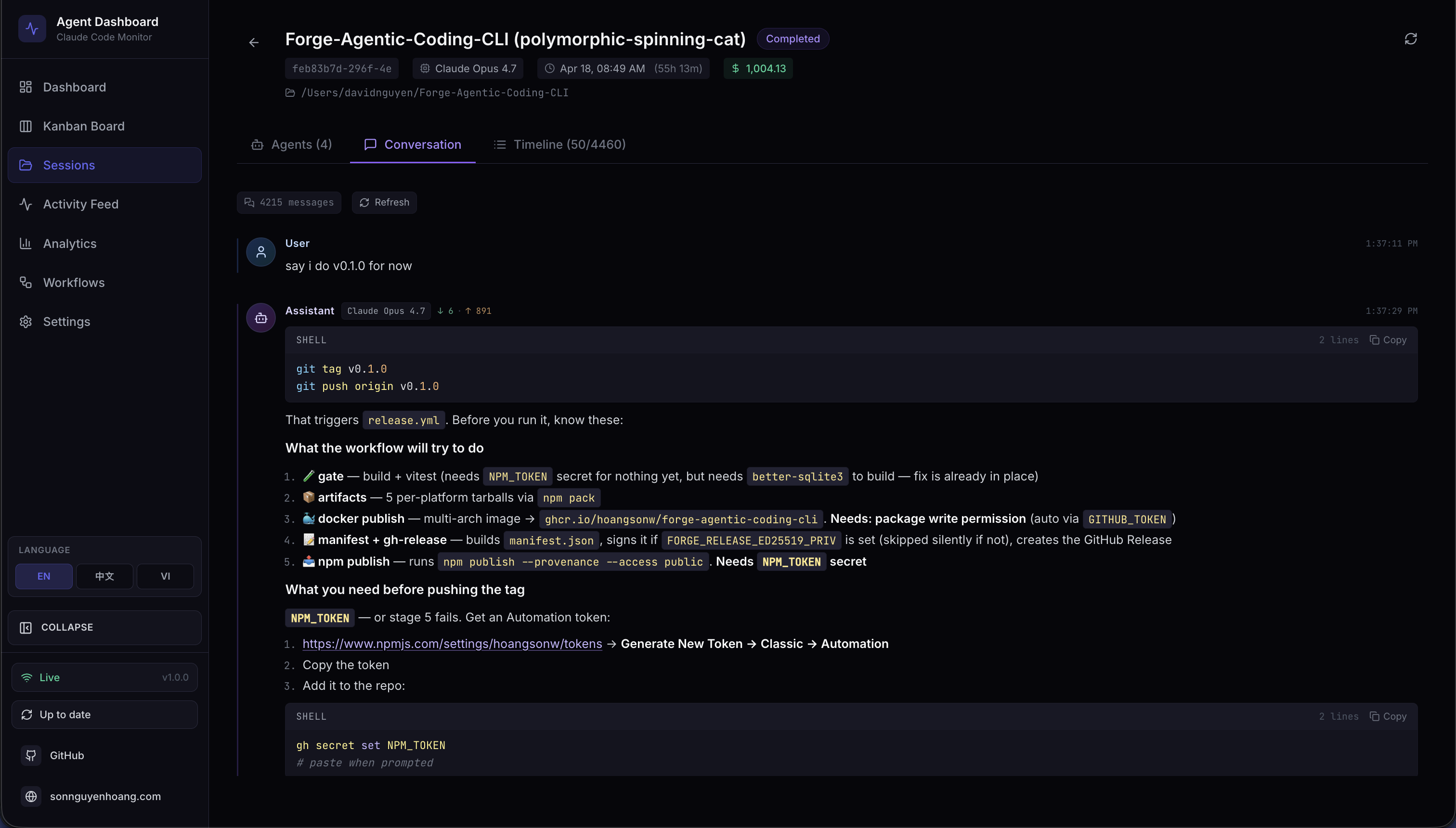
Conversation replay
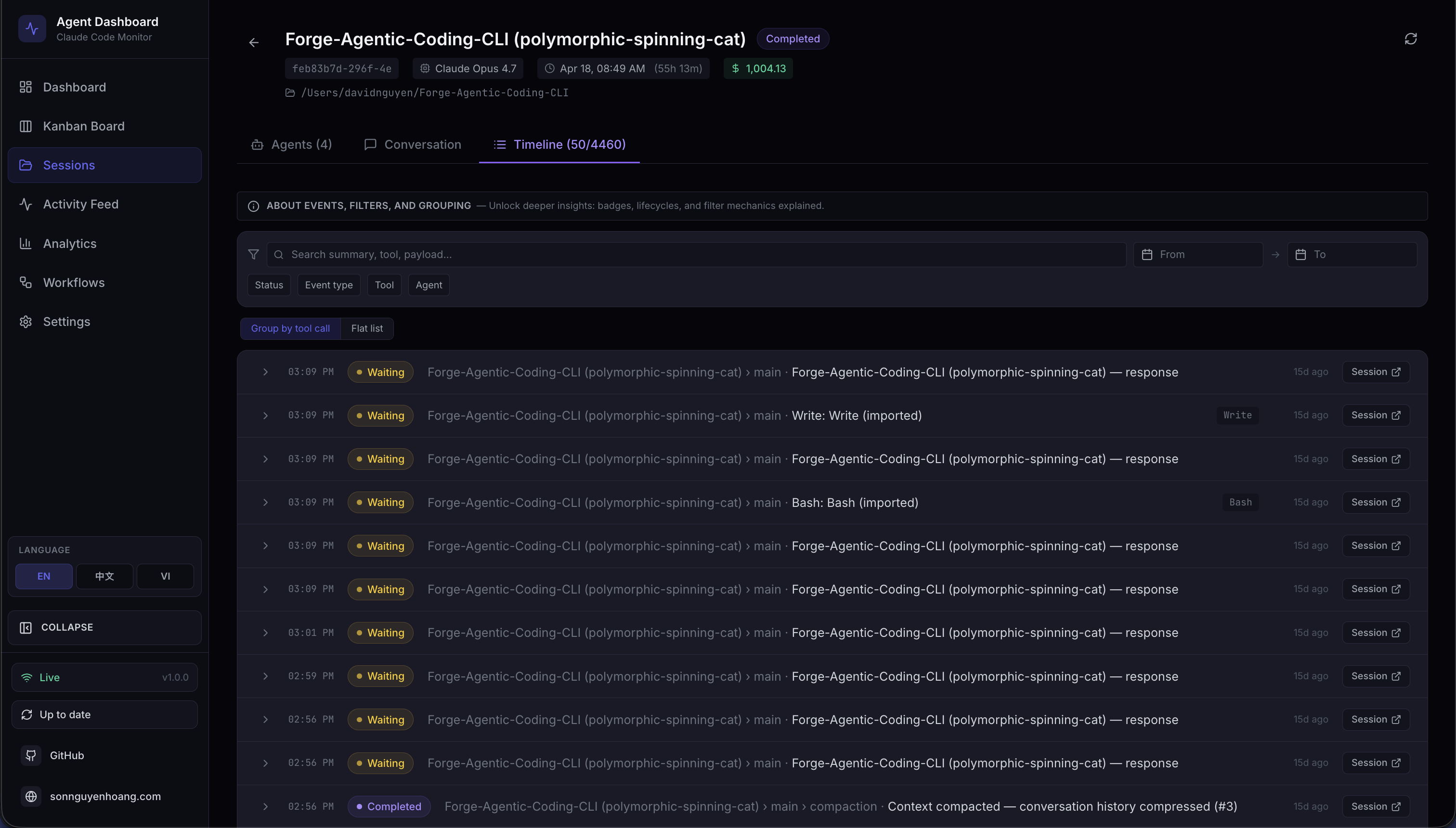
Read prompts, assistant turns, thinking, tools, slash-command output, and renamed sessions with inline syntax highlighting. Durable, compressed snapshots keep old conversations readable after Claude Code, Codex, or Cursor delete their transcripts.
Transcript inspection
Codex replay includes native titles and exec output. Expand any
timeline event to inspect its raw hook payload.
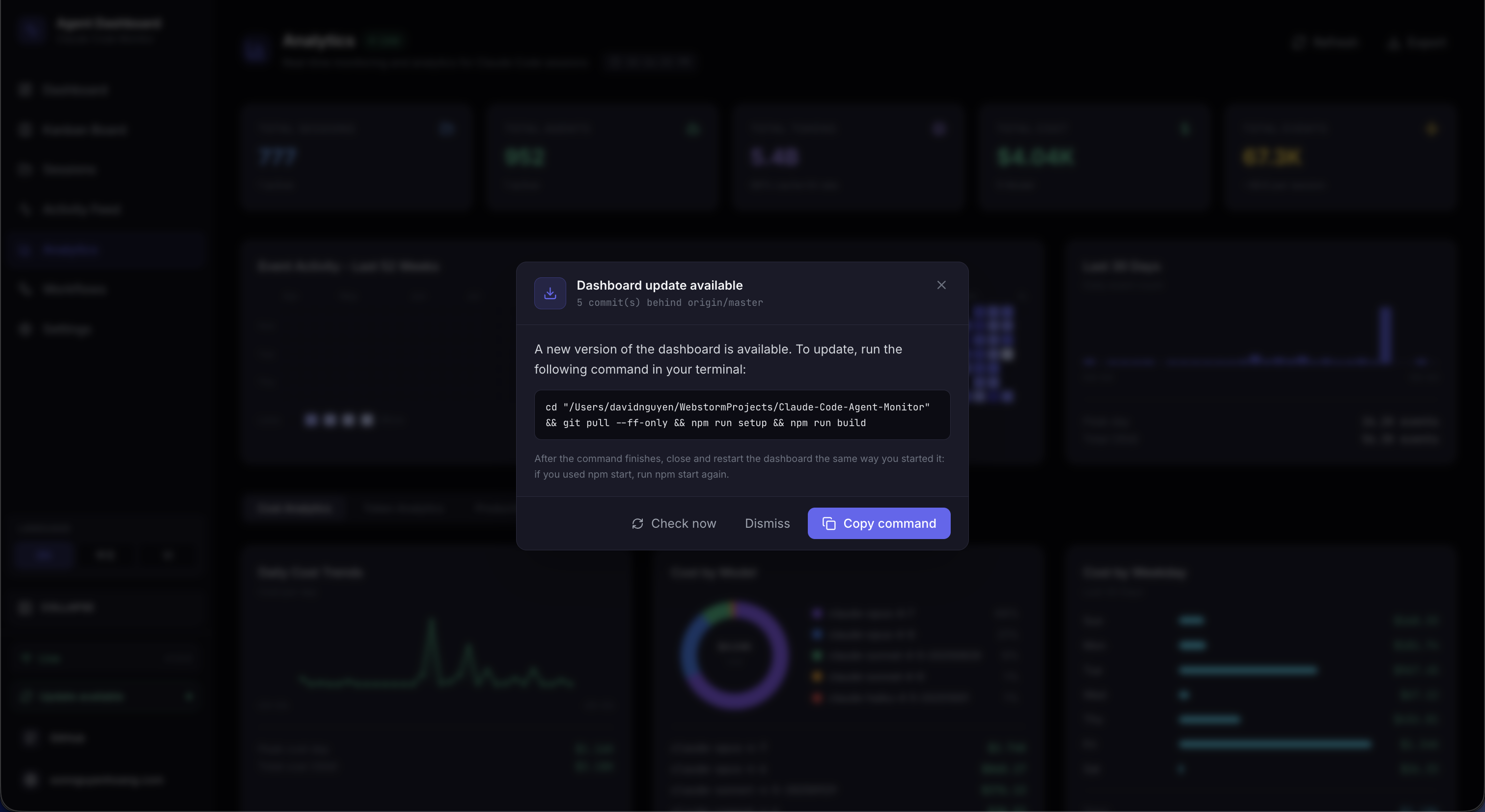
One-click self-update
Check the upstream remote, then pull, reinstall, rebuild, and restart from a single action on web or desktop.
Local-first and private
SQLite, localhost-only APIs, and zero telemetry keep your agent history on your machine. No account or cloud is required.
See it for yourself.
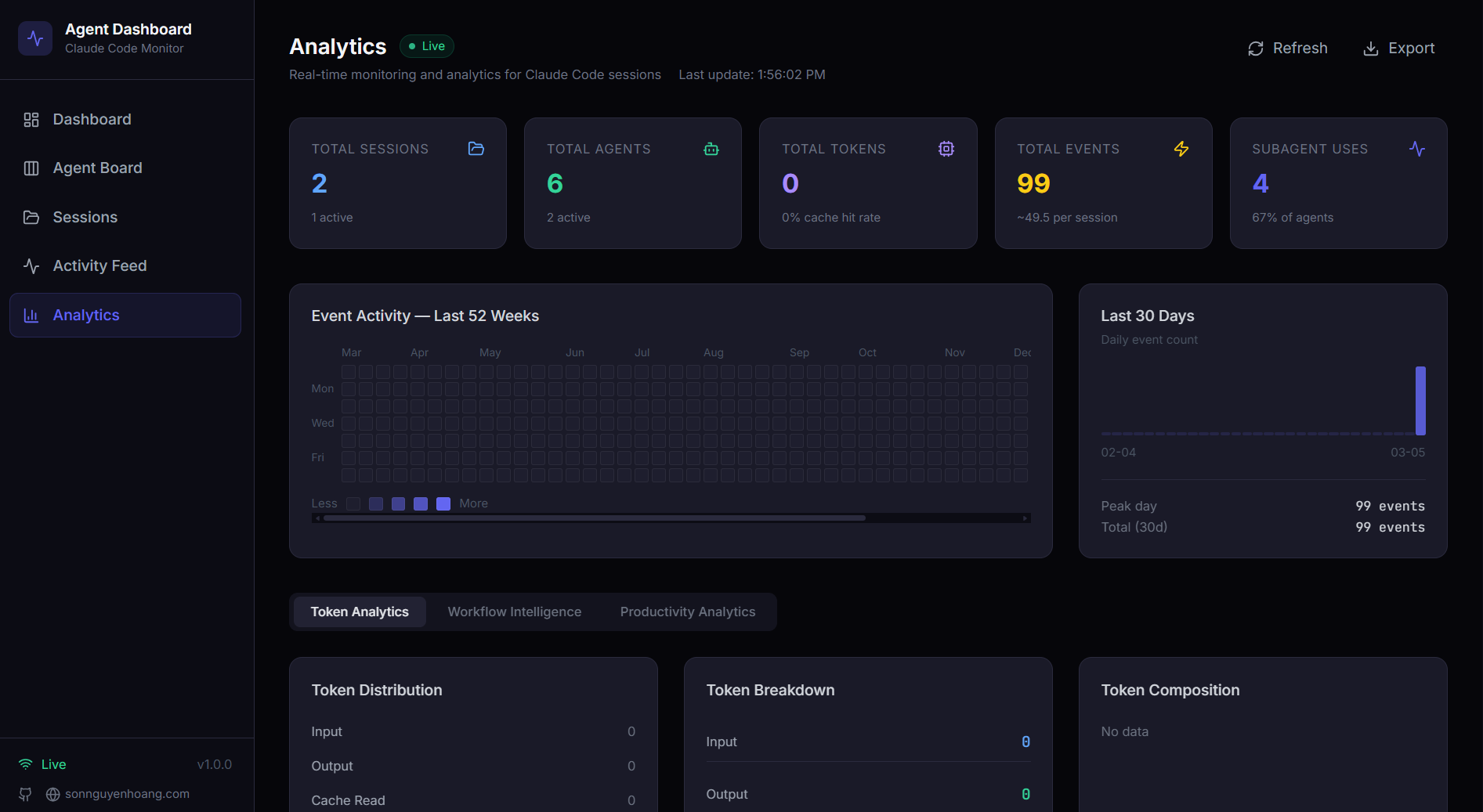
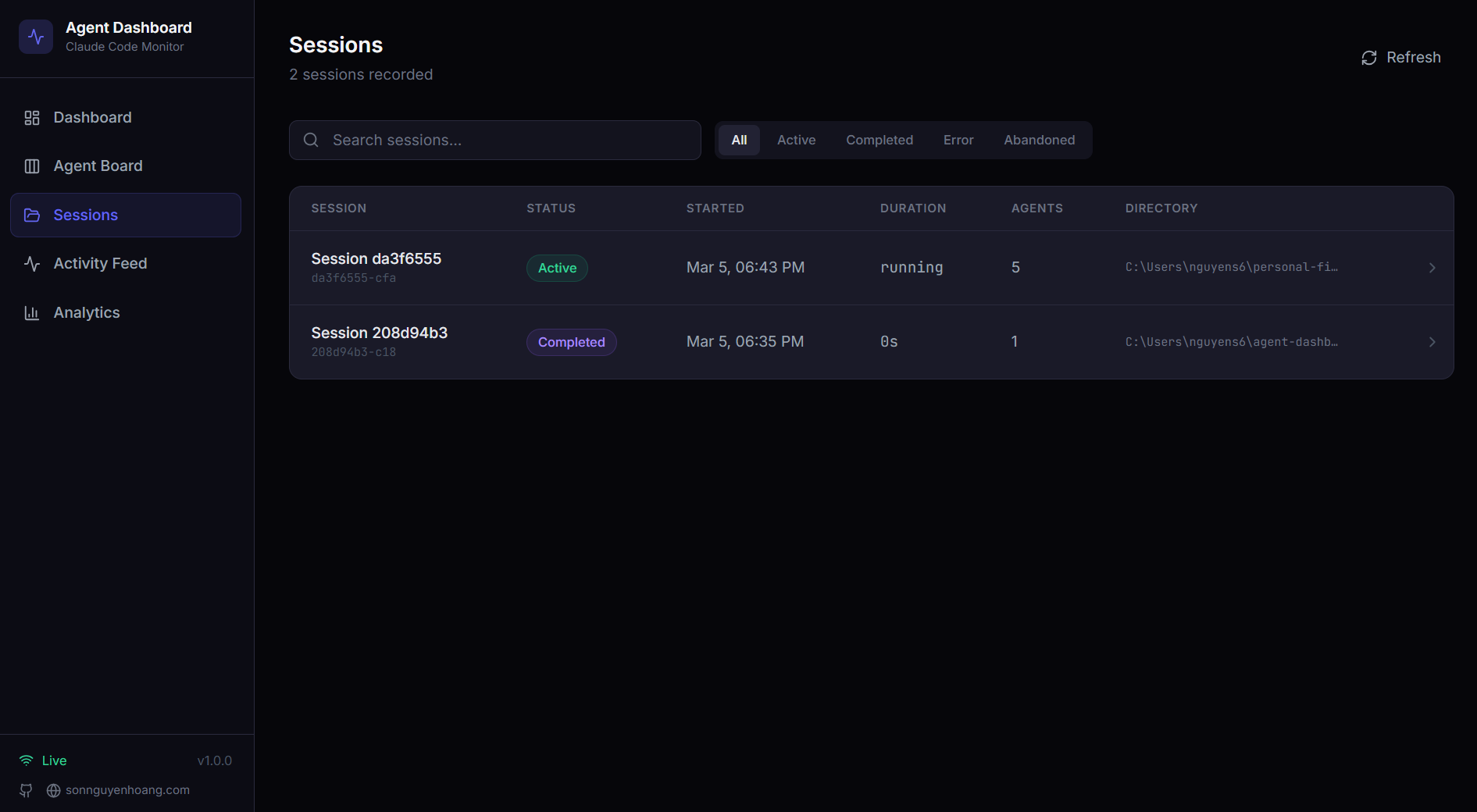
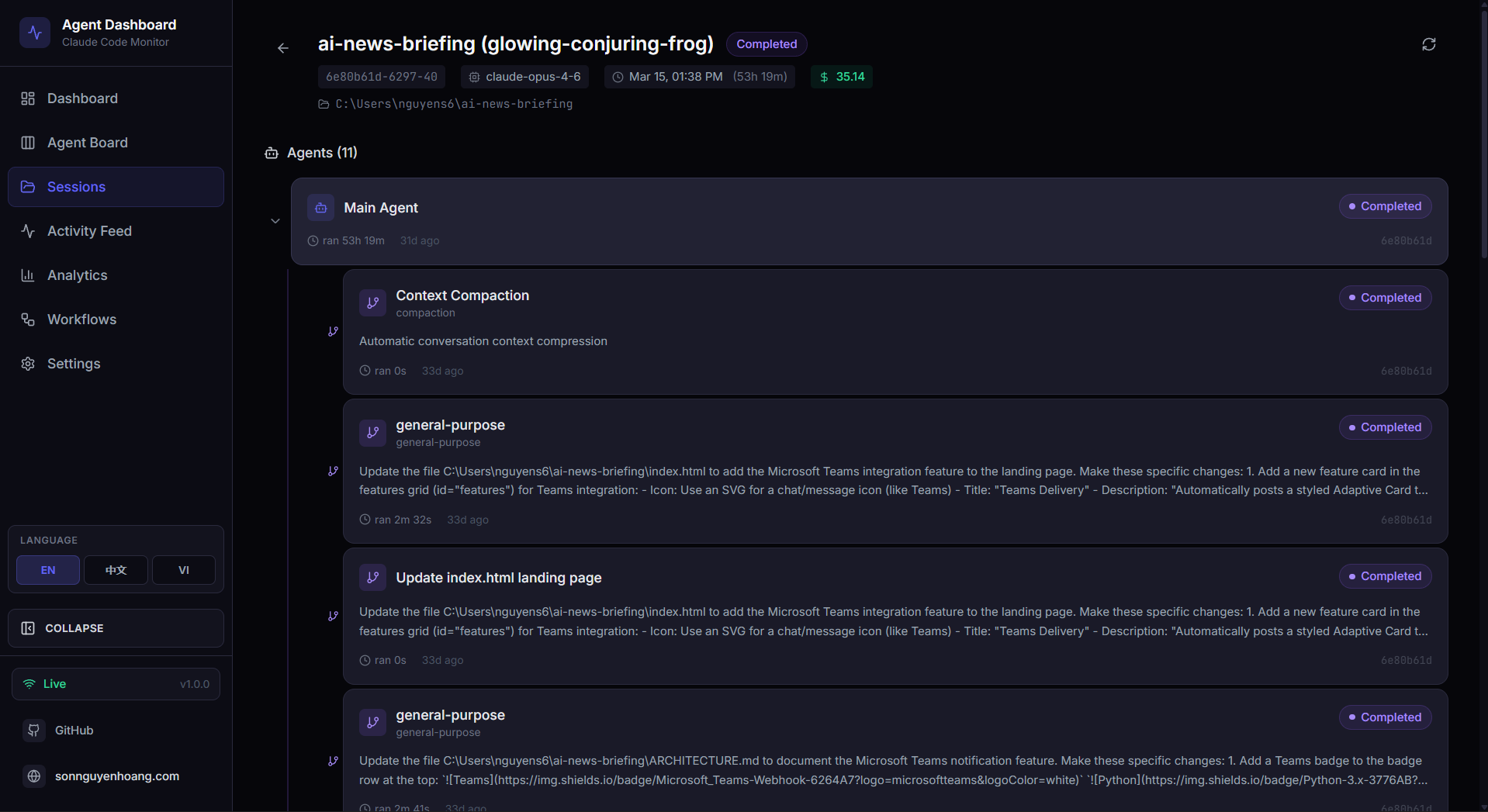
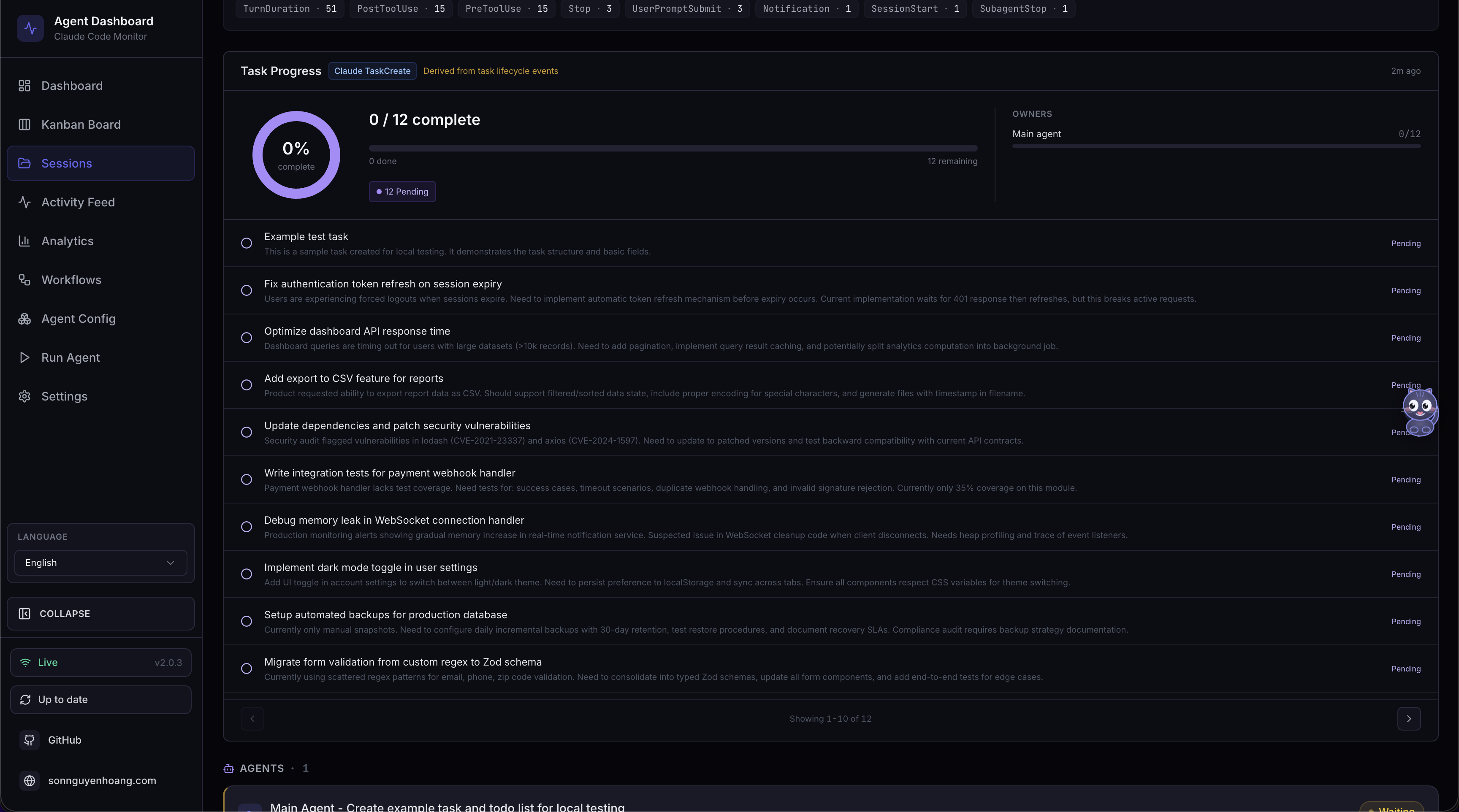
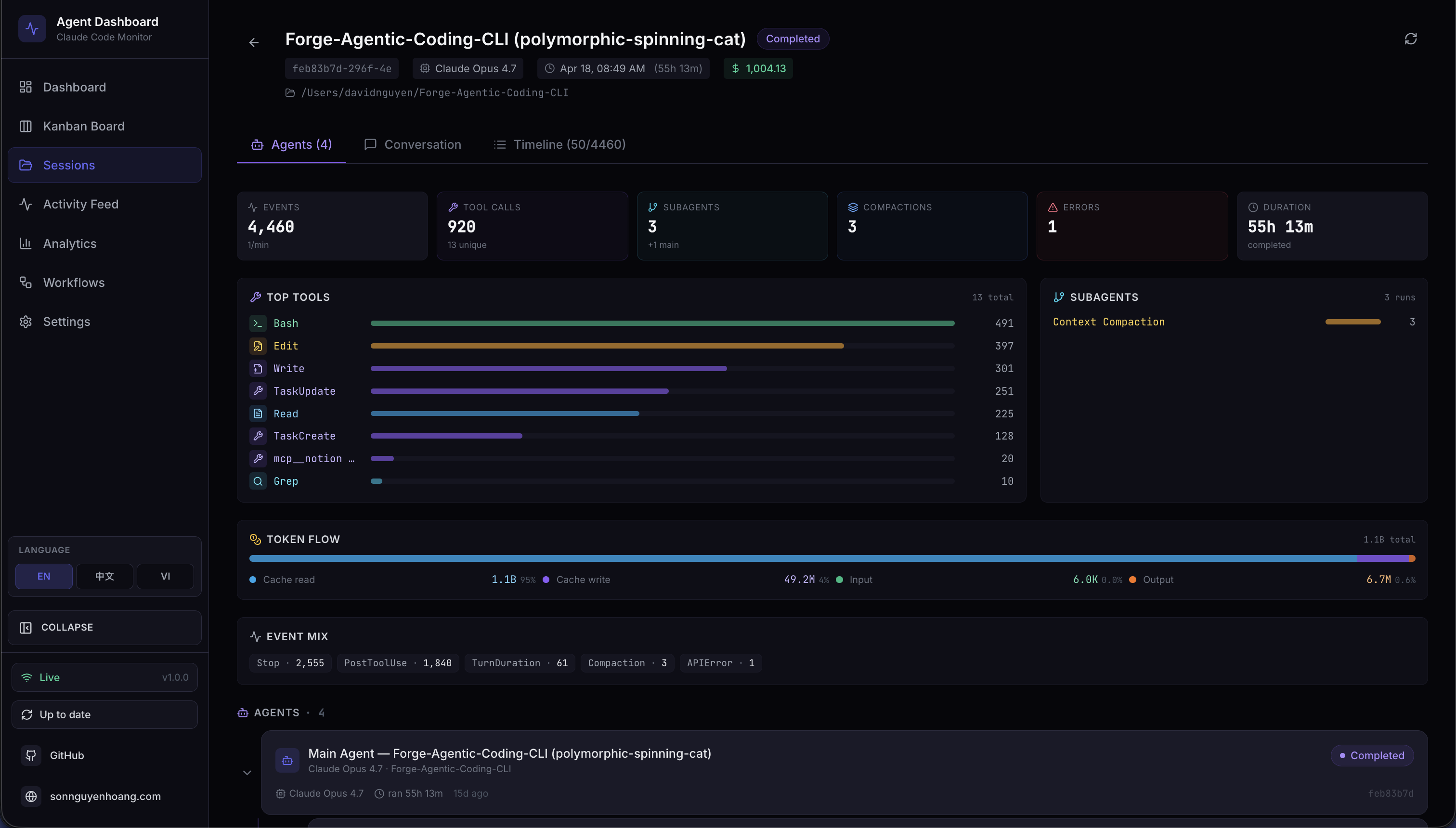
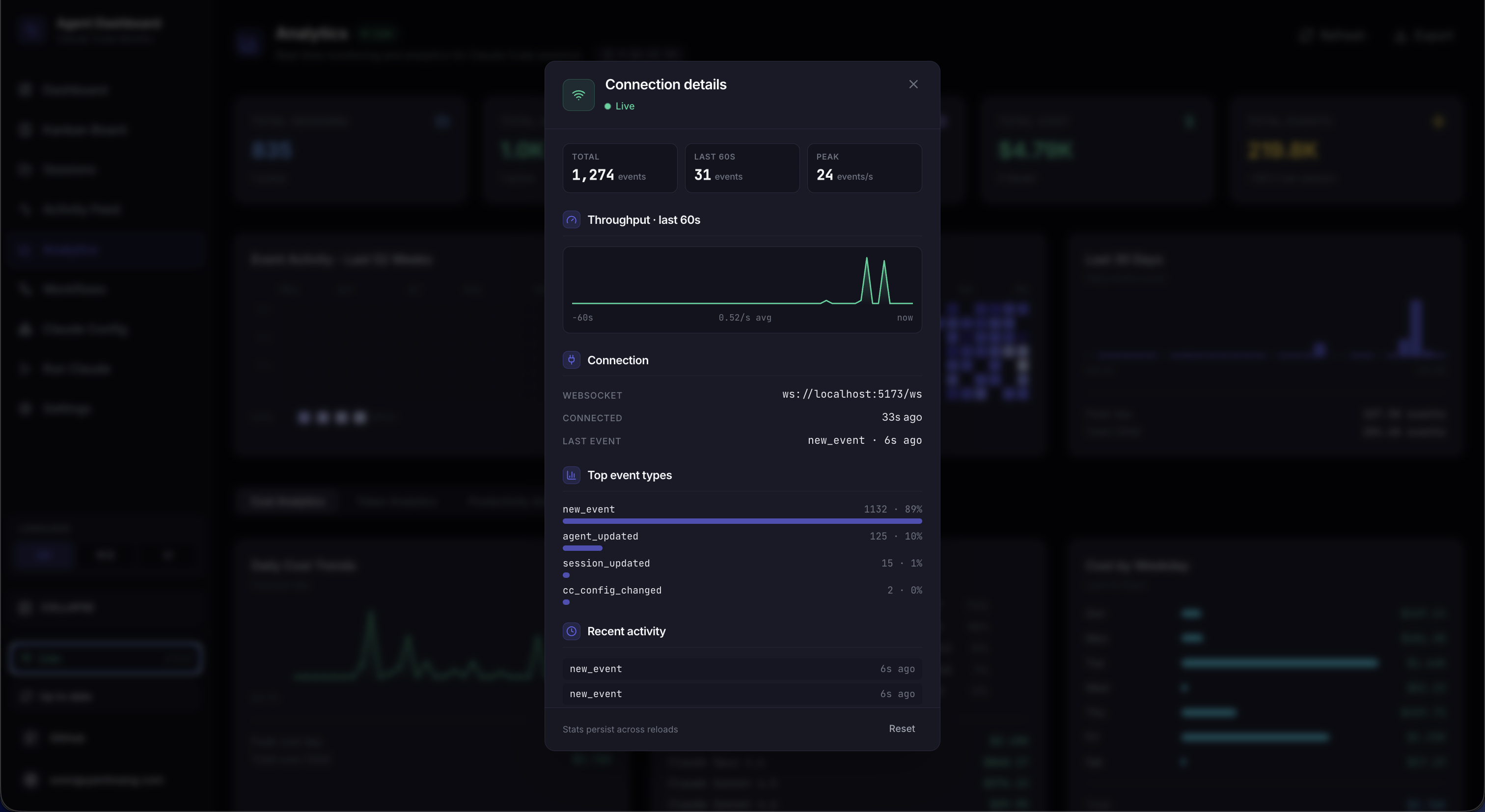
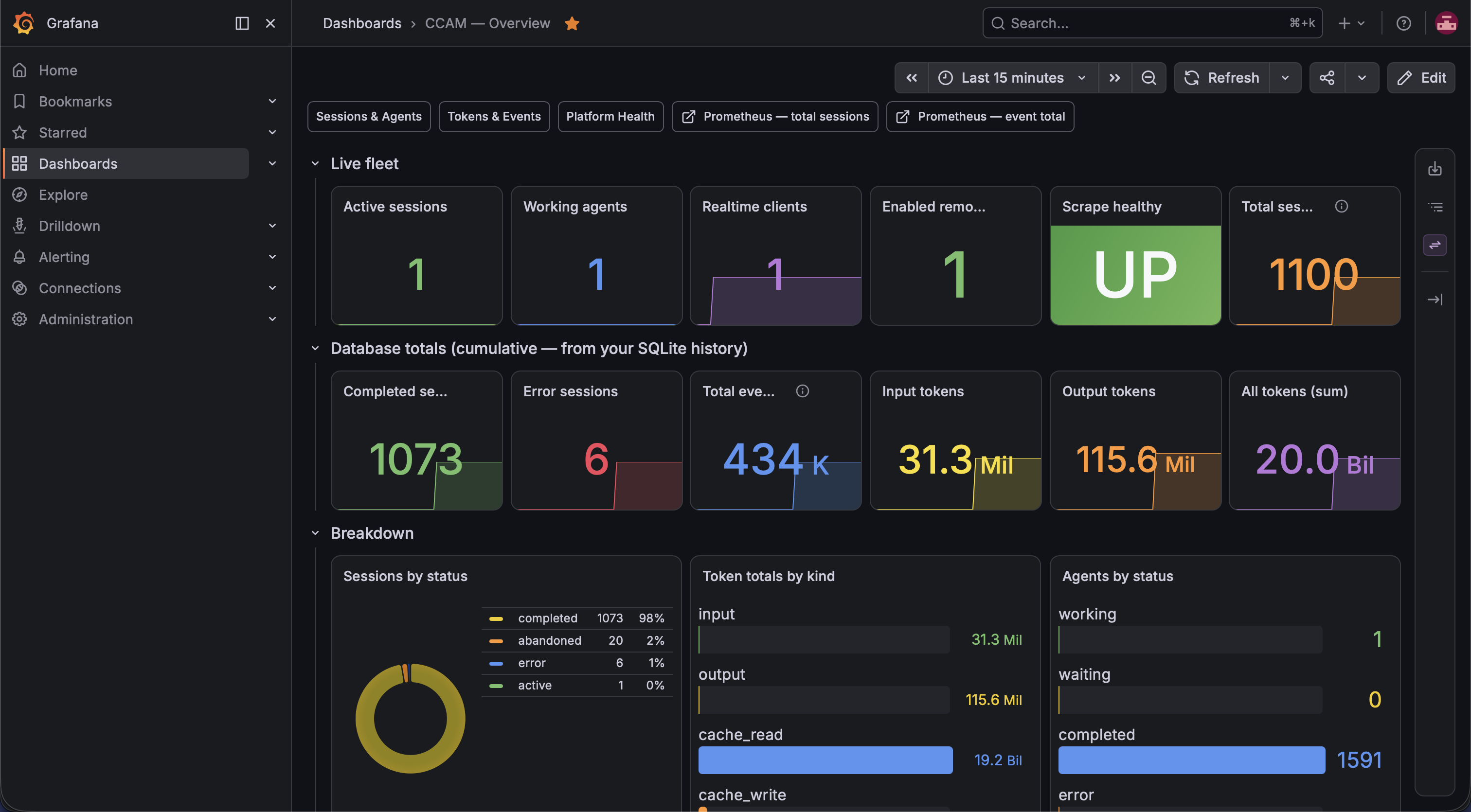
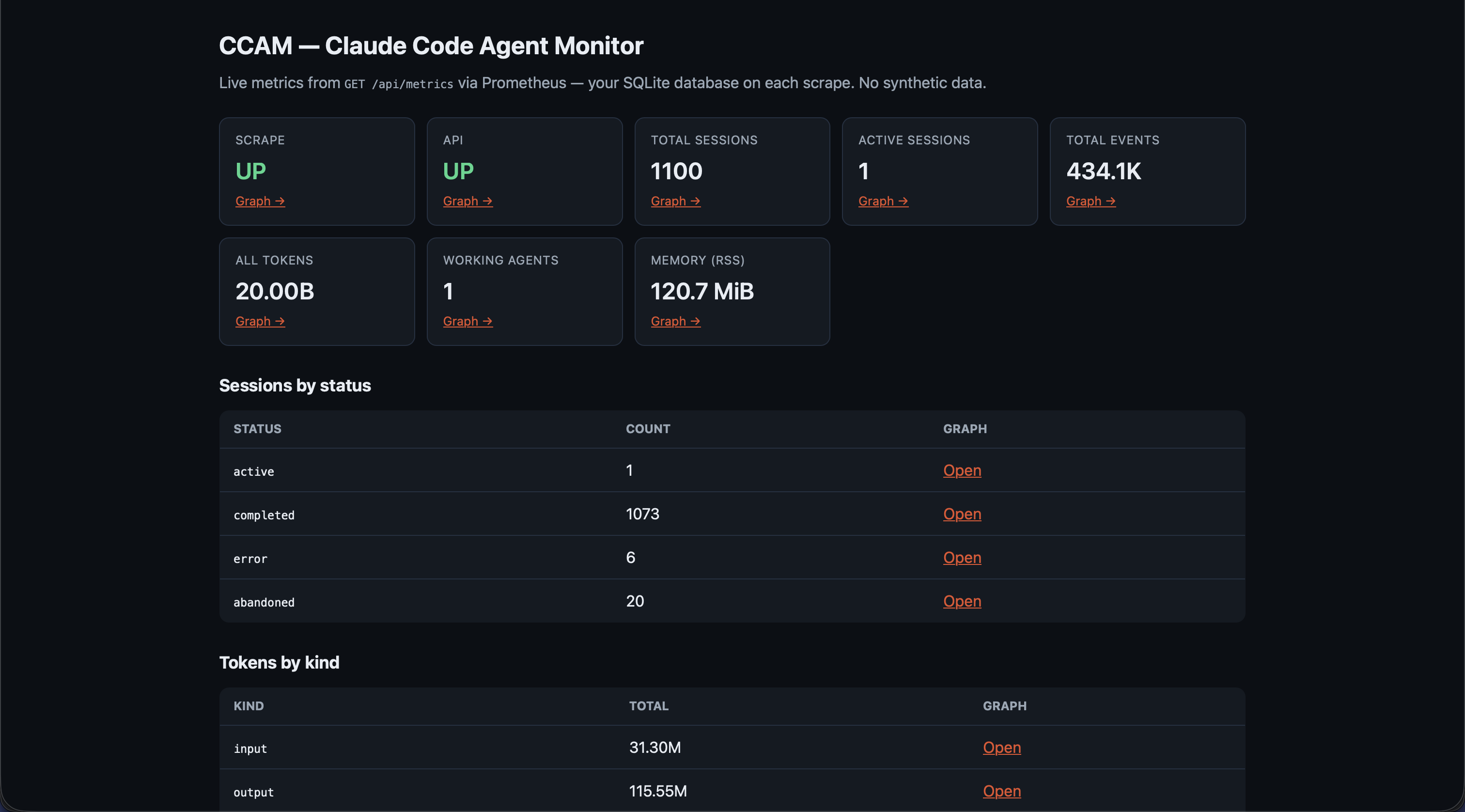
Every page of the dashboard, from real-time monitoring to config editing, API docs, and even the VS Code extension. Click any screenshot to expand.
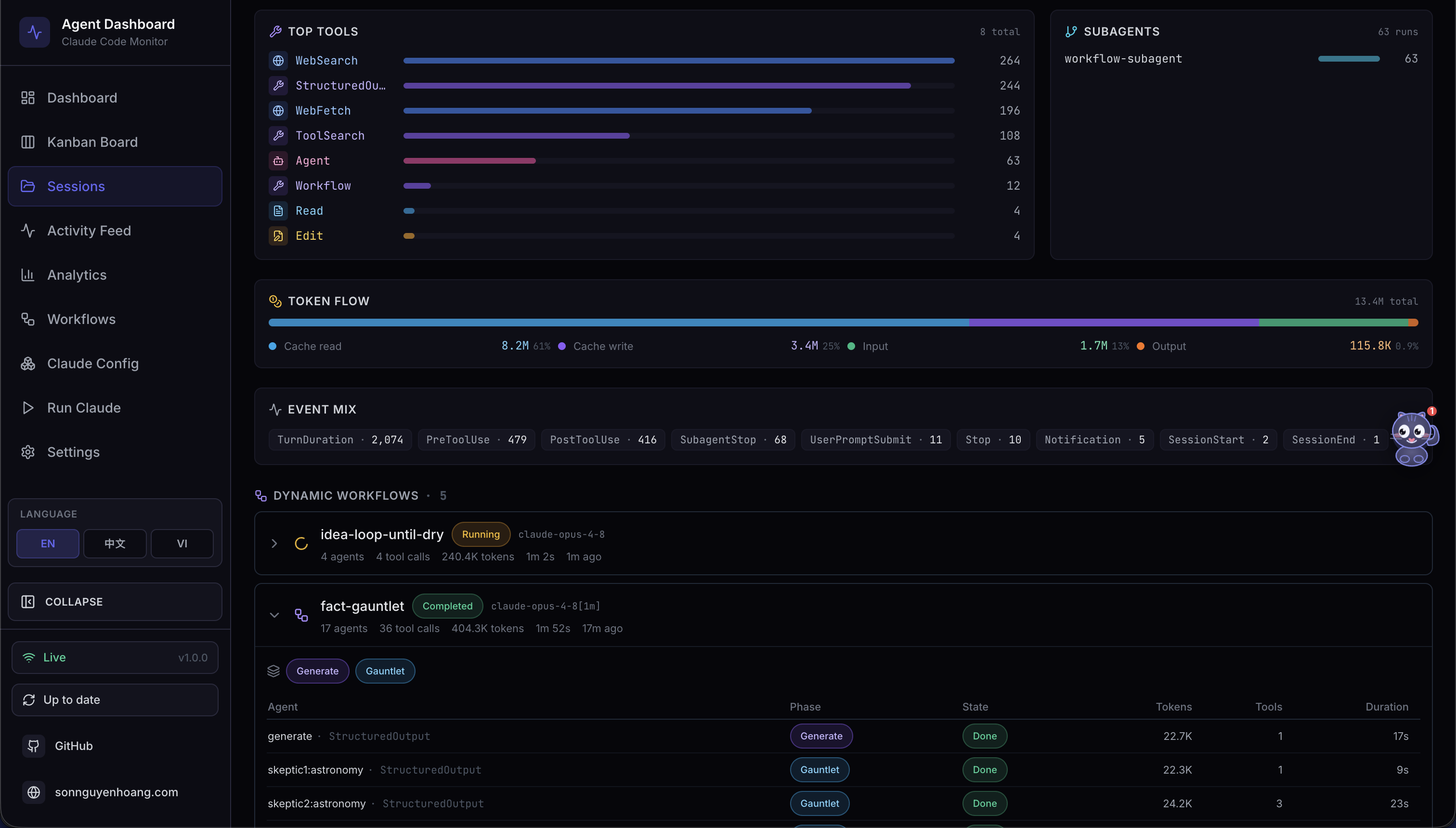
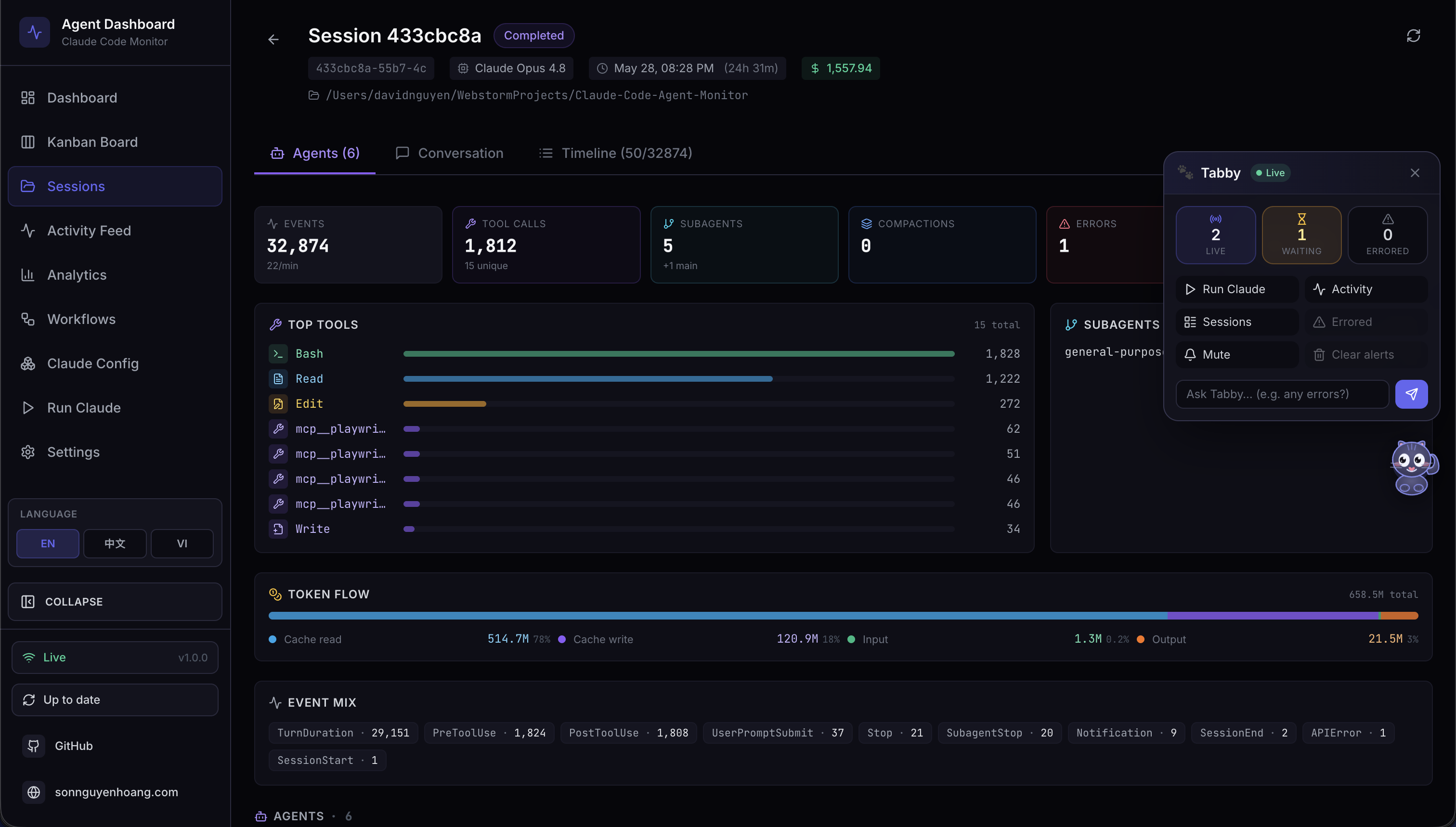
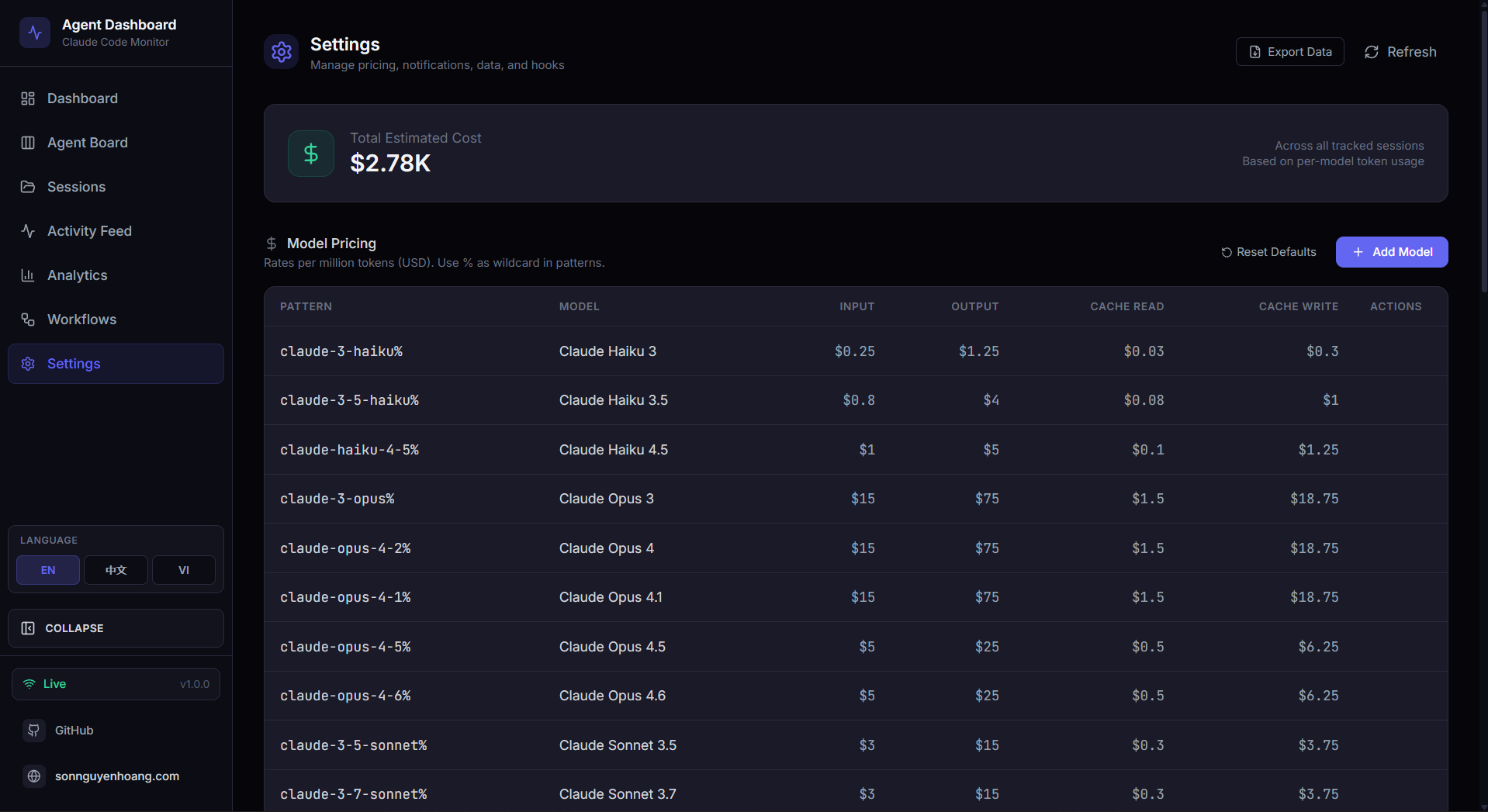
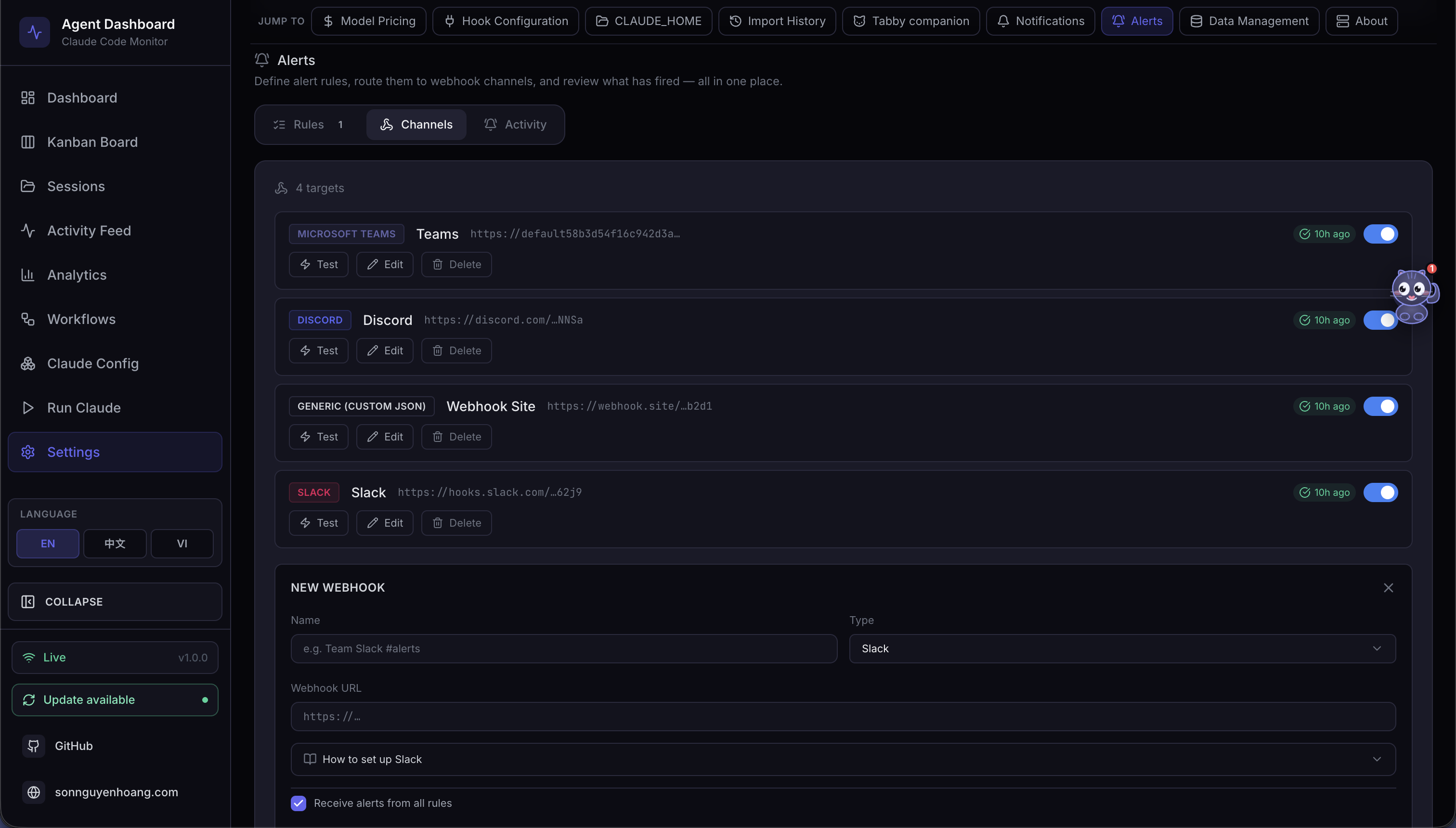
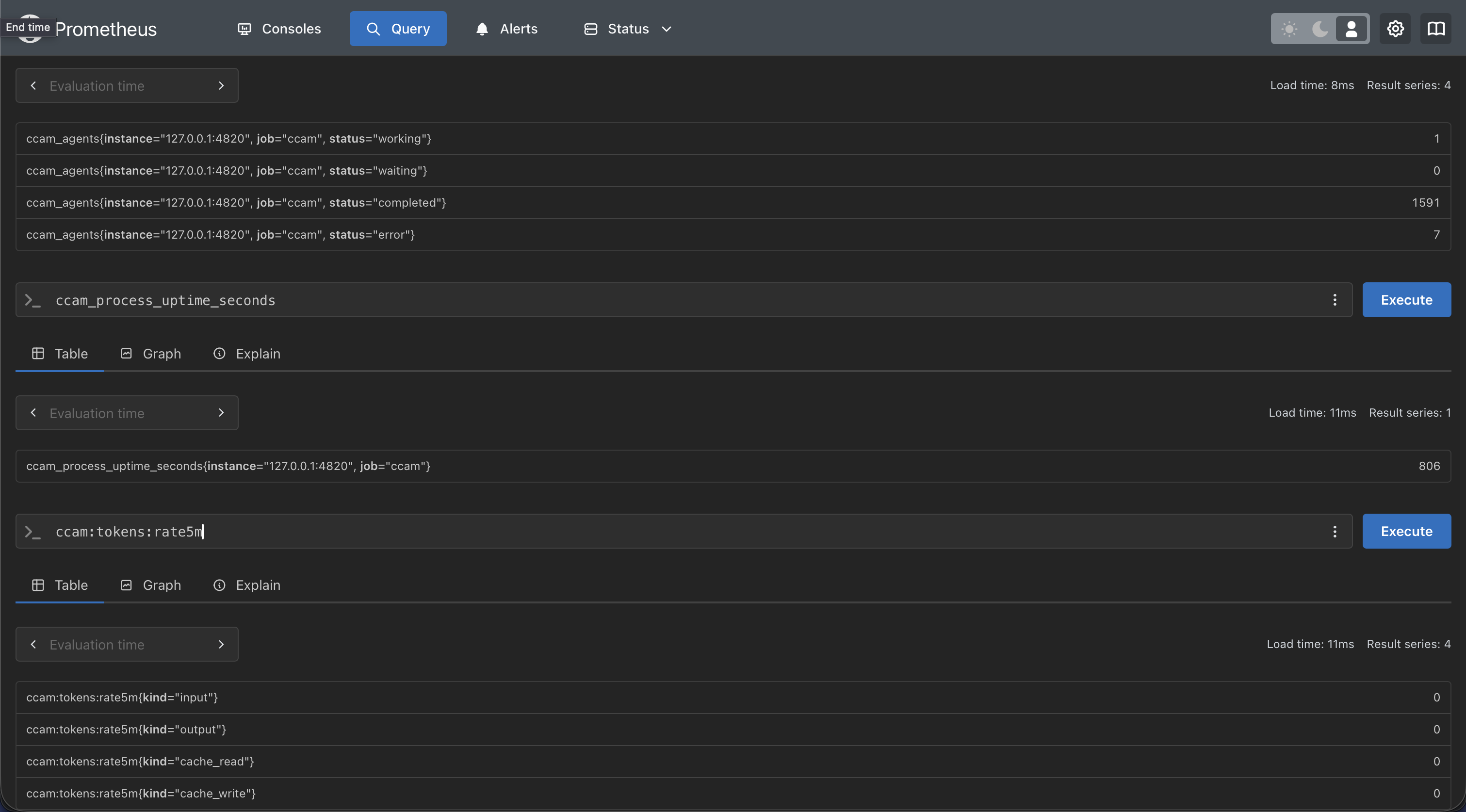
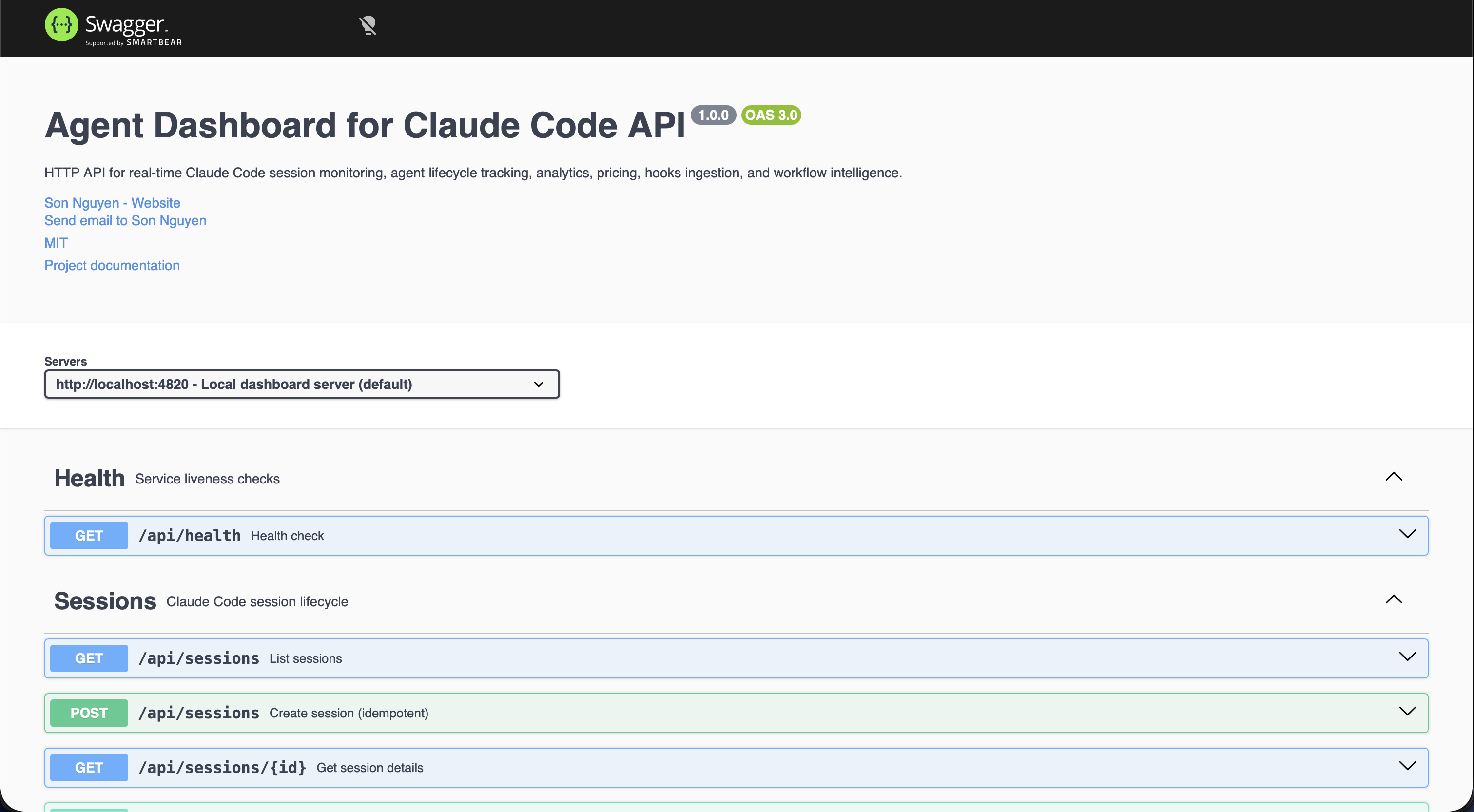
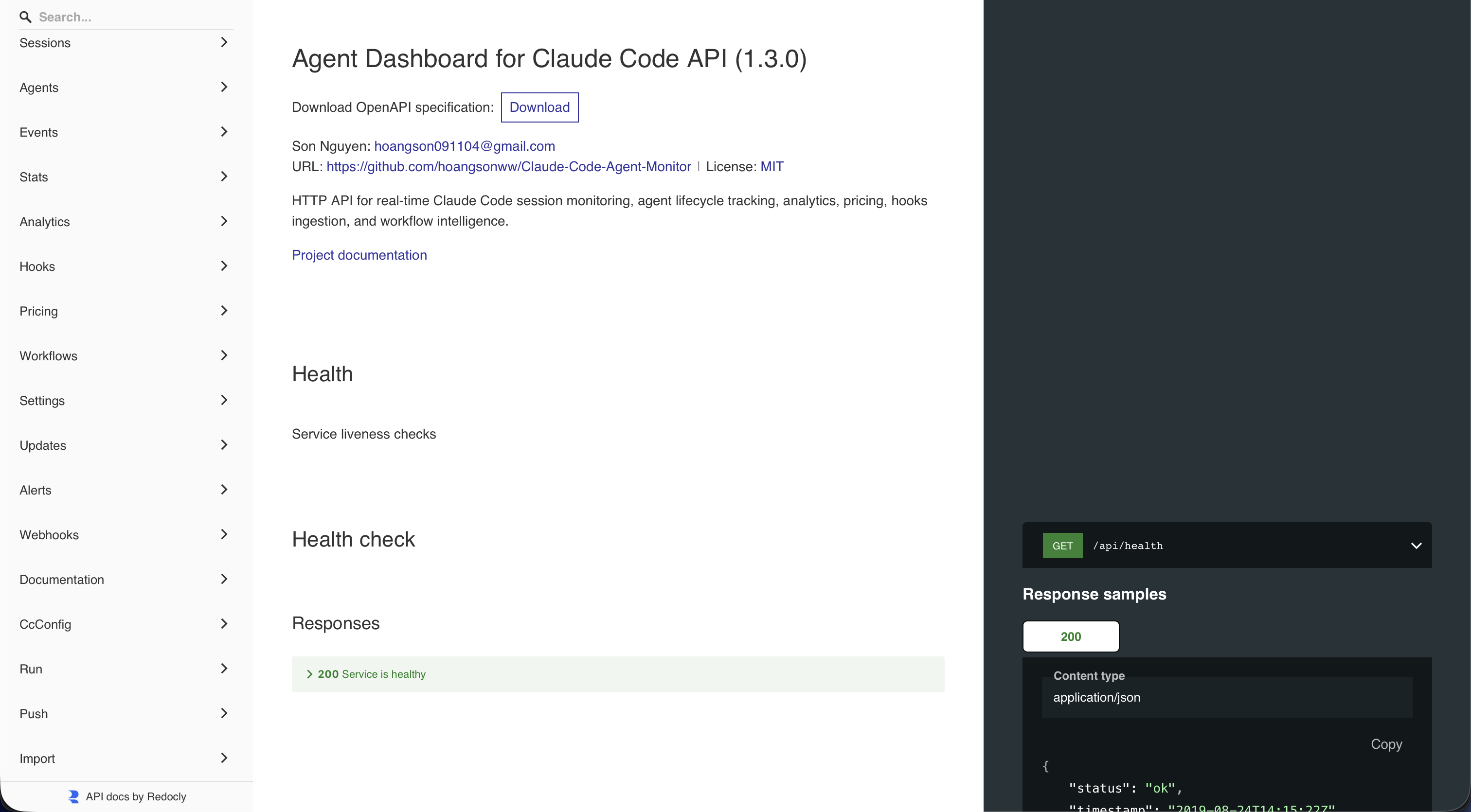
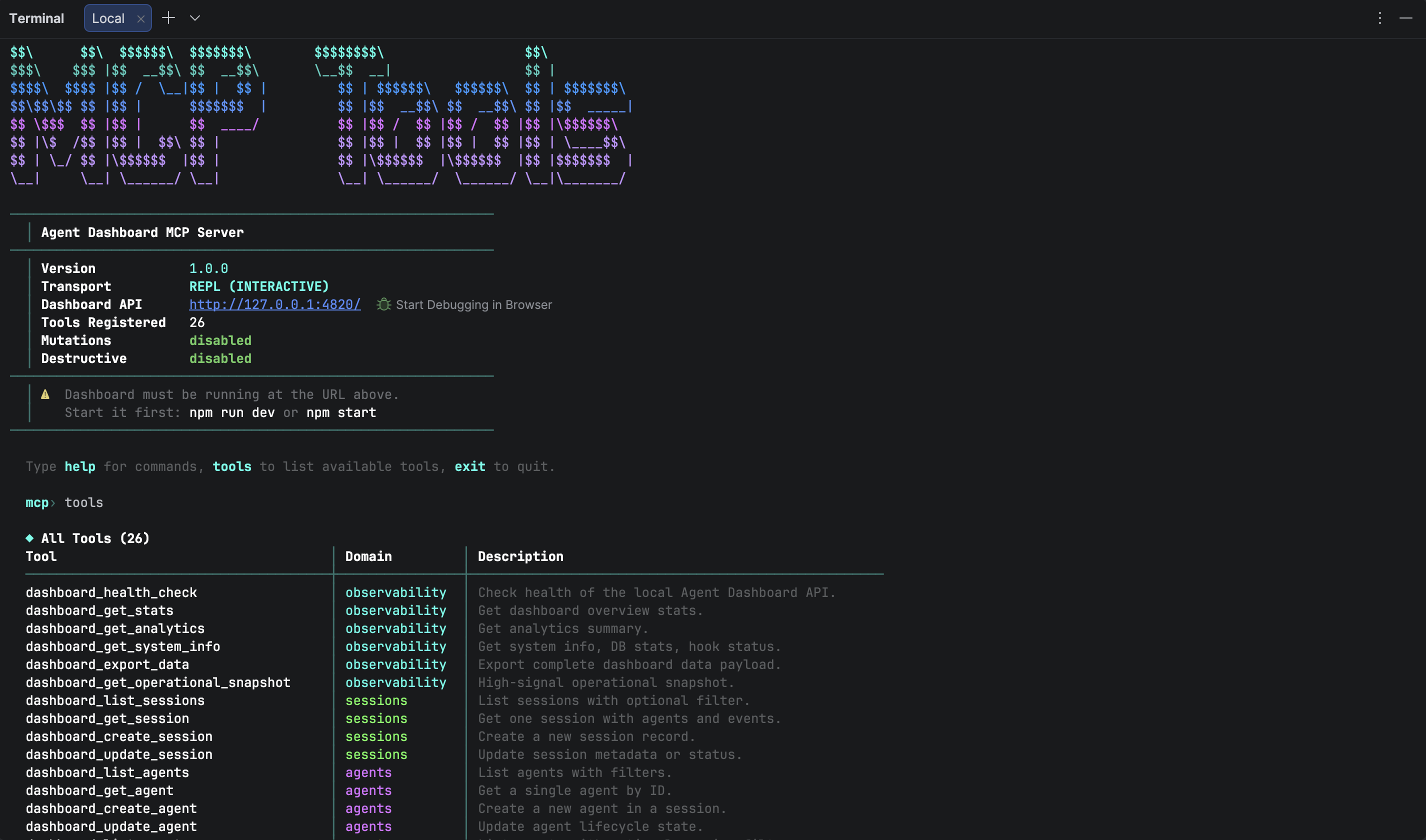
How the data flows.
A tight pipeline from CLI hooks to your browser. Everything's local - SQLite, your home dir, your machine. No accounts, no cloud, zero telemetry.
Claude Code fires a hook
Auto-installed entries in ~/.claude/settings.json trigger
scripts/hook-handler.js on every SessionStart, PreToolUse, PostToolUse,
Stop, SubagentStop, and Notification.
Hook handler POSTs
Stdin payload is parsed and POSTed to http://127.0.0.1:4820/api/hooks/event.
Always exits zero - Claude Code never blocks on the dashboard being unreachable.
Server ingests & persists
Single SQLite transaction per event. Auto-creates sessions and agents. Extracts token usage, tool calls, compactions, API errors, and turn durations from JSONL transcripts via a stat-cached reader. Stable turn identities prevent replayed duration rows, while exact Codex rollout liveness keeps historical sessions off the Active Agents board, and launcher/native PID pairs collapse into one TUI card.
WebSocket push
session_*, agent_*, and new_event frames stream
to every connected client. The React UI updates without polling. New
run_stream / run_status frames power the Run page.
Who actually uses this.
Originally a tool for one person to keep track of one developer's Claude Code use. Turned out it's useful for anyone who ships AI-assisted code - solo or in a team.
Watch what your CLI is doing
See every session, every tool call, every token spent - in real time. Cost tracking, compaction-aware accounting, kanban view of in-flight work.
Monitor team-wide CC usage
Deploy to Kubernetes with Helm, point hook handlers at the central instance, get Prometheus metrics + Grafana dashboards. Aggregate cost by project / model / user.
Inspect & debug your plugin
Config Explorer shows exactly what your plugin contributes, how its hooks fire, and how its skills/agents are structured. Marketplace tab walks you through publishing.
Run Claude from the browser
Spawn one-shot or multi-turn sessions, resume any past conversation, manage runs
from a single page. Slash + @-file autocomplete, live token meter, effort
dial, model picker, and permission mode all per-spawn.
Optimize your AI spend
Per-model pricing rules, daily / weekly / monthly cost trends, token-by-token analytics, compaction baselines so you know exactly what each session costs - even after a long thread compresses.
Study agentic workflows
D3 orchestration DAG, Sankey of tool transitions, collaboration network of subagent calls, error-propagation map - the workflow page is purpose-built for understanding how multi-agent CC sessions actually behave.
Keep the squad aligned
See who's running what, which sessions are active across the team, and how many tokens each project consumes. Kanban board and activity feed keep standups honest.
Monitor without leaving the editor
Use the VS Code extension sidebar to watch sessions and tool calls while you code. No browser tab needed - everything docks into VS Code as a side panel.
Up and running in 60 seconds.
Local-first by design. Clone, install, run - your Claude Code sessions start showing
up immediately because the dashboard auto-installs its hooks into your existing
~/.claude/settings.json.
Run it from your browser.
Four commands.
No accounts, no cloud, no telemetry. Everything stays on your machine. Existing
sessions in ~/.claude/projects import on first start. Prefer a
containerized toolchain? An optional VS Code Dev Container / Codespaces config ships
in .devcontainer/ (opt-in - host-based dev is unaffected).
# Clone & install
$git clone https://github.com/hoangsonww/Claude-Code-Agent-Monitor
$cd Claude-Code-Agent-Monitor
$npm run setup

# Install the hooks (on the HOST — never inside a container, #193)
$npm run install-hooks

# Start the dashboard (server + Vite)
$npm run dev

# Then open
→http://localhost:4820
Install it once, forget the terminal.
Prefer not to keep a terminal open? The dashboard also ships as a native desktop app -
a macOS .app and a Windows .exe - an Electron 35 shell that
embeds the same Express server in-process and renders the built React client in a
native window. Same dashboard, native OS lifecycle (macOS & Windows) on top.
Native, tray-first
A menu-bar / notification-area (tray) icon with a single-click dropdown showing a live status snapshot (sessions, agents, events today), a native application menu, single-instance lock, and window-close-hides-but-server-keeps-running. ⌘Q / Ctrl+Q opens a confirmation dialog (press it again to skip it). macOS shows a tinted template glyph in the menu bar; Windows uses a colored icon in the notification area.
Auto-start at login
Toggle Open at Login from the tray menu. On macOS it registers through the
native SMAppService API (visible under System Settings → General
→ Login Items); on Windows it writes a per-user
HKCU\…\Run entry (visible under Task Manager → Startup) - so
the dashboard is always running when you sit down.
Zero-setup, durable data
On first boot the app installs Claude Code hooks and starts background services
automatically - an install-only user gets monitoring with essentially no manual
setup. Your SQLite database lives in a per-user data dir outside the app
bundle, so it survives reinstalls and updates. The app also recovers your login-shell
PATH at startup, so Run Claude can find and launch the
claude CLI.
Coexists with the web dashboard
Run the desktop app and npm run dev at the same time and both stay
real-time. Every running dashboard appends its {port, pid, startedAt}
entry to ~/.claude/.agent-dashboard.json on startup; the hook handler
fans each hook out to every live entry in parallel, so both UIs receive the same
events and both their SQLite stores stay in sync. Stale entries self-evict via a
PID liveness check on read.
From download to running in under a minute.
The builds are unsigned / ad-hoc signed by default, so the first launch trips one OS warning - macOS Gatekeeper ("Apple could not verify…") or Windows SmartScreen ("Windows protected your PC"). Clear it once and everything after that is normal native OS lifecycle.
Download the right asset
Open the latest
release. macOS: grab
ClaudeCodeMonitor-<version>-arm64.dmg for Apple Silicon (M1 / M2 /
M3 / M4) or -x64.dmg for Intel Macs (Apple menu → About This
Mac - anything labelled "Apple" silicon is arm64).
Windows: grab
ClaudeCodeMonitor-Setup-<version>-x64.exe (NSIS installer) or
ClaudeCodeMonitor-<version>-x64-portable.exe (no-install portable).
Install or run it
macOS: double-click the DMG to mount it, then drag
Claude Code Monitor.app onto the Applications shortcut
beside it and eject the DMG once the copy is done. Windows: run the
*-Setup-*.exe - it installs per-user (no administrator
elevation) and adds Start-menu / desktop shortcuts - or just run the
*-portable.exe to launch without installing.
Clear the first-launch warning
macOS: the build is ad-hoc signed (not notarized), so Gatekeeper
shows "Apple could not verify…" - clear the quarantine once in Terminal with
xattr -cr "/Applications/Claude Code Monitor.app" (or
System Settings → Privacy & Security → Open Anyway).
Windows: the build is unsigned, so SmartScreen may show
"Windows protected your PC" - click More info → Run anyway.
One-time step per install.
Launch & toggle auto-start
Open Claude Code Monitor (Applications / Spotlight on macOS, the
Start menu / desktop shortcut on Windows). The tray icon appears within a second;
click it → Open at Login and the app will start at every login from now
on - managed through System Settings → General → Login Items on
macOS, or a per-user HKCU\…\Run entry (Task Manager →
Startup) on Windows.
Get it in two ways.
Download a pre-built installer - no build required. Hit the
button below to land on the latest GitHub Release. macOS:
grab the matching arch DMG -
ClaudeCodeMonitor-<version>-arm64.dmg for Apple Silicon
or -x64.dmg for Intel - and drag the app into
/Applications. Windows: grab
ClaudeCodeMonitor-Setup-<version>-x64.exe (NSIS installer) or
ClaudeCodeMonitor-<version>-x64-portable.exe (no-install) and run
it. The link always redirects to the current release because CI publishes a new
vX.Y.Z automatically every time the version in
package.json is bumped on master, attaching both
the macOS DMGs and the Windows .exes. Releases are public - no GitHub
sign-in required.
Want a per-commit build from CI instead of waiting for a
release? The 🍎 macOS Desktop (DMG) job uploads a
ClaudeCodeMonitor-dmg artifact and the 🪟 Windows Desktop
(EXE) job uploads a ClaudeCodeMonitor-win artifact on every
green run - useful for testing master before it's tagged. Or
build it yourself on the host OS: a single-arch macOS build
(desktop:dmg:arm64 or desktop:dmg:x64) finishes
in about a minute, while desktop:dmg produces both DMGs in
one go; on Windows, desktop:win builds the installer and
desktop:win:portable the portable .exe. Each macOS DMG is
roughly 125 MB, about 250 MB installed.
# Build the desktop app locally (run on the host OS)
$npm run setup
$npm run build
# desktop:install preflights the native better-sqlite3 build and, on
# failure, prints copy-pasteable setup help (incl. a no-toolchain alternative)
$npm run desktop:install

# macOS - fast, one architecture (recommended for your own Mac)
$npm run desktop:dmg:arm64   # Apple Silicon
$npm run desktop:dmg:x64     # Intel

# macOS - both arches, two separate DMGs (what the release ships)
$npm run desktop:dmg

# Windows - run these on Windows
$npm run desktop:win            # NSIS installer .exe
$npm run desktop:win:portable   # no-install portable .exe

# macOS: open the DMG, drag the app to Applications, then
# clear the Gatekeeper quarantine on first launch:
$xattr -cr "/Applications/Claude Code Monitor.app"
A purpose-built page for every job.
Each route is its own focused workspace - kanban for at-a-glance status, sessions for drill-down, analytics for trends, run for live spawning. They all sit on the same hook-driven event store, so what you see anywhere is the same source of truth.
/
Live overview of every active session, agent, and tool call across all projects.
/kanban
Drag-free swim lanes by agent status - waiting, working, completed, error, abandoned.
/sessions
Searchable, filterable list of every session with token, cost, and status facets.
/sessions/:id
Full conversation transcript, agent tree, tool calls, errors, and per-turn token cost.
/activity
Real-time event log with grouping, multi-dimension filters, and pause / resume.
/analytics
Cost trends, model mix, tool usage, error rates, productivity heatmaps - 11 datasets.
/workflows
D3-rendered subagent DAGs, propagation maps, and complexity bubbles per session.
/cc-config
12-tab inspector for skills, subagents, plugins, MCP, hooks, settings, memory, and more.
/run
Spawn, resume, attach, and stream Claude subprocesses straight from the browser with full config control.
/settings
Provider data scope, Claude/Codex pricing, live session-home setup, hooks, notifications, theme, language, and data tools.
A focused stack.
Boring, battle-tested foundations. No SaaS, no databases-as-a-service, no authentication providers. Just your machine + the tools that actually matter.
Frequently asked questions.
Quick answers to the things people ask most. The wiki has the full picture.
Does this send any data to the cloud?
No. The dashboard is a 100% local-first Node.js + React app that reads your existing
~/.claude/ directory and writes to a local SQLite file. There is zero
telemetry, zero analytics, no third-party calls. The MCP server is bound to
localhost. Web Push notifications use VAPID and only push to subscribers who
explicitly opted in via your own browser.
How does it integrate with Claude Code?
Claude Code's native hook system. npm run setup installs hook entries
into ~/.claude/settings.json that POST every SessionStart, PreToolUse,
PostToolUse, Stop, SubagentStop, and Notification event to the local server. Hooks
always exit zero so they never block your CLI; if the dashboard is down, your
workflow is unaffected and events resume capture as soon as it's back.
Will running Claude from the dashboard cost extra tokens?
The Run page spawns real claude processes - they consume your normal
Claude Code quota / API tokens, the same as if you ran them in your terminal. The
dashboard adds no overhead. The cost-tracking analytics show you exactly what each
run consumes, by model, with compaction-aware accounting.
Can I resume any session, even ones I didn't start in the dashboard?
Yes. The Run page's "Resume existing session" picker lets you select any session
from your full history (everything that's ever lived in
~/.claude/projects/), spawn claude --resume <id> with
the original cwd, and continue the conversation from where it left off - directly
in your browser.
Does the Run page have feature parity with the terminal TUI?
Most of what matters, with the limits the stream-json interface forces on us. We
support slash-command autocomplete (user / project / plugin commands expanded
client-side, plus built-in CLI commands flagged "CLI only - won't run from here"),
@-file references with debounced cwd-scoped fuzzy search, a live
context-window / token meter showing input + output + cache-read with cost, a
thinking-effort field wired to --effort, multi-turn conversation,
session resume, real character-by-character streaming, and full hook capture. What
doesn't carry over is the TUI itself - in-place tool approval prompts,
interactive /login / /init, the keybinding overlay - those
are CLI-only. There's a collapsible limitations banner on the Run page that spells
out exactly which is which, and any session can be popped open in your terminal
with claude --resume <id>.
Is it safe to edit my skills / agents from the Config Explorer?
Yes. Every mutation creates a timestamped backup in
<CLAUDE_HOME>/cc-config-backups/<type>/ before writing. Backups land
outside the directories Claude Code scans, so a deleted skill cannot resurface as a
backup-named one. Writes are atomic via temp file + rename. Plugins, MCP servers,
hooks-in-settings, and live settings.json files are intentionally
read-only because they have concurrent-write races with the running CLI.
Is there a desktop app, and how is it different from running the server?
Yes - a native desktop app built with Electron 35, on both macOS (a .app
shipped as a .dmg) and Windows (an NSIS installer .exe plus a
no-install portable .exe). It embeds the same
Express server in-process and renders the built React client in a native window,
so it is the same dashboard with native OS lifecycle (macOS & Windows) on top: a
menu-bar / notification-area (tray) icon, a native app menu, auto-start at login, a
single-instance lock, and
window-close-hides-but-server-keeps-running. It also installs Claude Code hooks
and starts background services on first boot, so you get monitoring with
essentially zero manual setup. Get it from the
latest release,
from the ClaudeCodeMonitor-dmg / ClaudeCodeMonitor-win CI
artifacts, or by building locally with
npm run desktop:dmg:arm64 / :x64 on macOS or
npm run desktop:win / desktop:win:portable on Windows. The
builds are unsigned / ad-hoc signed by default, so clear the first-launch warning -
Gatekeeper on macOS (xattr -cr "/Applications/Claude Code Monitor.app") or
SmartScreen on Windows (More info → Run anyway). Your SQLite
database lives in a per-user data dir (~/Library/Application Support/Claude Code Monitor/data/
on macOS, %APPDATA%\Claude Code Monitor\data\ on Windows) outside the
app bundle, so it survives reinstalls and updates, and the
app recovers your shell PATH at startup so Run Claude can
launch the claude CLI. See the
desktop app guide.
What about scaling / multi-user?
The default deployment mode is single-user, localhost-bound. For team setups we ship Docker / Podman compose files, Kubernetes manifests with Kustomize, Terraform modules for AWS/GCP/Azure/OCI, Helm charts, and Prometheus/Grafana observability - see the deployment guide.
Take Claude Code from black box to glass box.
See every session, agent, and tool call as it happens. Spawn and resume Claude from your browser. Inspect every plugin, skill, hook, and setting in 12 tabs. All on your machine - no telemetry, no signup, no cloud.